
How to Label Wallets and Link Your X Account
A wallet address means nothing until somebody puts a name on it. On Axiom that name can be one you typed, one Axiom already holds, or the owner's own X handle. Here is how to tell them apart and how to put your handle on your own wallets.
 Updated November 28, 2026
On this page
Three kinds of name
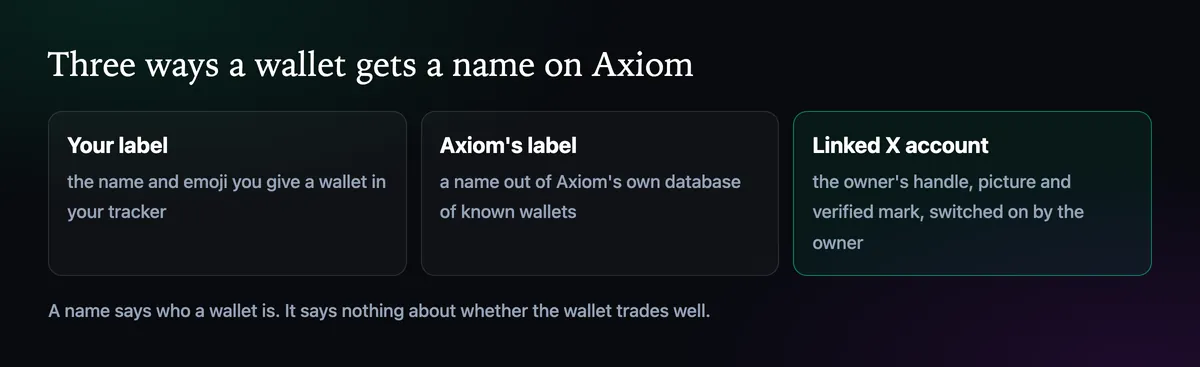
Your own label is the name and emoji you give a wallet in the tracker. Axiom's labels are its own database of known wallets, so many addresses already read as a name. The third kind is a linked X account: the owner has chosen to show a handle, picture and verified mark where the address would be.
Name a wallet yourself
The usual route is the tracker, and How to Add a Wallet to the Wallet Tracker has the steps. There is a shorter one. Open an unnamed wallet and the top of its window reads "Rename to track" where a name would be. Write the reason you care in the name, not a nickname: "sold the top twice" is worth more in three weeks than "whale 7".
Spot a linked account in a list
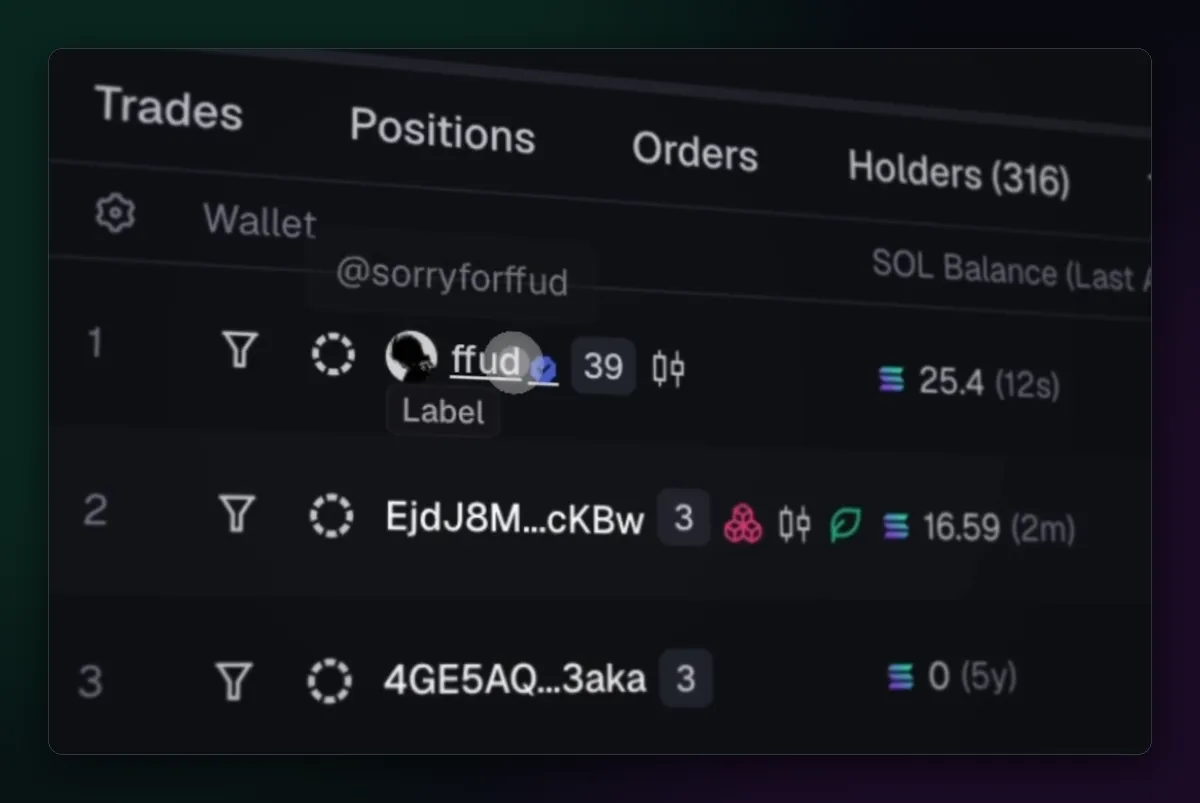
In Holders, a linked wallet has a small profile picture, a name and a blue tick, while its neighbours are still shortened addresses. Hover the name for the handle. The same treatment appears in top traders, trade lists, trackers and leaderboards, and on trade toasts. All it proves is that the owner linked an account, not that they trade well.
Show your X on your own wallets
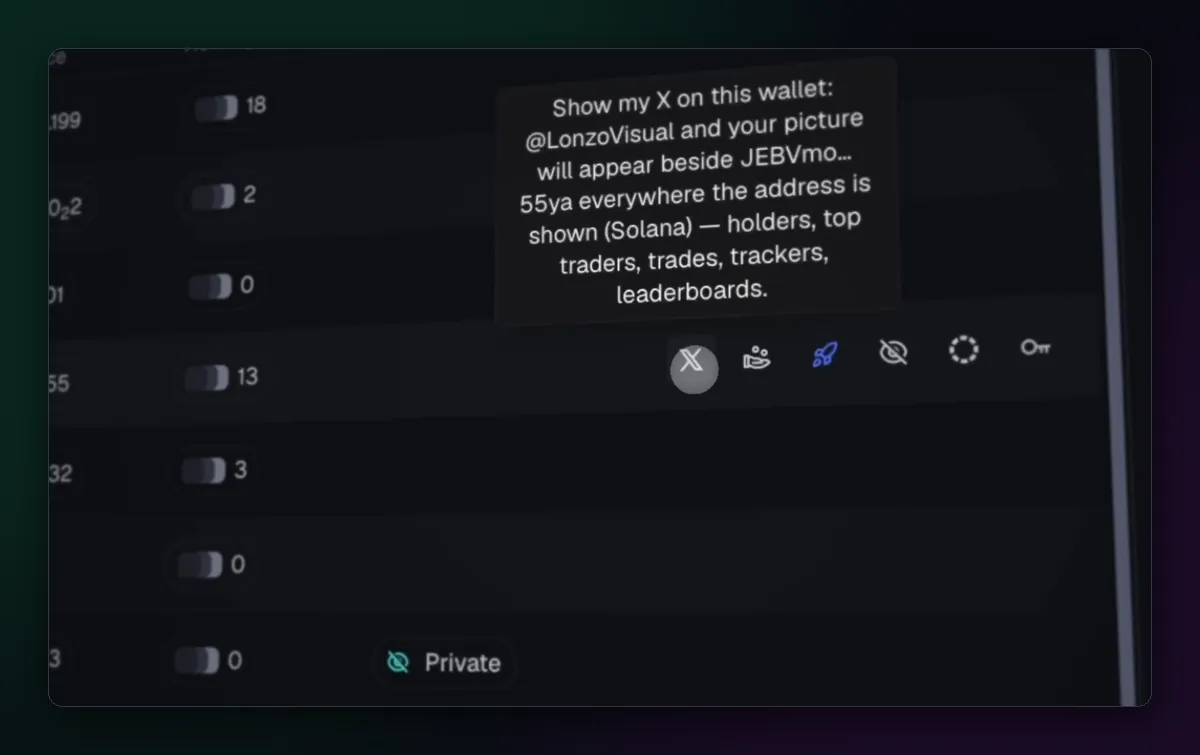
Once your X account is linked to Axiom, the choice is made wallet by wallet, and every wallet starts switched off. In Portfolio, open Wallets. Each row has a set of icons, the first of them the X logo, and its tooltip lists where your handle and picture will appear beside that wallet. Switch it on and the row gains a chip with your handle; rows you leave alone say Private. Pick one wallet you are happy to be judged by. A public wallet gets copied and faded, so keep the one holding your size private.
Check how many people track a wallet
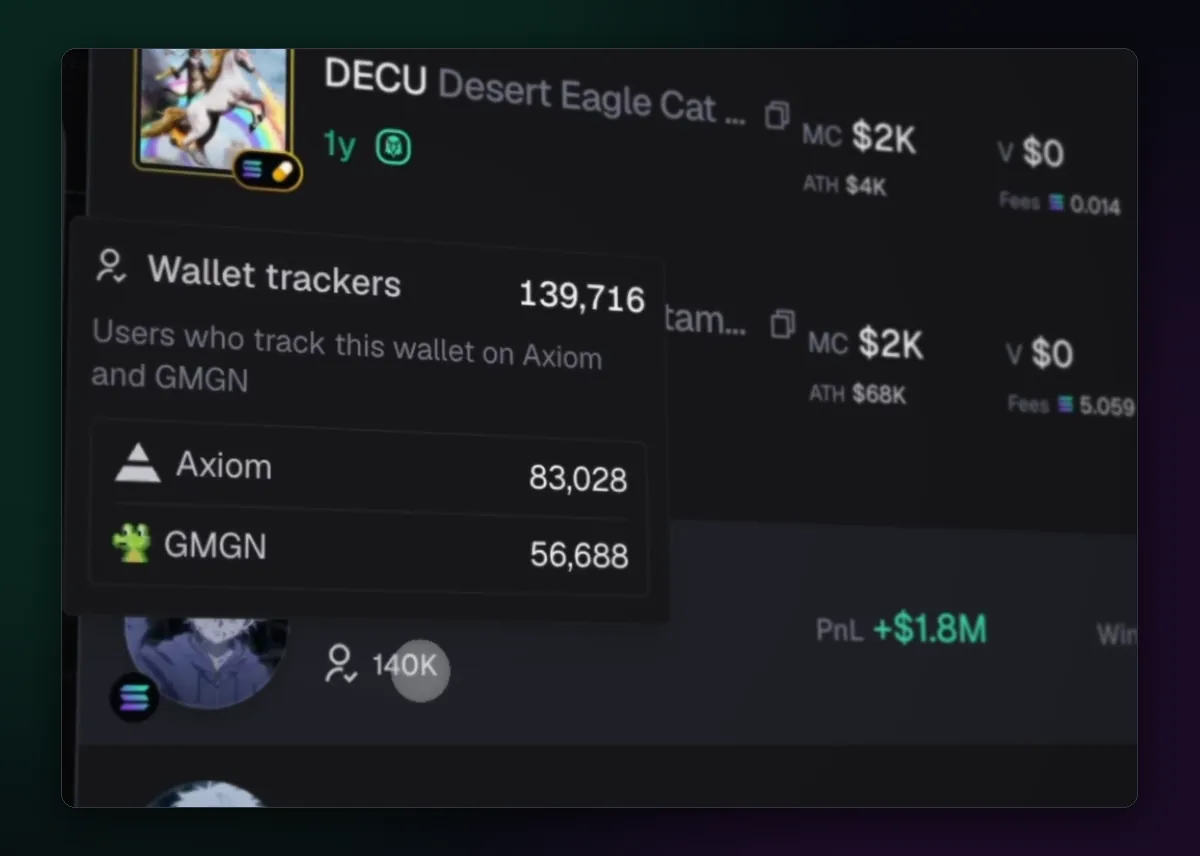
Search a trader by name and the wallet results carry a small count, 140K in this example. Hover it for the Wallet trackers card: the total, split between Axiom and GMGN. That count is also in the header when you open any wallet, and in How to Use Trader Scan. Read it as a crowding gauge. When 140,000 people get the same alert, the entry you see is not the entry you get.

Written by Mohammad Shahpari · Web3 CMO, Crypto Growth & SEO Specialist · X · LinkedIn
Did this answer your question?