
How to Place a Limit Order on Axiom
A limit order on Axiom buys or sells only when the price reaches a level you pick, then fills on its own while you are away. Here is how to place one from the order panel or straight from the chart, and how to stop it failing at the moment it triggers.
 Updated November 15, 2026
On this page
Open the Limit tab
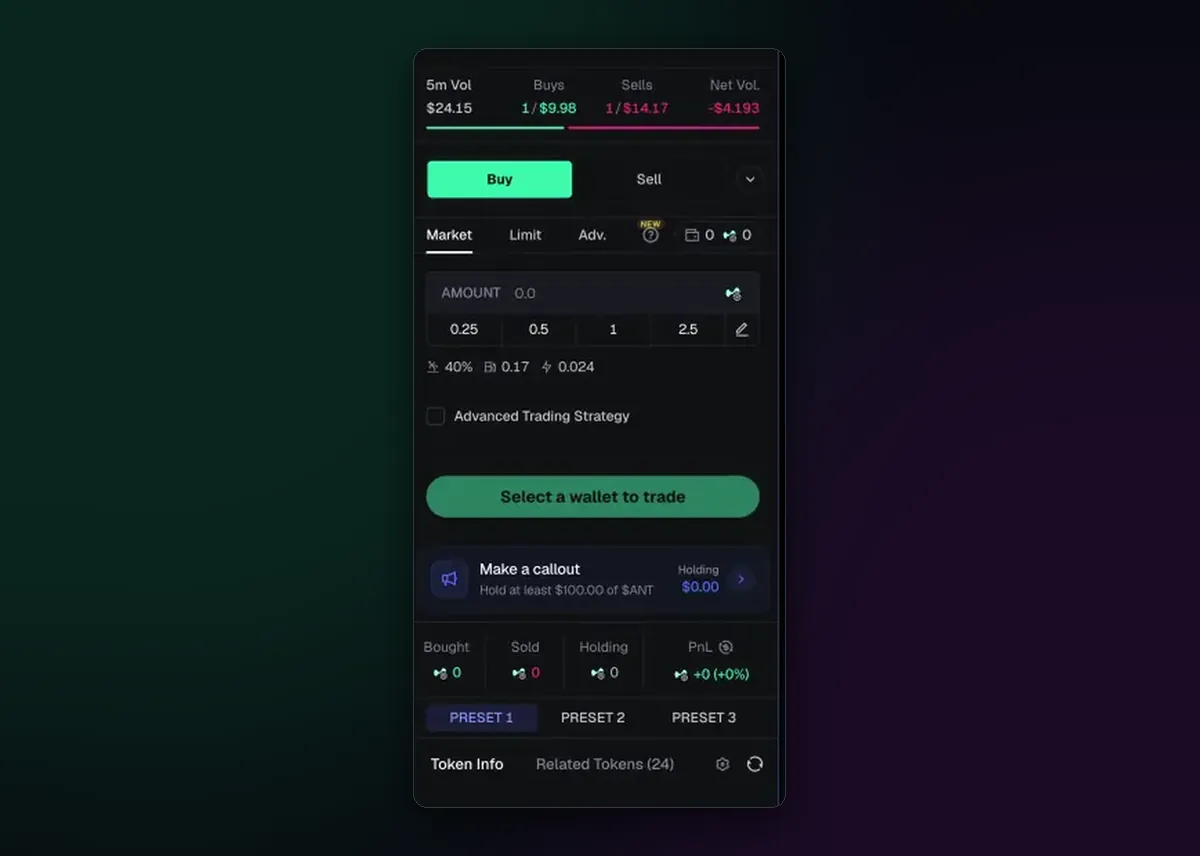
Every token page has the order panel on the right. Choose Buy or Sell first, then switch the tab under it from Market to Limit. The amount works the way it does for a market order: type it or tap one of the quick amounts, and the preset you have selected (P1, P2 or P3) supplies the slippage and fees the order will use later.
Set the level: slider or chart
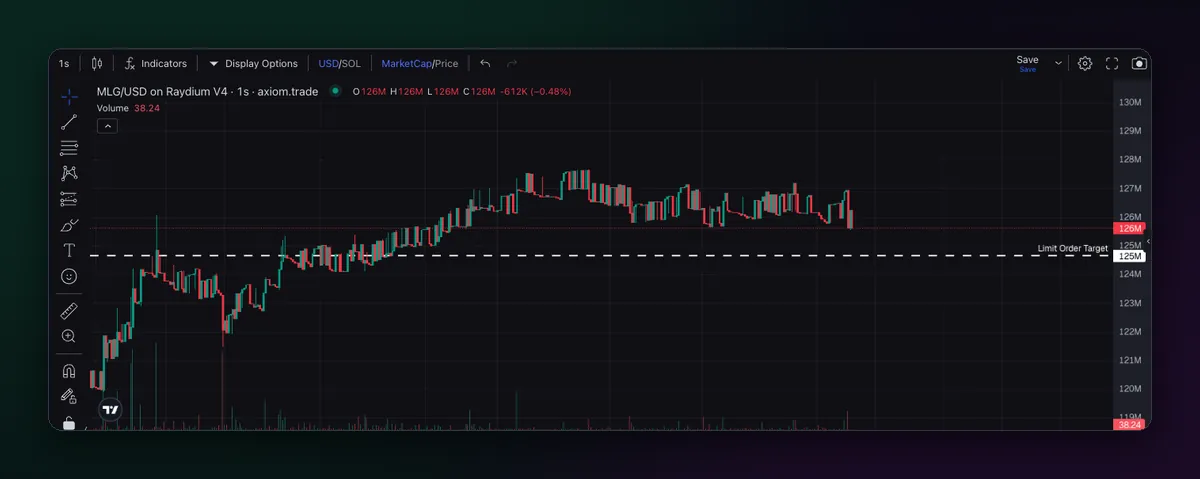
Axiom gives you two ways to set the trigger. The slider in the order panel moves it up or down from the current price. The quicker way is the chart: a dashed line labelled Limit Order Target appears, and you drag it to the level you want. If the chart is showing market cap rather than price, read the level in market cap too; the MarketCap/Price switch above the chart changes the units, not the order.
Buy below, sell above
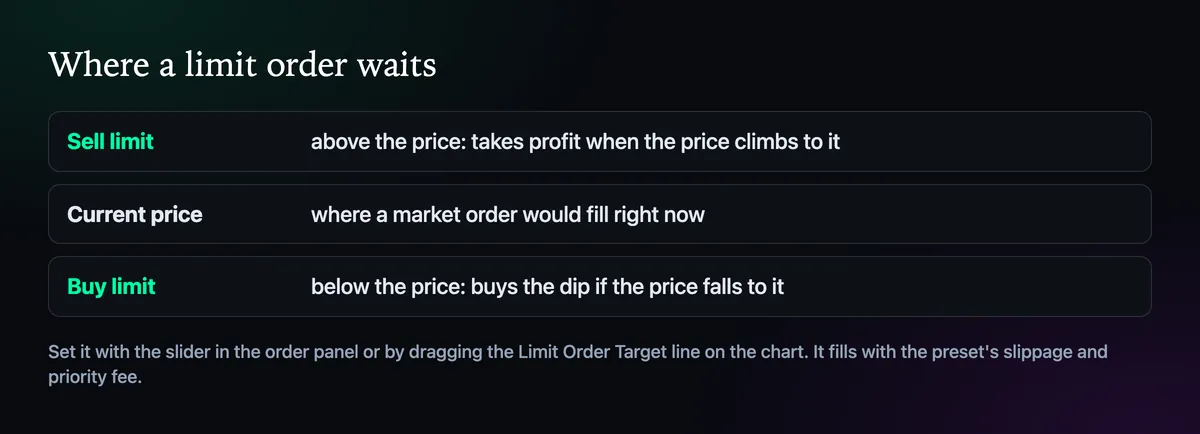
A buy limit waits under the current price for a dip you expect to bounce. A sell limit waits over it and takes profit when the price gets there. Both sit untouched until the market reaches them, so you can close the tab. Exits under the current price are a different tool, covered on the auto sell page.
Make sure it fills when it triggers
When the level is hit, Axiom sends the order with the slippage and priority fee from its preset. On a coin moving 20% in a minute, a tight preset can trigger and still fail, which feels worse than not trading at all. Give limit presets a little more room than your market ones; How to Set Slippage on Axiom and How to Set the Priority Fee and Bribe explain both settings.
Tidy up waiting orders
- Orders stay live until they fill or you cancel them, so go through them at the end of each session.
- Cancel anything whose reason has gone, such as a dip buy on a coin you no longer like.
- Keep enough balance for the orders you leave open, or they cannot fill.
A filled limit order pays the normal trading fee, 0.8% with code TradeNow. Strategy ideas sit on the limit orders page.

Written by Mohammad Shahpari · Web3 CMO, Crypto Growth & SEO Specialist · X · LinkedIn
Did this answer your question?