
How to Open a Long or Short on Axiom
A long on Axiom bets a price goes up, a short bets it goes down, and leverage multiplies both the result and the risk. Here is how to open either one on the Perpetuals tab, and how to read the numbers before you click.
 Updated November 12, 2026
The Perpetuals page
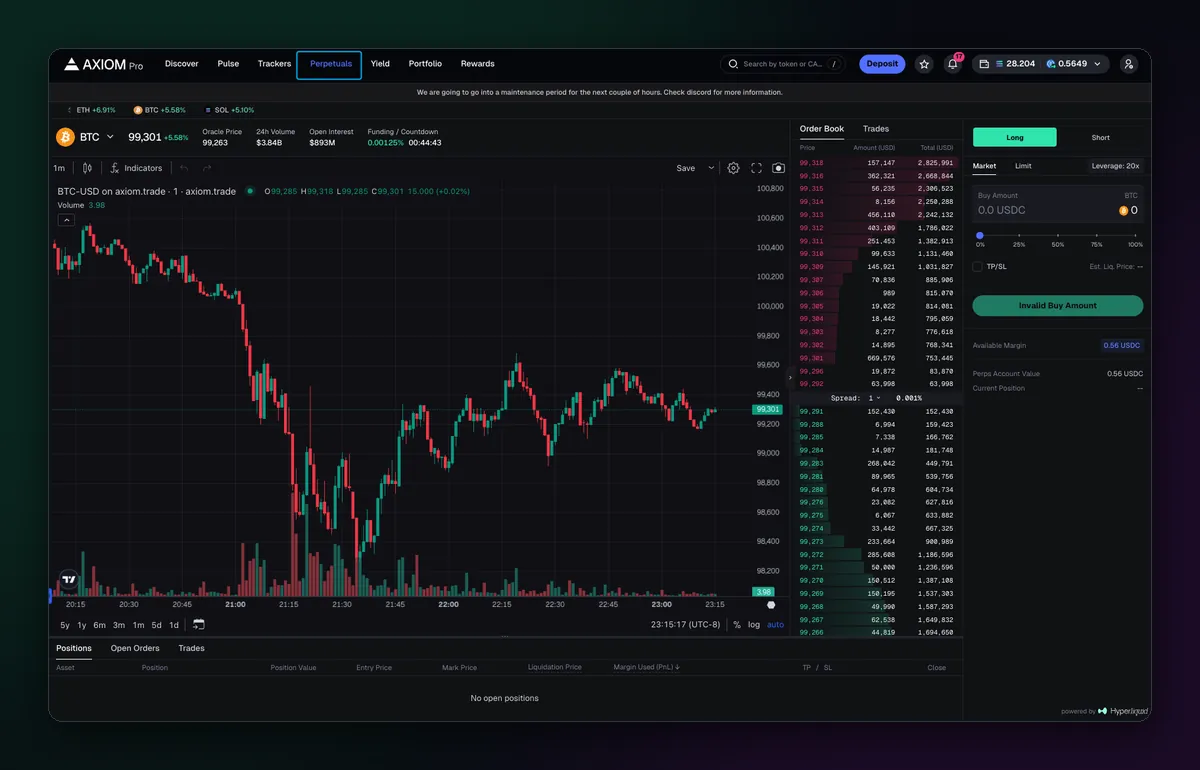
Open Perpetuals in the top bar and pick a market, BTC-USD for example. The layout is familiar from spot trading, with the chart on the left, but the middle now holds an order book and recent trades, and the panel on the right is built for futures. Under the chart sit three tabs: Positions, Open Orders and Trades.
Place the order
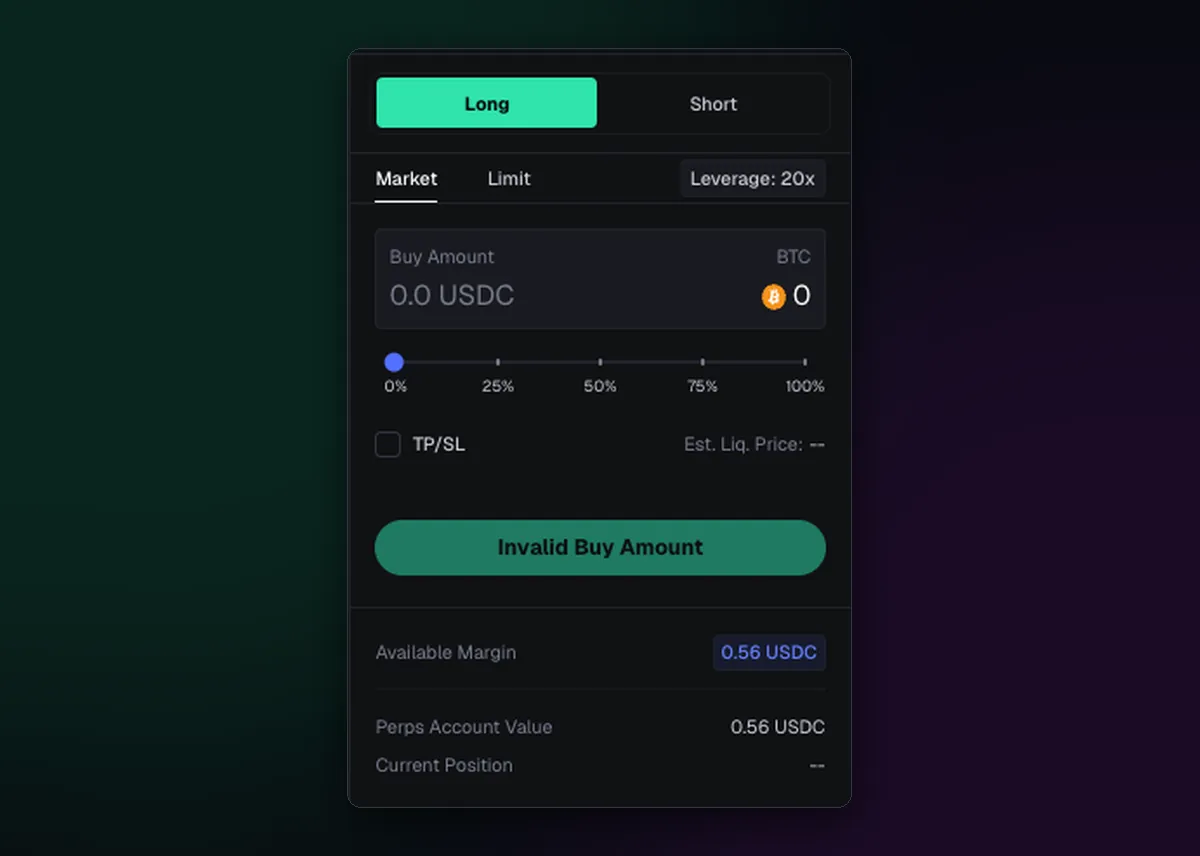
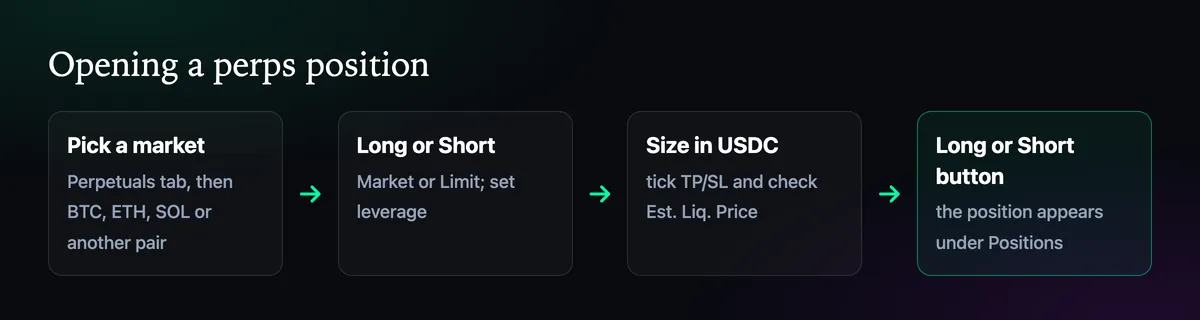
- Choose Long or Short at the top.
- Pick Market to fill now, or Limit to wait for a price.
- Set the leverage. The panel shows the current setting, such as 20x; lower it before anything else.
- Enter the size in USDC, or drag the slider to a share of your available margin.
- Tick TP/SL to attach a take profit and a stop loss.
- Read Est. Liq. Price, then press the Long or Short button.
Leverage, in numbers
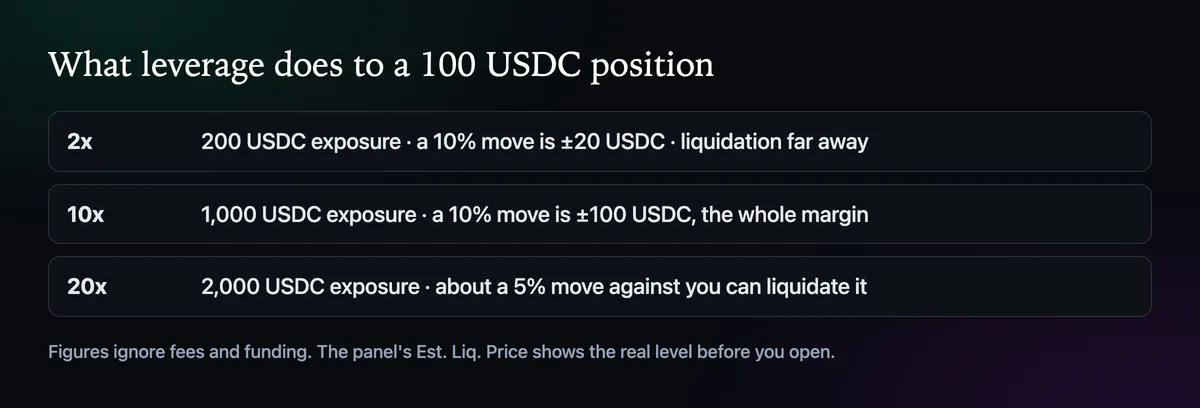
Leverage multiplies exposure, not money. At 10x, 100 USDC of margin controls a 1,000 USDC position, so a 10% move against you wipes the margin out. At 20x, about a 5% move does it. Crypto moves 5% in an afternoon often enough that high leverage tends to end the same way. Axiom's docs mention up to 50x, while Hyperliquid caps each market at its own maximum, lower on most pairs.
Watch and manage the position
The Positions tab shows each open position with its size, value, entry and mark price, liquidation price, the margin in use with its profit or loss, and the TP and SL attached to it. Close from there, partly or fully. Open Orders holds limits that haven't filled, and Trades is your history. The Perpetual Portfolio in Portfolio adds up volume, PnL and trade count over time.
Before your first trade, read How to Deposit USDC for Perps for the margin side, and the Axiom perps guide for fees and funding.

Written by Mohammad Shahpari · Web3 CMO, Crypto Growth & SEO Specialist · X · LinkedIn
Did this answer your question?