
How to Use the Watchlist
Axiom's watchlist keeps the tokens you care about one click away, with live prices and a Quick Buy on every row. Star a coin to add it, open the list from the top bar, and trade from there.
 Updated November 11, 2026
Add a token
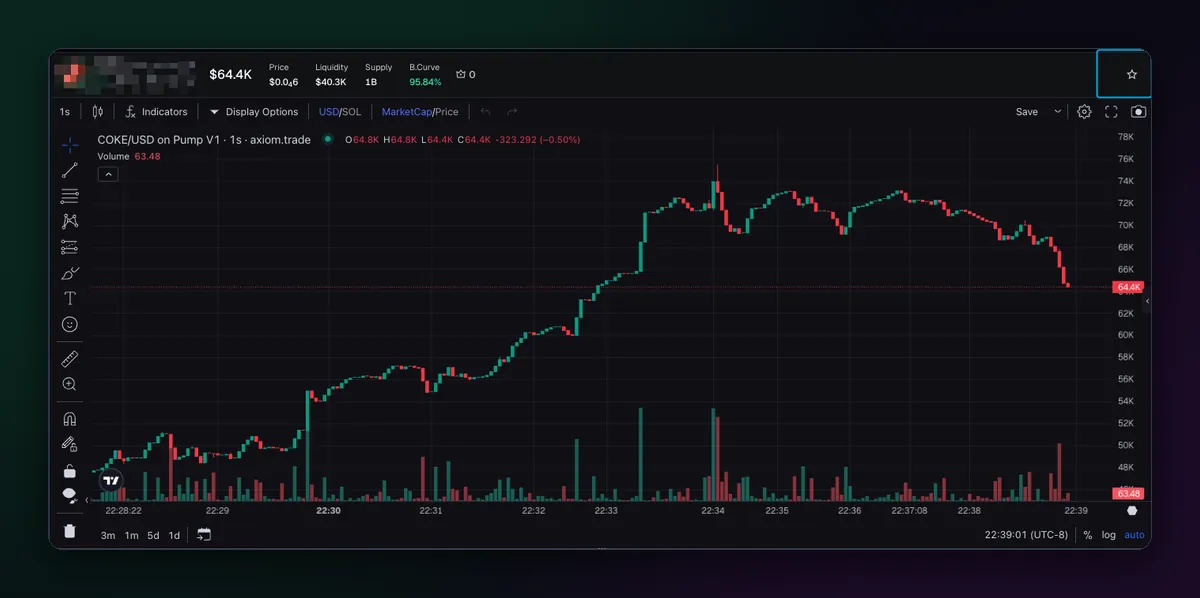
Click the star next to a token's name, on its page or in a list. The star fills in, and the coin is on your watchlist. Click it again to take it off. A list of two hundred coins is not a watchlist any more, so keep it to the ones you would actually trade.
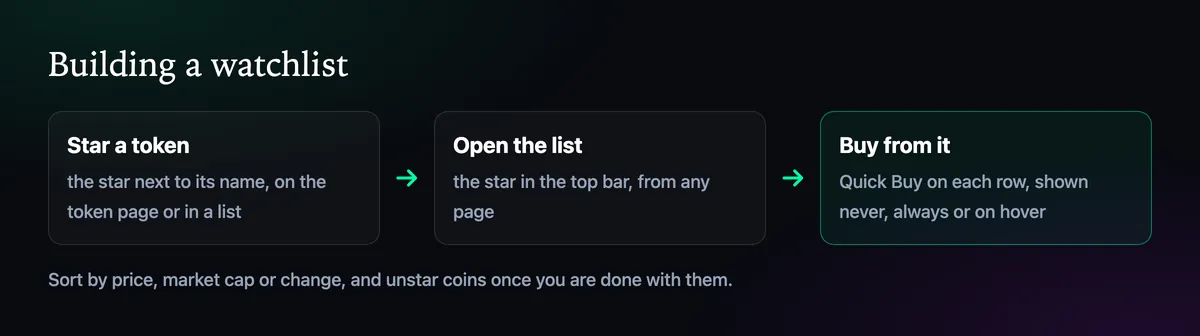
Open the watchlist
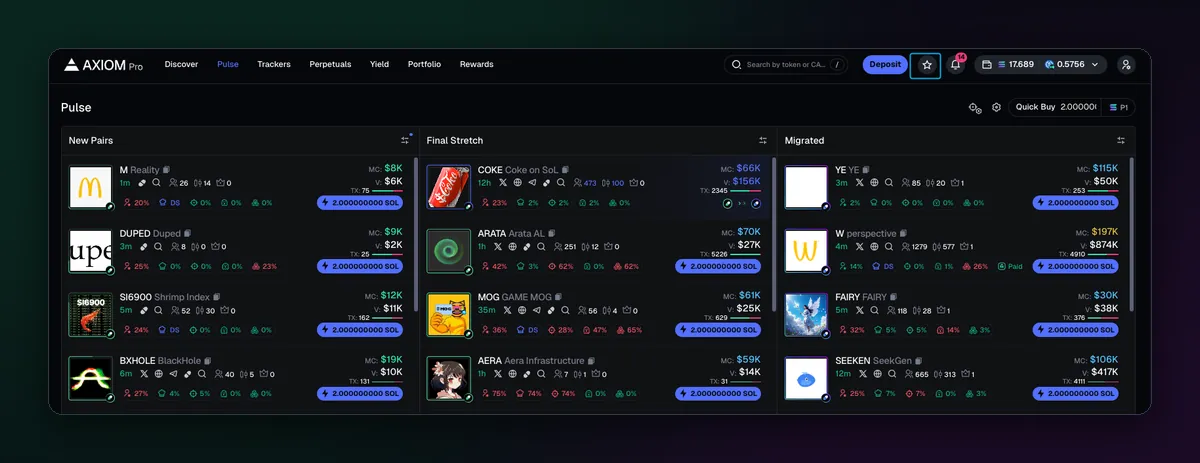
The star in the top bar, next to Deposit, opens the list from anywhere in the terminal. Each row shows the coin's price and its change, and clicking it opens the token page. The thin row of coins under the top bar is your watchlist too, each with its price, so you notice a move without opening anything.
Buy straight from the list
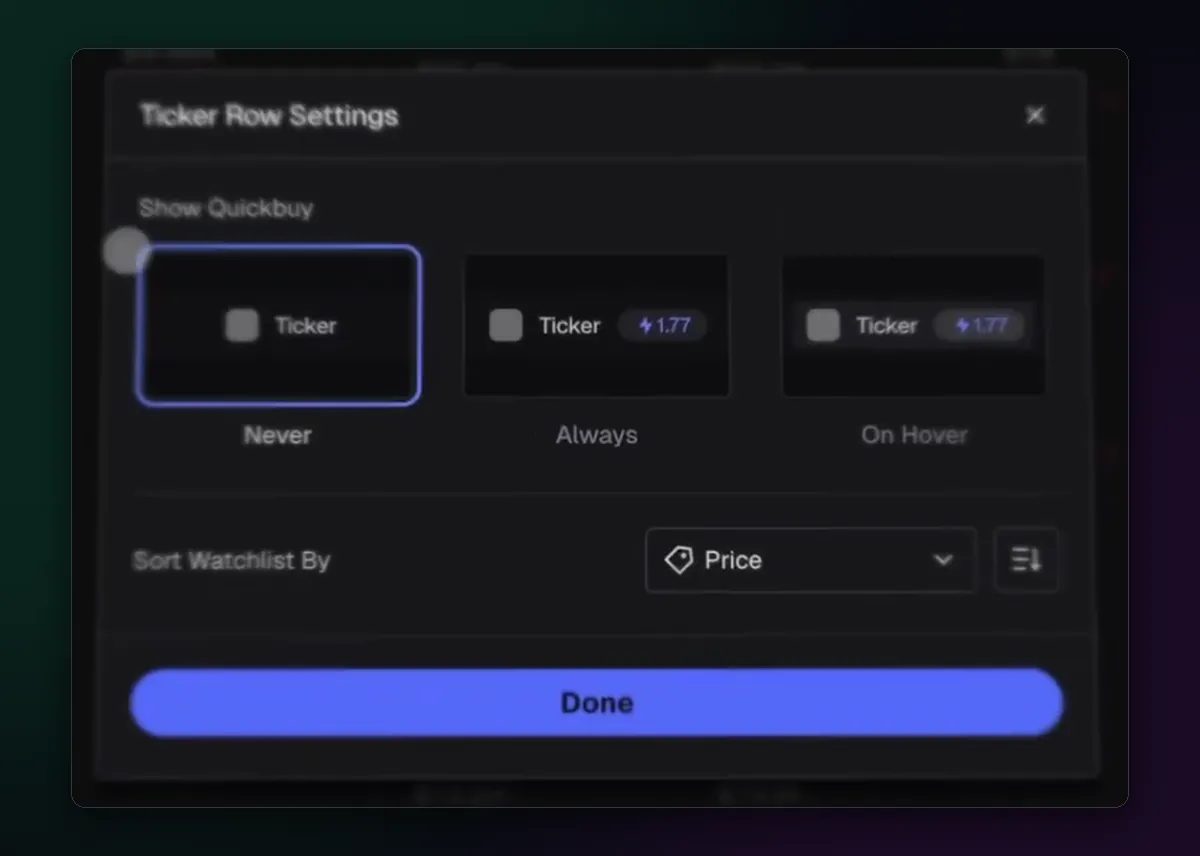
Since July 2025 the watchlist has Quick Buy on its rows. In Ticker Row Settings choose whether the button shows Never, Always or On Hover, and how to sort the list, by price for example. On Hover is a good middle ground: the button is there when you reach for it and out of the way when you're only watching. The buy uses your selected preset and Quick Buy amount, as in How to Buy a Token on Axiom.
Ways to use it
- Pullback list. Coins you like but missed. Star them and wait for a dip instead of chasing.
- Holdings plus. Everything you hold, plus coins in the same theme, so you see if the theme turns.
- Launch prep. Final Stretch coins you have checked, ready to buy if they graduate cleanly.
For coins you would rather leave to an order than to your reflexes, a limit buy waits for the price for you; see the limit orders guide.

Written by Mohammad Shahpari · Web3 CMO, Crypto Growth & SEO Specialist · X · LinkedIn
Did this answer your question?