
How to Set Slippage on Axiom
Slippage on Axiom is the most the price may move against you between pressing Buy and the trade landing. Too low and orders fail; too high and bots get room to fill you badly. Here is how to set it per situation.
 Updated November 9, 2026
On this page
What slippage means
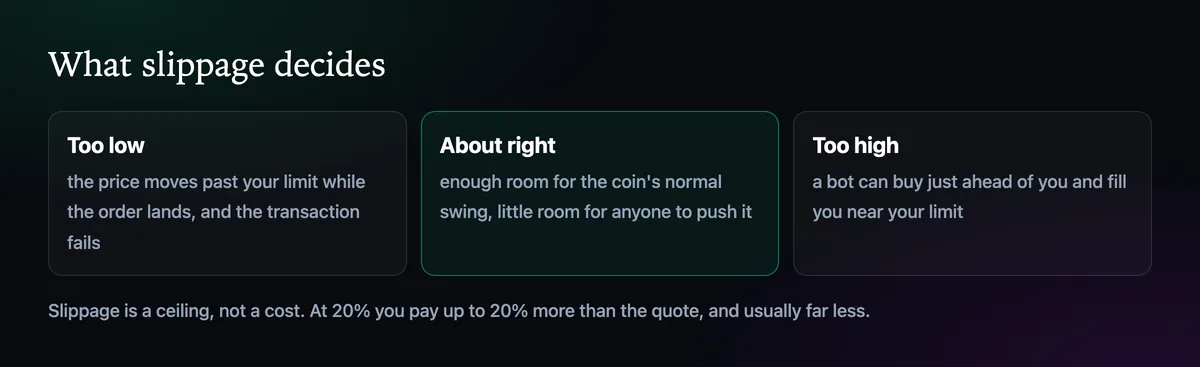
When you press Buy, Axiom sends an order that says: fill me at the current price, or at most this many percent worse. If the token moves further than that before the transaction lands, the order cancels itself. Axiom takes the setting as a maximum percentage, and the docs give the extreme case: 1000% means you accept a 10x move. You don't pay the full slippage on a normal fill, only what the price actually moved.
Where to set it
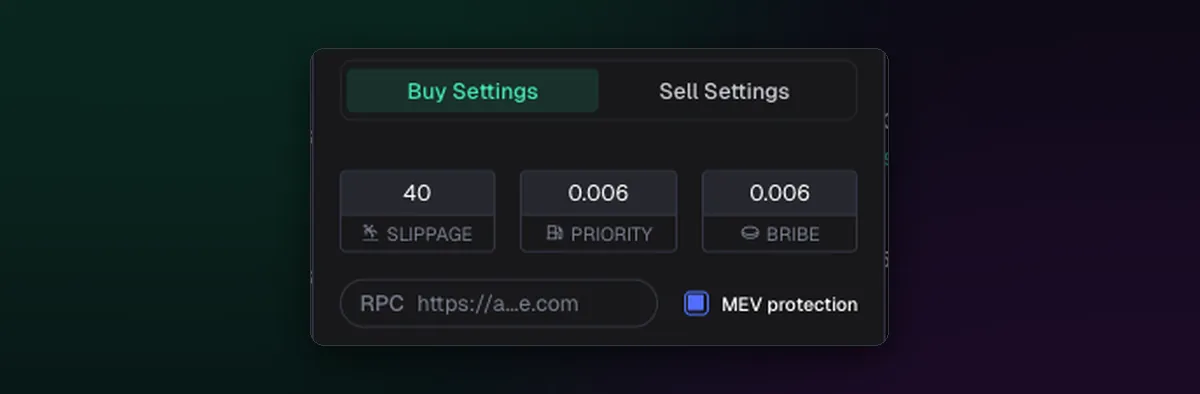
Open Trading Settings from the order panel, pick a preset, and type the value into the first field. Buys and sells have separate tabs, and they deserve different numbers: a sell into a falling coin often needs more room than a buy into a rising one. The migration sniper has its own slippage too, in Snipe Settings, covered in How to Use Migration Buy and Migration Sell.
Starting points
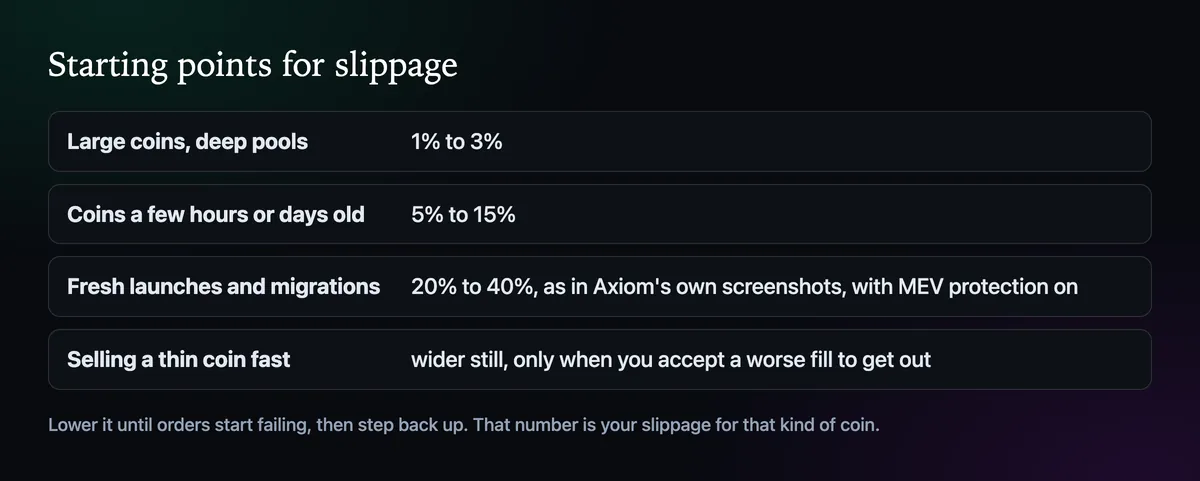
Large tokens with deep pools barely move between click and fill, so 1% to 3% is plenty. Coins that are a few hours or days old swing more, and 5% to 15% keeps most orders alive. Fresh launches and migrations are another world: Axiom's own screenshots use 20% to 40% for them, which only makes sense with MEV protection on.
Always pair it with MEV protection
High slippage without protection is an invitation. A sandwich bot sees your buy waiting, buys just ahead of it to push the price up to your limit, lets you fill at the top, and sells straight back into you. Axiom's docs make the rule plain: if MEV protection is off, keep slippage low. With Secure mode on, a wider setting is far safer. Off, Reduced and Secure are compared side by side in the MEV protection guide.
Tune it with your own trades
- Start each preset at the low end of its range.
- When orders fail on coins that are moving, raise it a step, say from 10% to 15%.
- When everything fills but the prices look worse than the chart, lower it again and check MEV is on.
Pairing slippage with the right fee level matters just as much; How to Set the Priority Fee and Bribe covers the other half.

Written by Mohammad Shahpari · Web3 CMO, Crypto Growth & SEO Specialist · X · LinkedIn
Did this answer your question?