
How to Use Migration Buy and Migration Sell
Migration Buy and Migration Sell are orders Axiom fires at the exact moment a coin graduates from its bonding curve into a real pool. Here is how to set each one up, and why the settings for them differ from every other trade.
 Updated November 9, 2026
What migration is
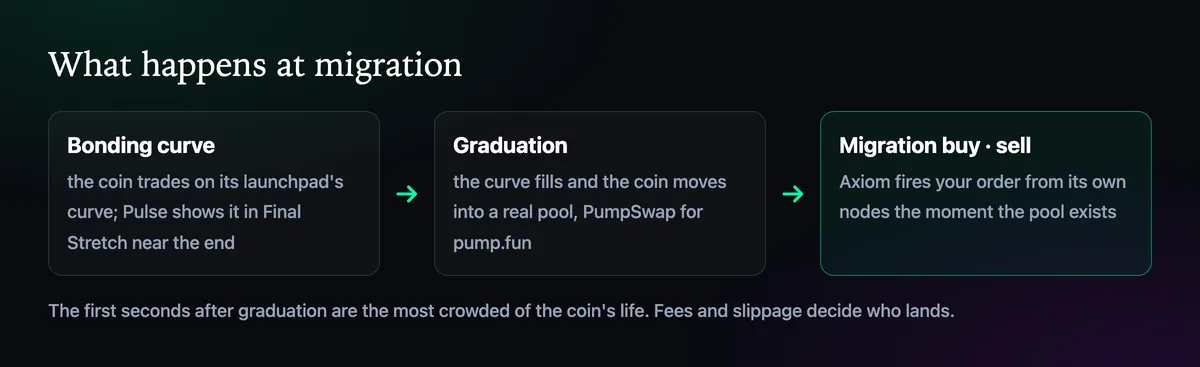
Coins on launchpads such as pump.fun start on a bonding curve, where the price rises with every buy. When the curve fills, the coin graduates and its liquidity moves into a proper pool, PumpSwap for pump.fun. Those first seconds in the new pool are often the busiest of the coin's life, and Axiom's migration orders exist so you don't have to click at that moment yourself. Axiom runs them on its own nodes, with no third-party sniper bot in between.
Set up a Migration Buy
- Find the coin in Pulse's Final Stretch column, where curves close to filling are listed.
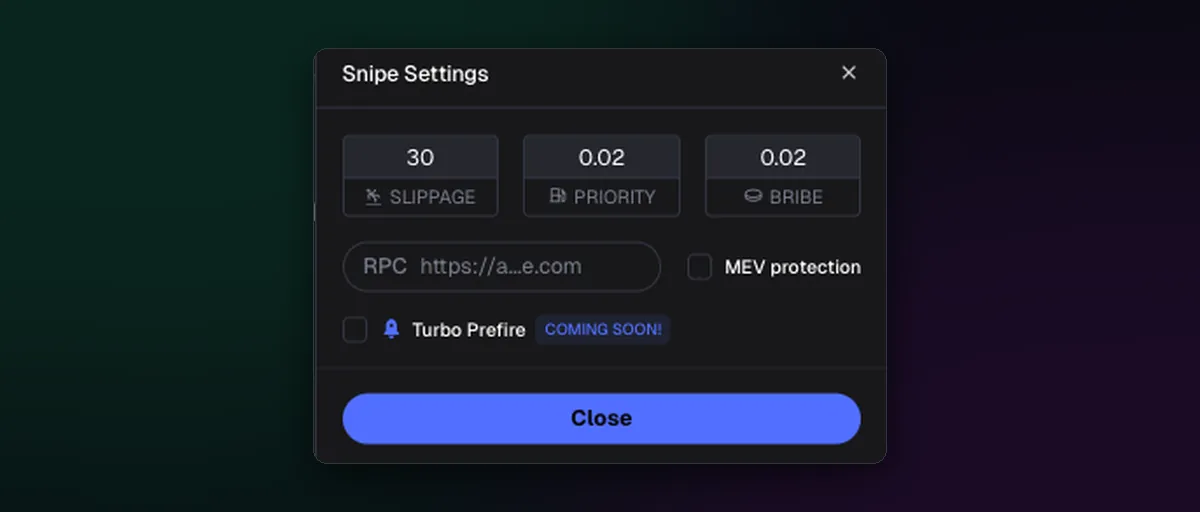
- Open Snipe Settings and set the sniper's own slippage, priority fee and bribe.
- Press Snipe on the coin and choose the amount. Then wait: the buy goes out when the pool exists.
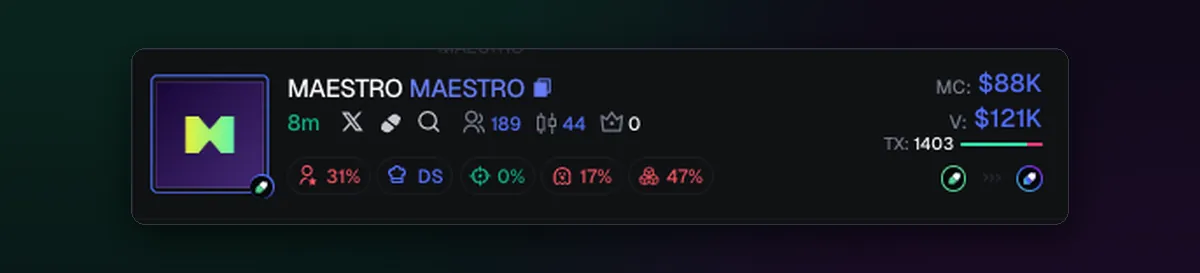
Axiom's own example in Snipe Settings is 30% slippage with 0.02 SOL priority and 0.02 SOL bribe, which tells you how contested graduation is. Those fees are paid even if the coin does nothing afterwards, so arm snipes on coins you have actually checked: the row shows the dev's share, snipers, insiders and bundles at a glance. The Axiom sniper guide covers choosing targets.
Set up a Migration Sell
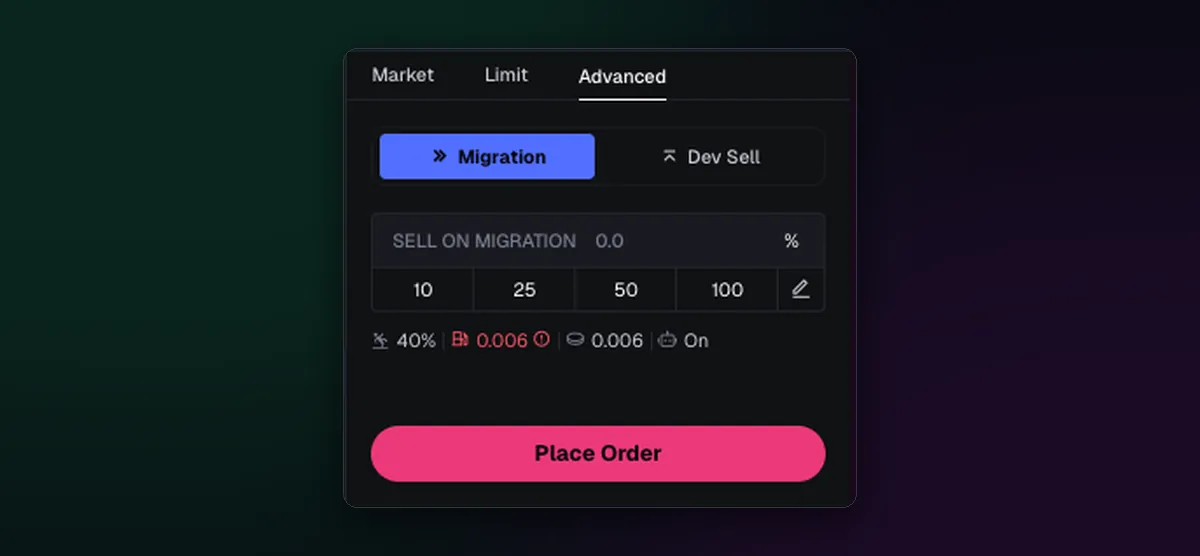
A migration sell is for coins you already hold on the curve. Open the order panel, switch to Sell, then Advanced, then Migration. Set the share of the position to sell, 10, 25, 50, 100% or your own number, and press Place Order. The order then waits until graduation. Next to it sits Dev Sell, the same idea triggered by the creator selling instead.
Axiom pitches it as the escape hatch for a coin that turns out to be a fake, but it suits a plain plan too: many traders take half off at migration, when attention and liquidity peak.
Or attach it when you buy
The same exits can ride along with a buy. Tick Advanced Trading Strategy before you buy and add a Sell Amount on Migration row, or one for Dev Sell, next to your take profit and stop loss; How to Sell All or Part of a Position shows that box.
Coins on other launchpads graduate in their own ways, with different curve sizes and destination pools. The Pump.fun page explains its graduation in detail.

Written by Mohammad Shahpari · Web3 CMO, Crypto Growth & SEO Specialist · X · LinkedIn
Did this answer your question?