
Can't Log In to Axiom? What to Check
Most Axiom login trouble comes from one of five places: the wrong address, the wrong login method, a code that never came, the browser, or an account issue only support can fix. Work down the list in that order.
 Updated November 7, 2026
On this page
1. Make sure you are on axiom.trade
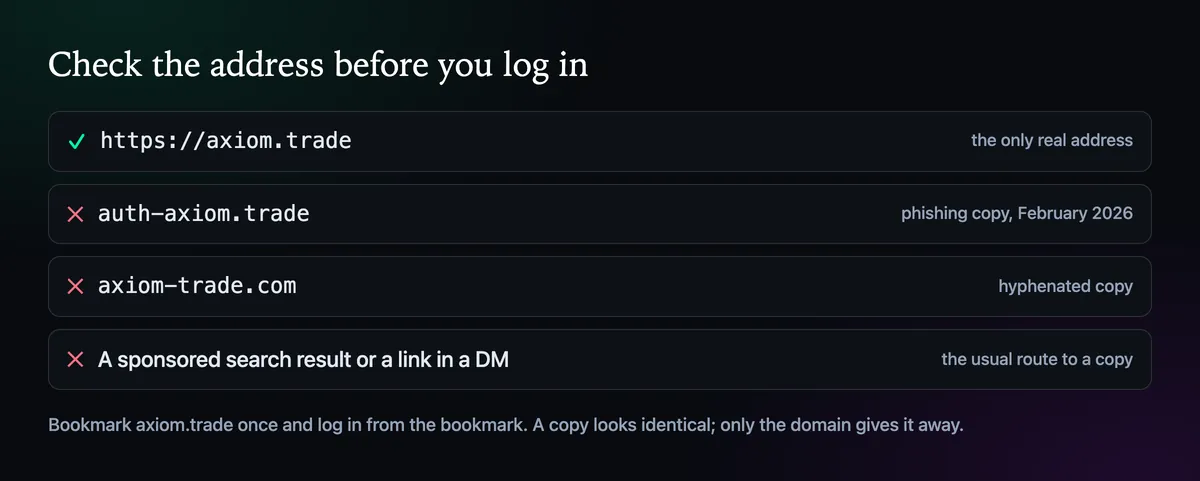
Copies of Axiom look identical, login window included, and they exist to collect codes and sessions. A login that "doesn't work" on a copy is the best outcome you can hope for there. Before typing anything, read the address bar: axiom.trade, with nothing in front of it and nothing after it. If you arrived through a search ad or a link someone sent, close the tab and use your bookmark. Our official website page lists the copies seen so far.
2. Use the method you signed up with
Email, Google and Phantom each lead to the account they created. If you signed up with Google and now type the same Gmail address into the email box, you may not reach the same account. Try the other buttons before deciding anything is broken; How to Log In to Axiom goes through each one.
3. The email code never arrived
- Give it a minute or two, then check spam, promotions and any filters you have set up.
- Ask for one new code and use only the newest email.
- Look for a typo in the address; one missing letter sends the code nowhere.
- Company mail servers sometimes hold automated mail for a while. A personal inbox is a safer choice for an account like this.
4. Rule out the browser
Pop-up blockers stop the Google and Phantom windows from opening, so allow pop-ups for axiom.trade. Phantom has to be past its password screen and set to the right wallet before you press Connect. Then try a private window with extensions switched off: if the login works there, an extension is in the way. Keep only the ones you trust, since in September 2026 researchers found browser add-ons that stole logged-in Axiom sessions. Clearing axiom.trade's site data is the last step. It logs you out, and nothing in your wallet changes.
Your money is not inside the login
A login problem only becomes a money problem if the recovery phrase is gone too. The wallets live on the chain, and the 12 words open them in Phantom or Rabby even if you never get back into Axiom. If you haven't saved them yet, back up the recovery phrase as soon as you are in.
5. Open a support ticket
If none of that helps, the next step is Axiom support, and support only works through tickets on the official Discord, discord.gg/axiomtrade.
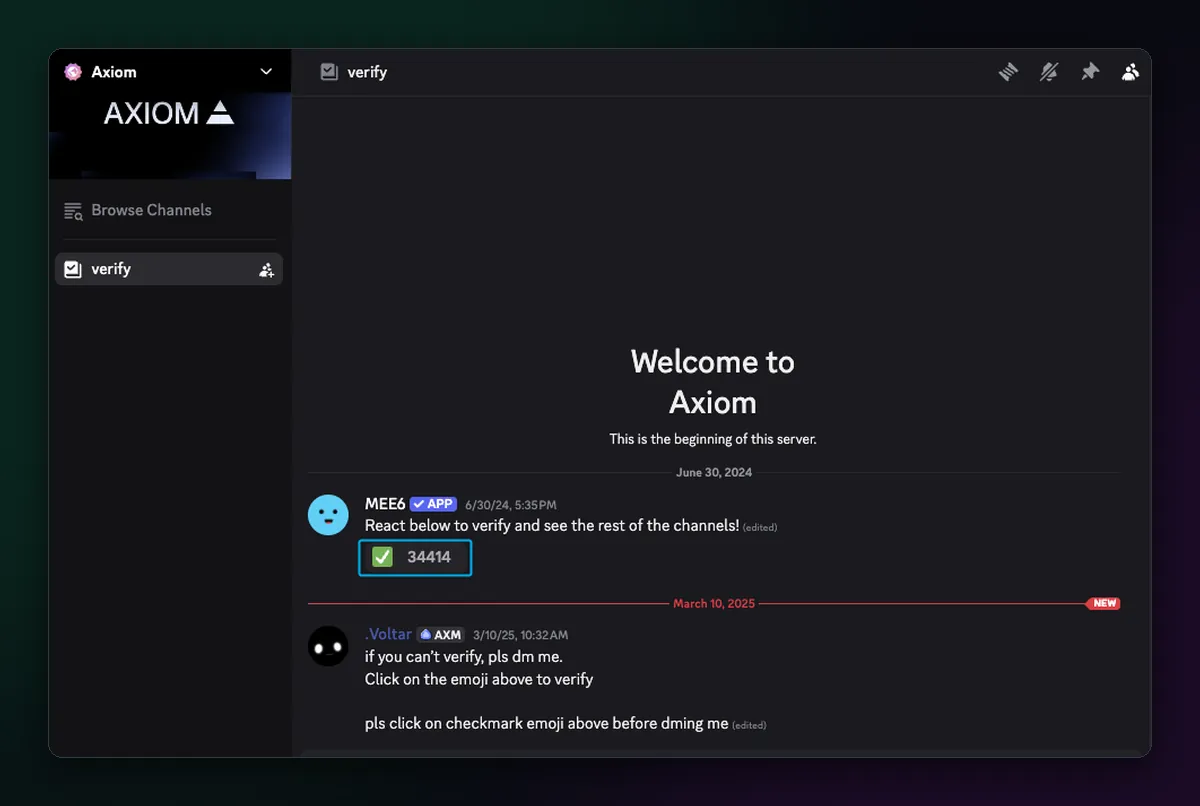
- Join the server and click the check mark in the verify channel to open the rest of the server.
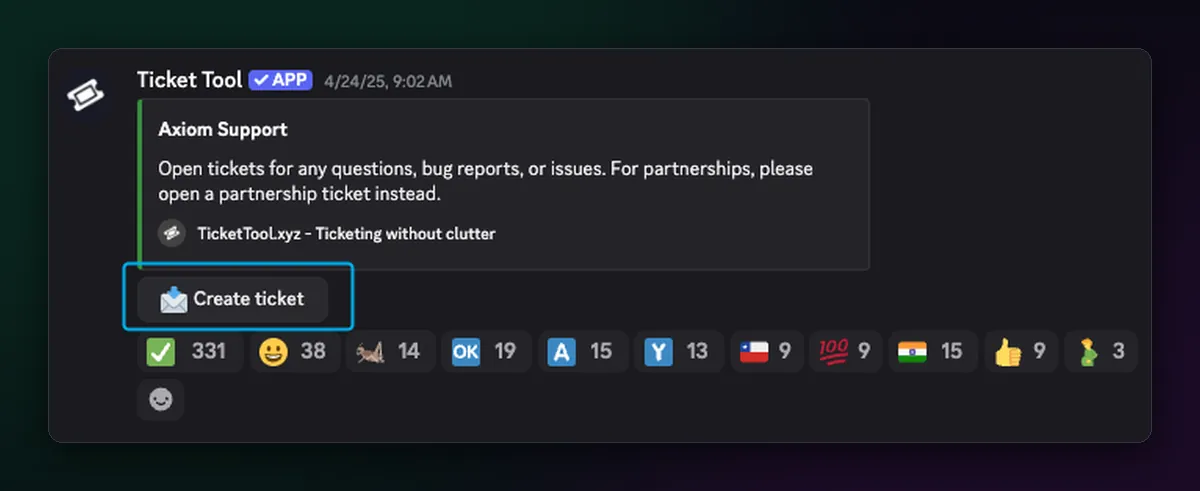
- Scroll to the tickets channel near the top and press Create ticket.
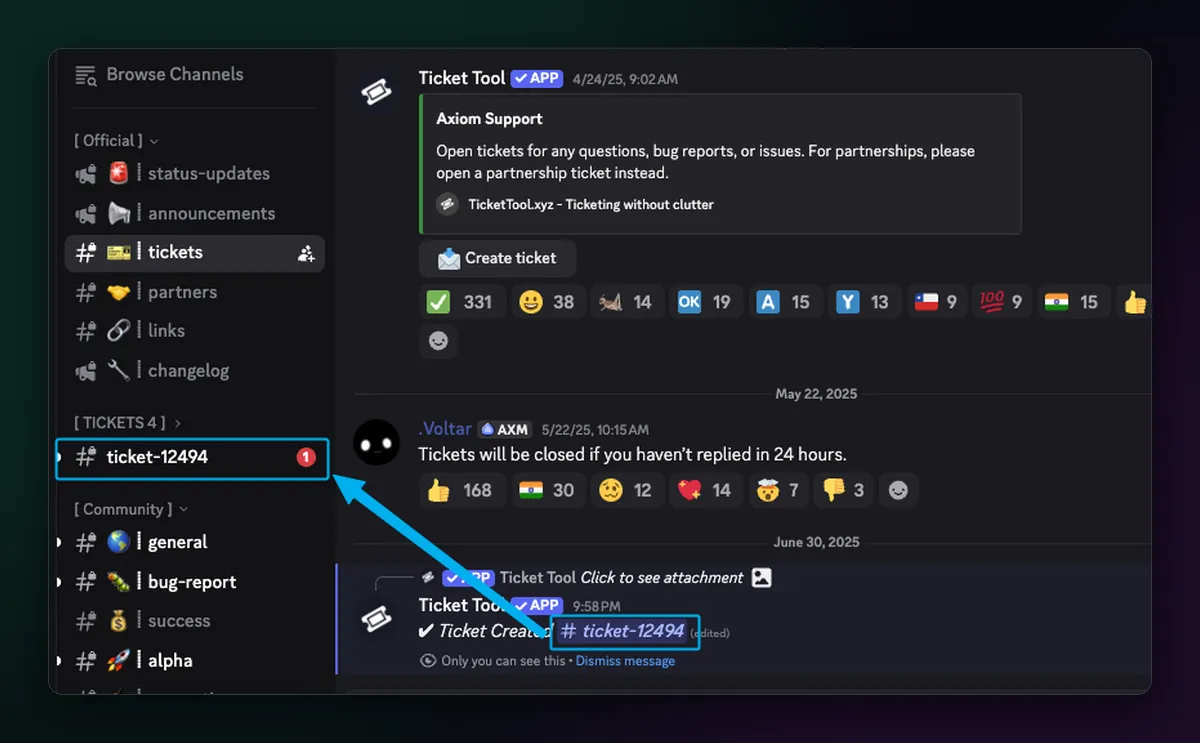
- Open the new ticket that appears in your channel list and describe the problem: the login method, the email or wallet address you used, and what happens when you try.
- Stay with it and answer when staff reply. Axiom's docs ask for patience; the team works through tickets in turn.
Nobody from Axiom sends DMs. In the server's Privacy Settings you can switch off direct messages from members. Anyone who messages you first offering to fix your login is a scammer, and no real agent asks for your recovery phrase or a screen share.

Written by Mohammad Shahpari · Web3 CMO, Crypto Growth & SEO Specialist · X · LinkedIn
Did this answer your question?