
How to Back Up Your Axiom Recovery Phrase
Your Axiom recovery phrase is 12 words that restore every wallet on the account. Back it up once, properly, and a forgotten password, a dead laptop or a locked account stops being a money problem.
 Updated November 6, 2026
On this page
What the phrase does
Axiom wallets are non-custodial, which means Axiom never holds your funds; the phrase does. Type those 12 words into Phantom, Solflare, Rabby or MetaMask and the same wallets open there, same addresses, same balances, with no Axiom account involved. That is the whole point of a backup, and also the danger: anyone who reads the words can do exactly the same.
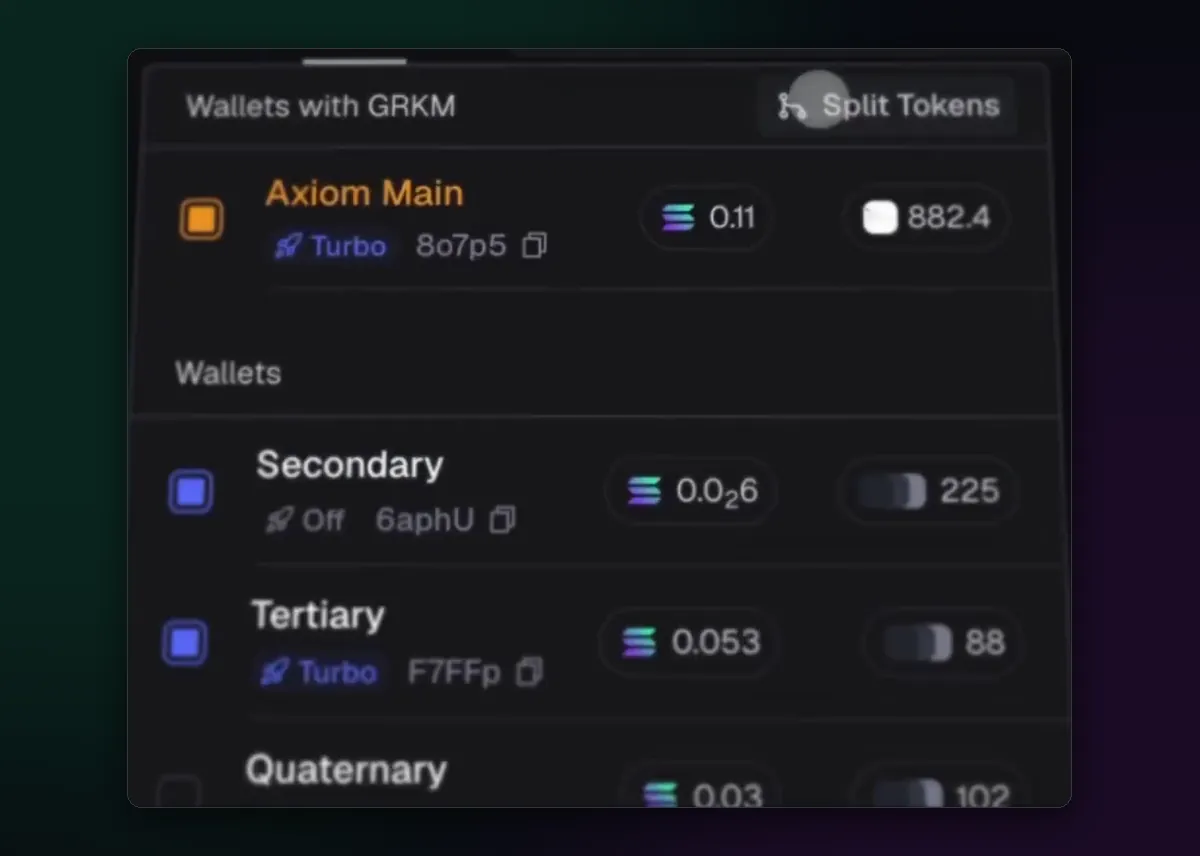
Where to find it
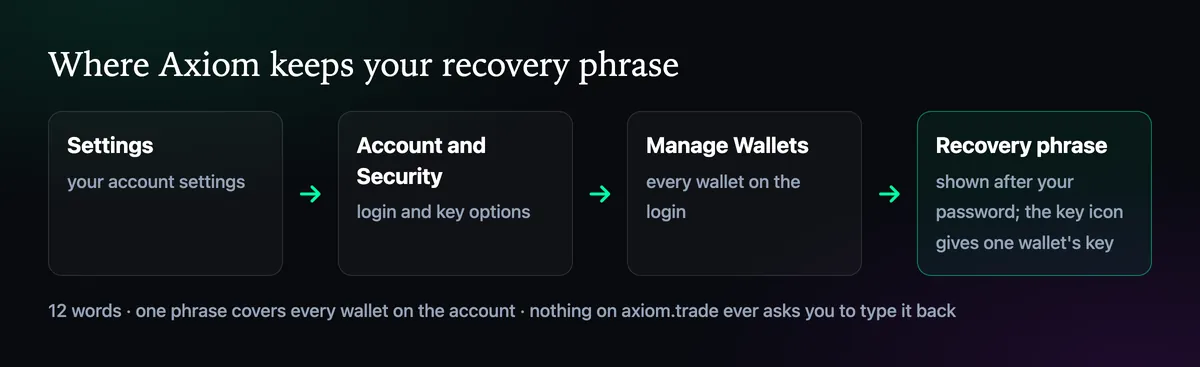
Axiom shows the phrase once during sign-up and keeps it in your settings afterwards: Settings, then Account and Security, then Manage Wallets. Your password is asked for before anything appears. The key icon beside a single wallet reveals only that wallet's private key, handy for moving one wallet somewhere else but no replacement for the phrase.
Write it down the boring way
- Use paper and a pen. Number the lines 1 to 12 and write each word on its own line.
- Read every word back against the screen, slowly. One wrong letter makes the copy useless.
- Make a second copy and keep it in a different place you control, so one flood or one move doesn't take both.
- No photo, no screenshot, no notes app, no email to yourself, no chat message to a friend "for safekeeping".
Paper feels old-fashioned, and that is the appeal: it never syncs. Phrases tend to leak from phone galleries, cloud notes and fake sites that ask for them, and paper in a drawer avoids all three.
Test the backup once
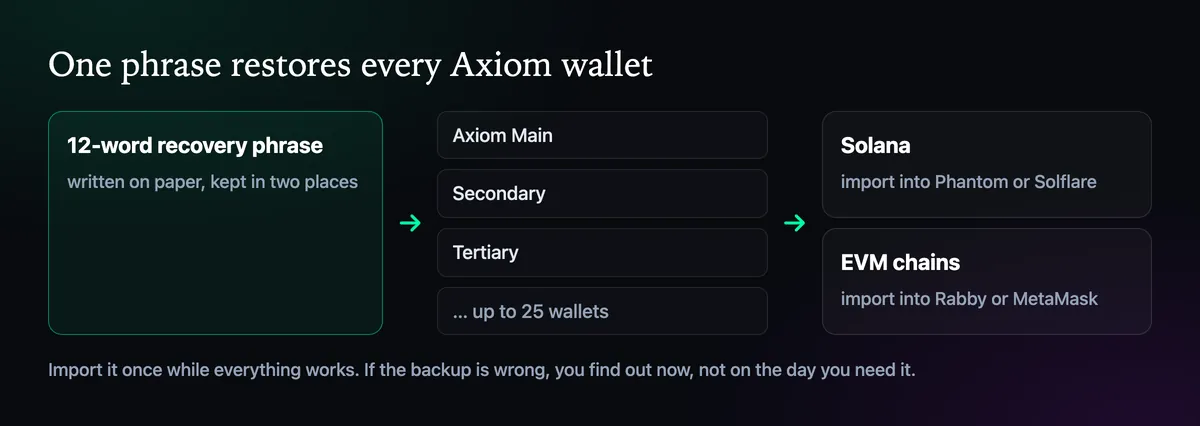
A backup you have never tried is a guess. Install Phantom or Solflare, choose the option to import an existing wallet with a recovery phrase, and type the words from your paper copy. Compare the address it shows with Axiom Main in your settings; if they match, the copy is good. Axiom's own docs suggest keeping the phrase imported in a standard wallet for exactly this reason: it gives you a second way to reach your funds.
The same 12 words cover the EVM chains too, through Rabby or MetaMask. Do the test while everything is working, not on the day you actually need it.
Who will ask for it
Nobody legitimate. The real site never asks you to type the phrase back, and Axiom support, which only works through Discord tickets, never needs it. A pop-up offering bonus SOL, a "wallet validation" page, or a friendly stranger in your DMs who wants the words to fix something is a theft attempt, every time. Our official website page lists the fake copies that have used this trick.
If you ever typed it somewhere: treat the phrase as burned. New wallets on the same login come from the same words, so they don't help. Move the funds to a wallet with a brand-new phrase, such as a fresh Phantom wallet, and open a Discord ticket about the account.

Written by Mohammad Shahpari · Web3 CMO, Crypto Growth & SEO Specialist · X · LinkedIn
Did this answer your question?