
How to Deposit SOL into Axiom
Depositing SOL into Axiom means sending it to your Solana wallet address from an exchange or another wallet. It takes a minute, and the only part that goes wrong is picking the wrong network.
 Updated November 6, 2026
On this page
Pick Solana in the top bar first
Axiom's Deposit button always works for the chain the selector is set to. With SOL selected you get your Solana address; switch to HOOD or BNB and the very same button hands you an address on that chain instead. So before anything else, glance at the selector next to the search bar and make sure it says SOL.
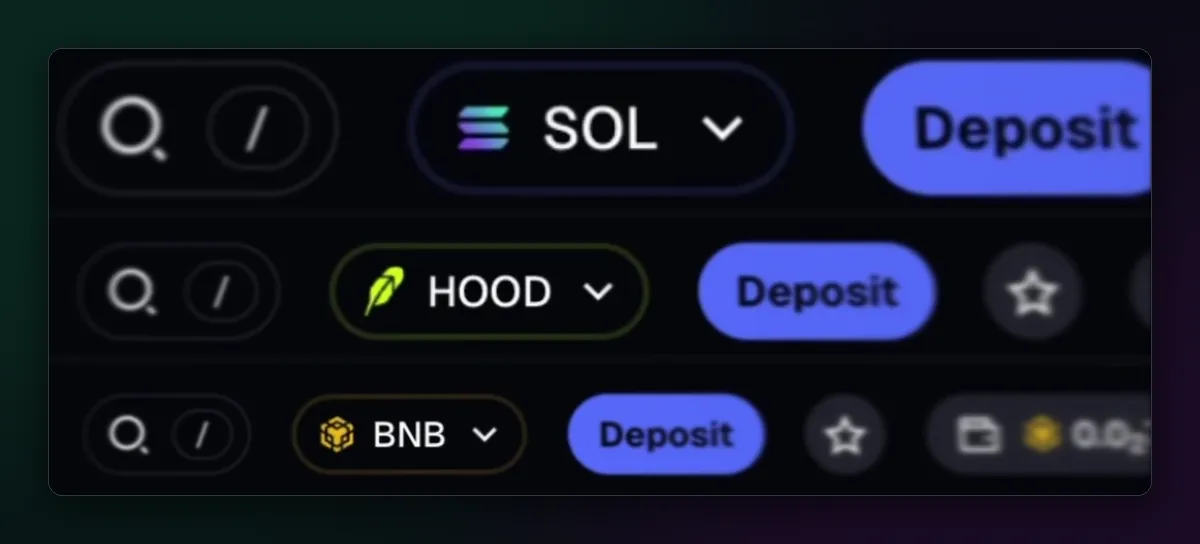
Open Deposit and copy the address
Press Deposit, or click the wallet button on the right of the top bar, the one showing your SOL balance. The wallet panel opens with your total value, separate Solana and Perps tabs, and Deposit and Withdraw buttons. Deposit leads to the Exchange window, where the Deposit tab shows your Solana address. Copy it with the copy button rather than by selecting the text; a missing character at the end is easy to miss.

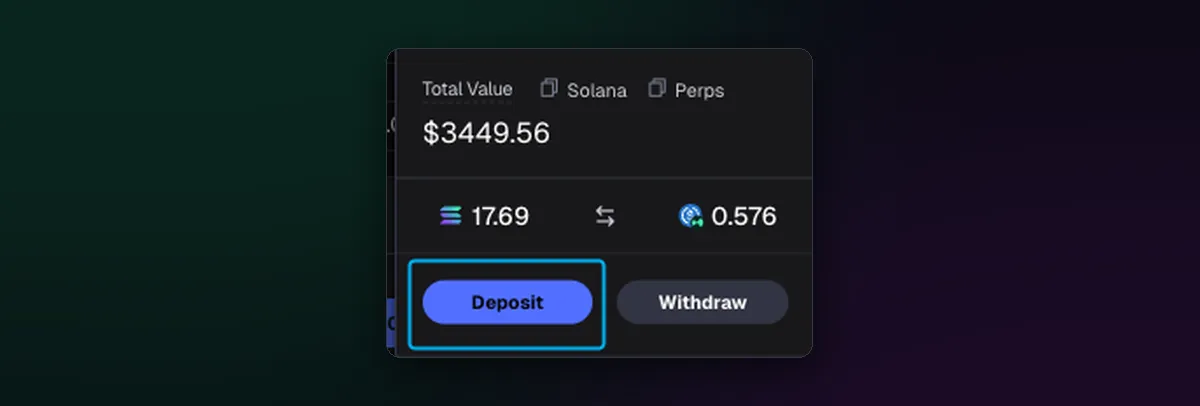
If you run more than one wallet, the deposit goes to the one that is selected, so check the label before you copy. The multiple wallets guide covers switching between them.
Send from an exchange or another wallet
- On the exchange, choose Withdraw or Send and pick SOL.
- Choose the Solana network. Exchanges list several networks for some coins; for SOL it should say Solana, often shown as SOL.
- Paste your Axiom address and check the first and last four characters against Axiom.
- Send a small amount first, wait for it to appear, then send the rest.
From Phantom or Solflare it is the same idea: Send, SOL, paste the Axiom address. Solana confirms in seconds; what usually takes longer is the exchange processing its own withdrawal, anywhere from one to several minutes.
Use the network that matches the chain
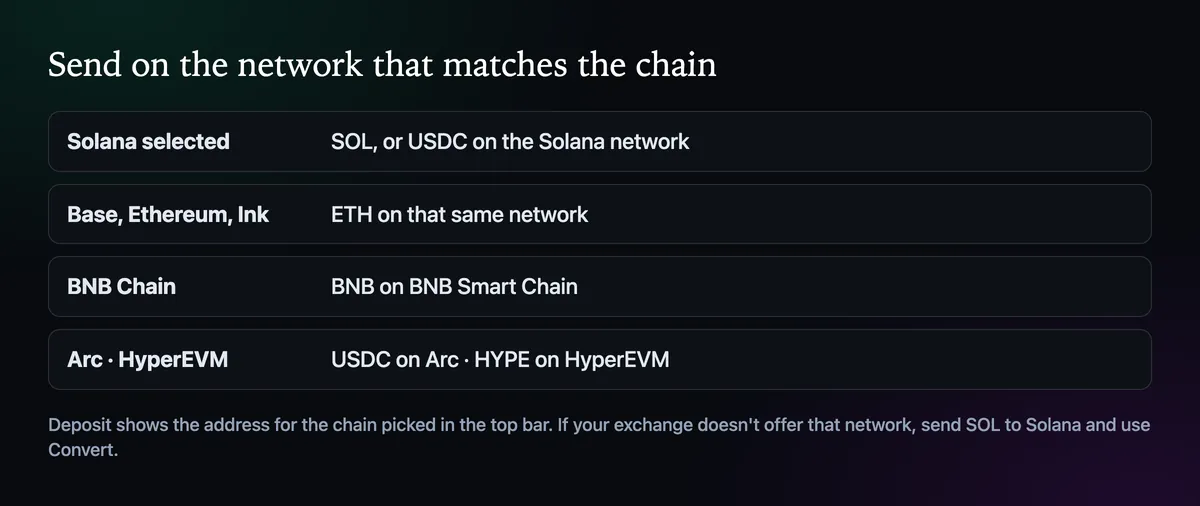
The same rule covers every chain Axiom trades. Base, Ethereum and Ink take ETH on that exact network, BNB Chain takes BNB, Arc runs on USDC and HyperEVM on HYPE. If your exchange doesn't offer the network you want, deposit SOL on Solana and move it across with Convert; the Axiom wallet guide explains how one login holds all of those balances.
Keep a small buffer for fees
Every Solana trade pays a network fee plus the priority fee and bribe you set, and buying a token you have never held opens a small token account, about 0.002 SOL, that comes back when the account is closed. Deposit a little more than you plan to trade with, so the last buy or sell never fails for want of fee money.
If the deposit doesn't show up
- Check the selector: a Solana deposit won't appear while Base is selected.
- Check the wallet: with several wallets, it may have gone to another one.
- Look up the transaction on Solscan with the ID the exchange gives you. If it says success and the address matches, the SOL is in your wallet; refresh the page.
- If the exchange sent it on another network, contact the exchange; Axiom support can't reverse a transfer.
Prefer paying by card? Buying crypto with a card on Axiom skips the exchange entirely. Once the SOL is in, your first trade is the next step.

Written by Mohammad Shahpari · Web3 CMO, Crypto Growth & SEO Specialist · X · LinkedIn
Did this answer your question?