
How to Make Your First Trade on Axiom
A first Axiom trade comes down to four moves: find the token, set an amount, check three settings and press Buy. This walks through each one with a small position, so any mistake stays cheap.
 Updated November 6, 2026
On this page
Have a little SOL ready
On Solana everything is paid in SOL, the trade and the network fee alike, so keep a small buffer above what you plan to spend. For a first run, 0.1 to 0.2 SOL is enough to learn the buttons. Axiom takes 1% of each buy and each sell, or 0.8% if you opened the account with TradeNow; the Axiom fees page covers cashback and the rest.
Find the token
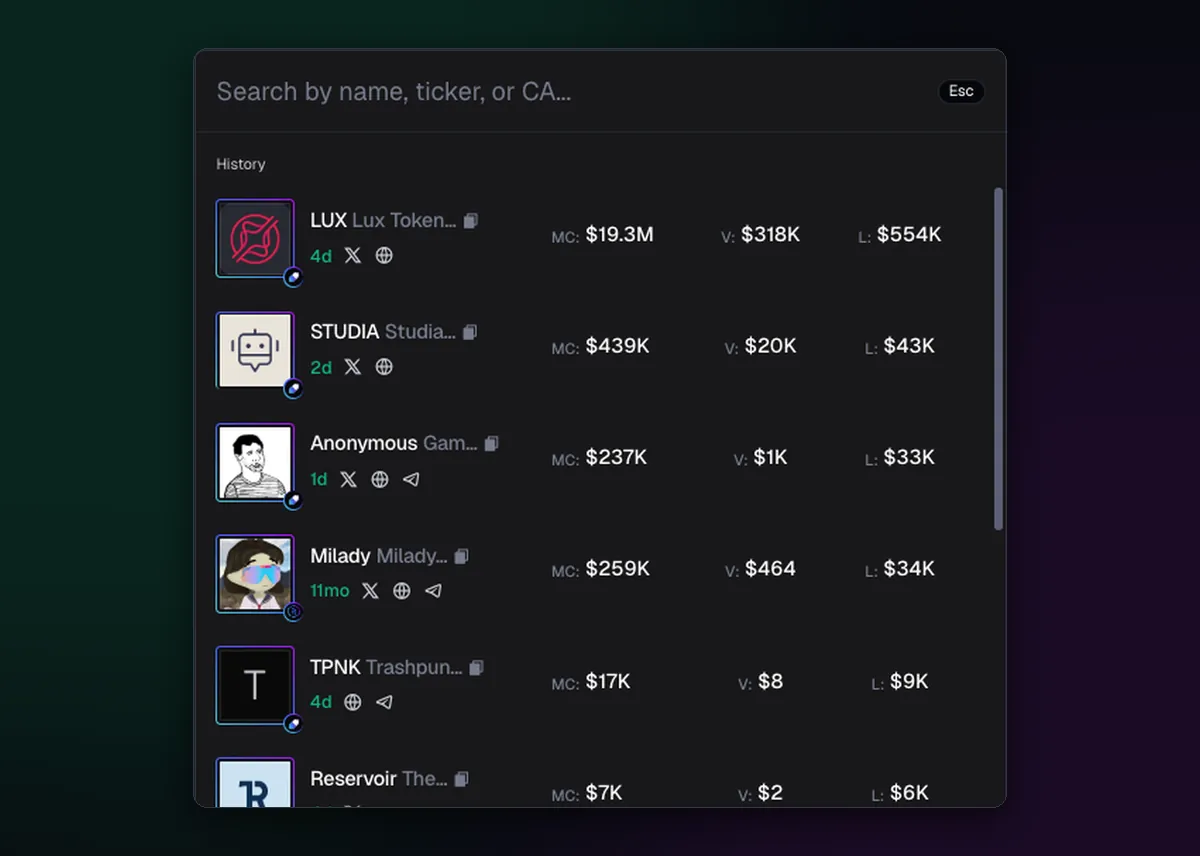
Click the search bar at the top, or press the slash key, and paste the token's contract address. Tickers are not unique: five coins can share one, and copies of a popular name appear within minutes of the original. The address from the project's own X account or website is the only reliable match. The result row shows market cap, volume and liquidity, so a coin with almost no liquidity is easy to spot before you open it.
Set the amount
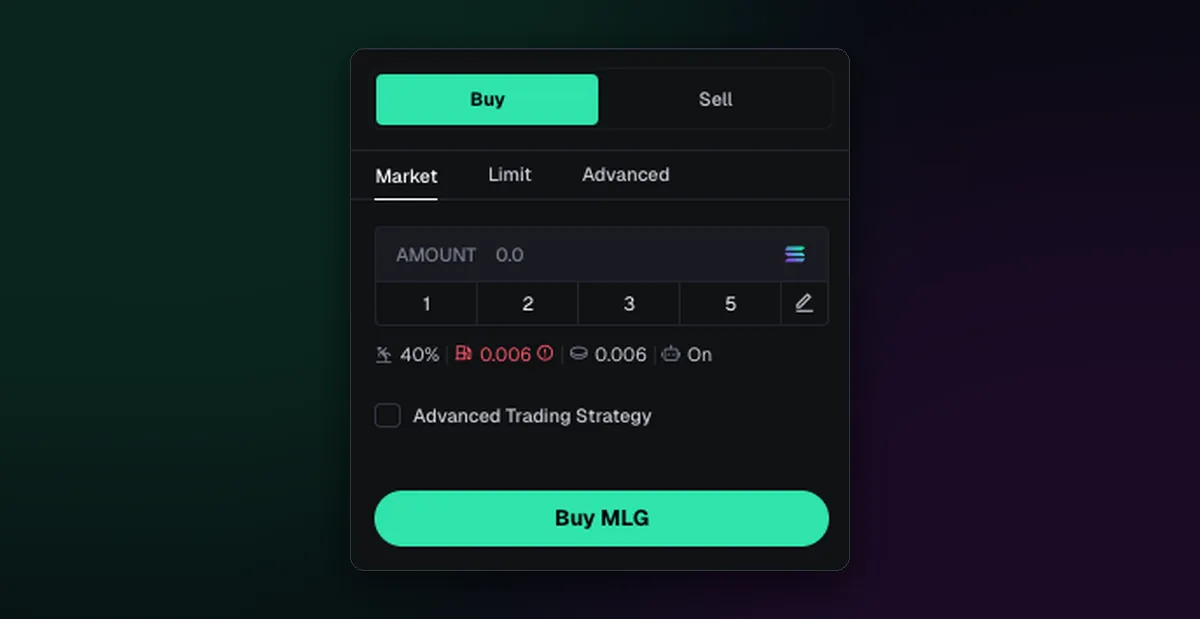
The token page puts the buy panel on the right. Leave it on Market, which fills straight away at the current price. Type an amount in SOL or tap one of the preset buttons; the pencil icon lets you change those presets. The small line under the amounts shows the slippage, priority fee, bribe and MEV setting this order will use.
The other two tabs can wait for a later day. Limit holds the order until the price you set, covered in the limit orders guide, and Advanced Trading Strategy attaches automatic sells such as take profit and stop loss to the buy.
Check slippage, priority fee and MEV
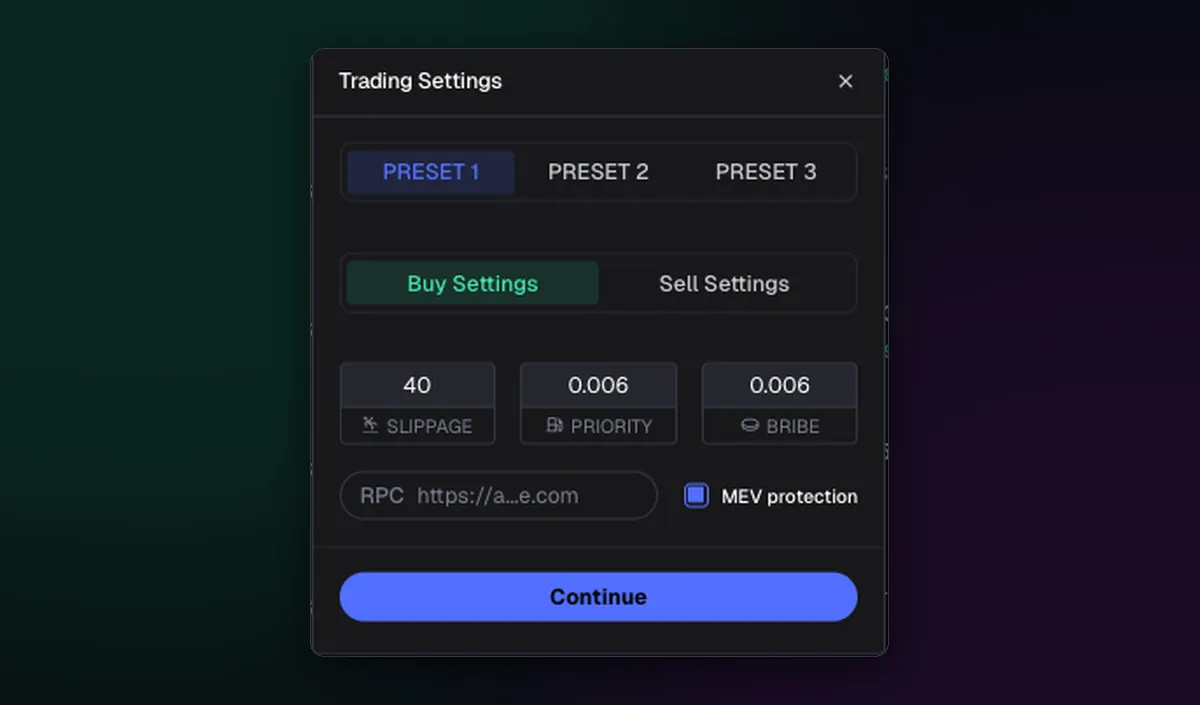
Open Trading Settings from the panel. Three numbers decide how your order lands:
- Slippage is how far the price may move before the order gives up. New coins move fast, so a very low value fails often, while a very high one invites a worse fill.
- Priority fee and bribe are tips that get a trade into a block sooner. Both default to 0.001 SOL, and Axiom suggests higher values when the network is busy.
- MEV protection belongs on for buys. Axiom's docs say most sells don't need it.
Save this as Preset 1 and leave it alone for your first few trades. The best Axiom settings page has starting values for quiet and busy markets.
Press Buy
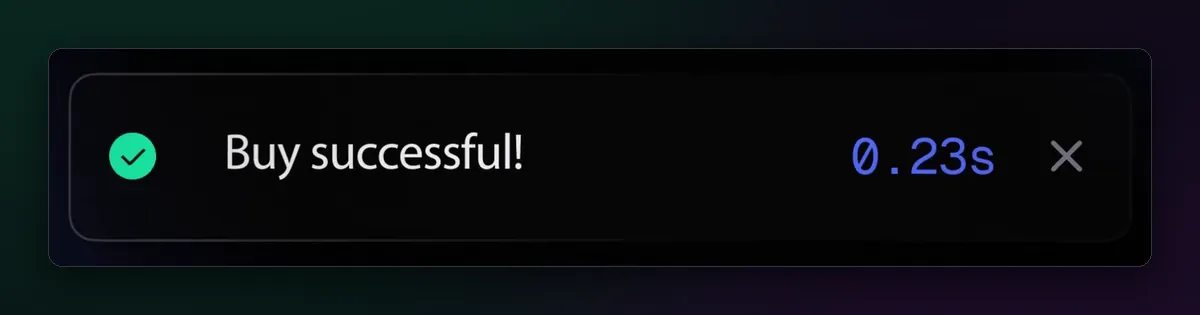
Press the Buy button. With Axiom's built-in wallet there is no pop-up to approve: a green "Buy successful!" notice appears, usually within a second, and the panel starts showing what you spent, what you hold and your profit or loss. If an error comes back instead, the price most likely moved past your slippage. Check the settings and try again, rather than jumping straight to 50%.
Sell when you are done
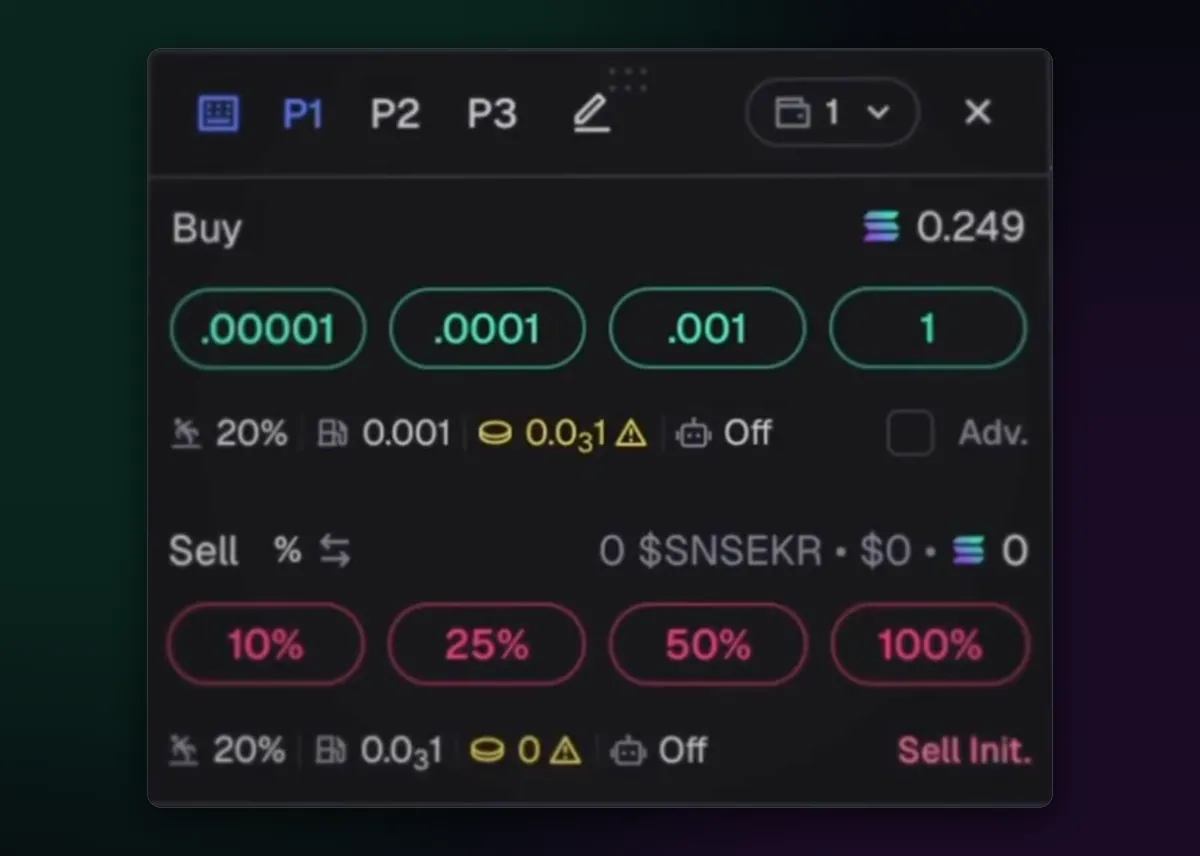
Switch the panel to Sell and choose how much to sell, from part of the position up to 100%. Once the basics feel natural, Instant Trade puts buy amounts and sell percentages in a small floating panel next to the chart, and hotkeys, Space plus a key, fire them without a click.
Before your first buy
- Account opened with invite code TradeNow, so each fill costs 0.8% rather than 1%.
- A small SOL balance with a buffer for network fees.
- Contract address copied from the project itself, not from a reply.
- Preset 1 saved with sensible slippage and MEV on for buys.
- A plan for the sell before you press Buy.
Trading on a chain other than Solana works the same way once you switch chains; only the coin the buttons are priced in changes.

Written by Mohammad Shahpari · Web3 CMO, Crypto Growth & SEO Specialist · X · LinkedIn
Did this answer your question?