
How to Switch Chains on Axiom
Axiom trades on eight chains from one account, and the chain selector in the top bar decides which of them you are looking at. Here is how to switch, how to watch several at once, and what changes when you do.
 Updated November 7, 2026
On this page
Open the chain selector
The selector sits between the search bar and the Deposit button, showing the logo of the chain you are on. Click it and the list opens: SOL for Solana, HOOD for Robinhood Chain, Arc, BNB, Ink, HYPE for HyperEVM, BASE and ETH.
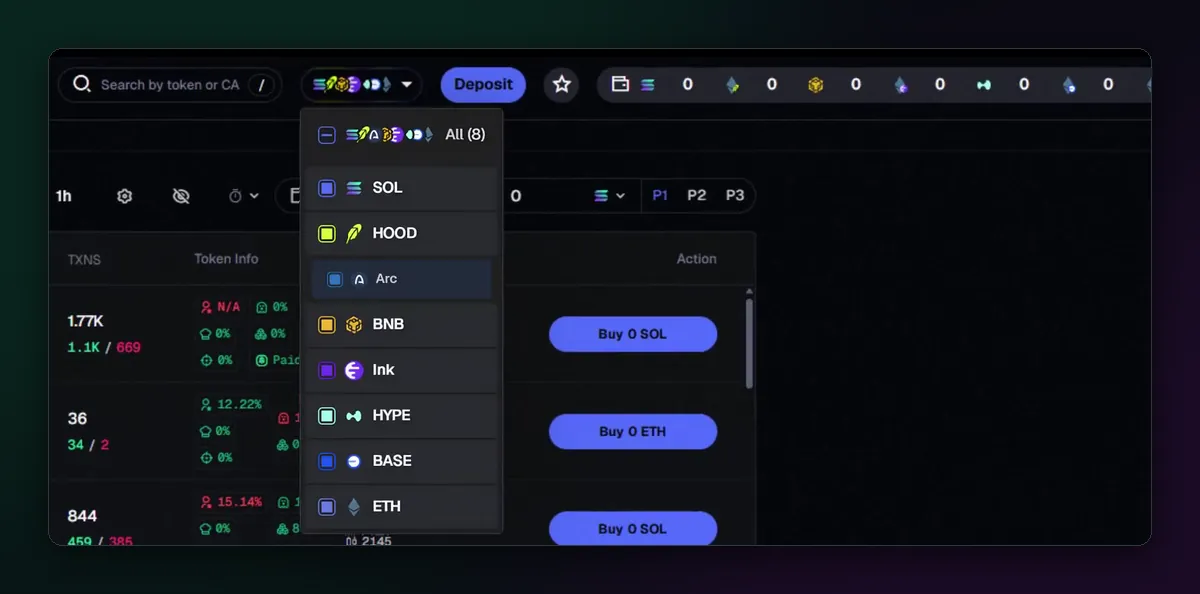
In the newest version of the menu, shown in Axiom's Arc launch clip from September 2026, every chain has a checkbox and All (8) sits at the top. Tick one chain to focus on it, or several to see their tokens in the same lists.
What changes when you switch
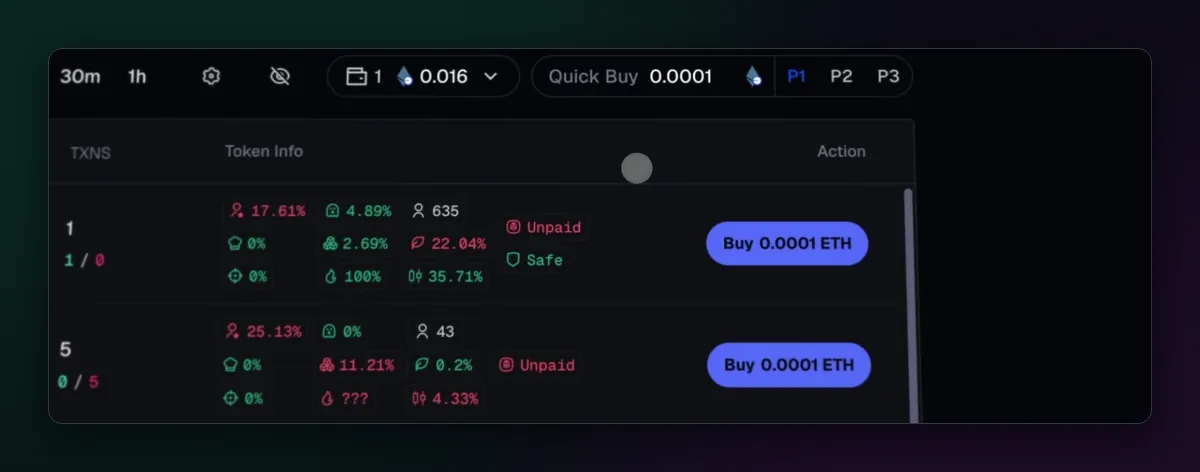
Lists such as Discover and Pulse show tokens from the chains you ticked, and every Buy button is priced in that chain's own coin:
- SOL on Solana
- ETH on Base, Ethereum, Ink and Robinhood Chain
- BNB on BNB Chain
- USDC on Arc
- HYPE on HyperEVM
With more than one chain ticked the rows mix, so a "Buy 0 SOL" button can sit right above a "Buy 0 ETH" one. Read the coin on the button before you click, especially when your Quick Buy amount was set for a different chain.
Balances follow the chain
One login holds an address on Solana and one on the EVM side, and each chain has its own balance. The wallet chip in the top bar shows those balances, and Deposit always gives the address for the chain that is selected. Send funds on the matching network: SOL sent to an EVM address, or ETH sent on the wrong network, is the classic way to lose a first deposit.
Moving money across rarely needs a bridge. Next to Deposit sits a Convert tab that changes one coin into another, including across most of the newer chains, so a SOL balance can fund a Base or Arc trade in a single window. The Axiom wallet guide covers Convert in more depth.
The single-chain menu and Lock chain
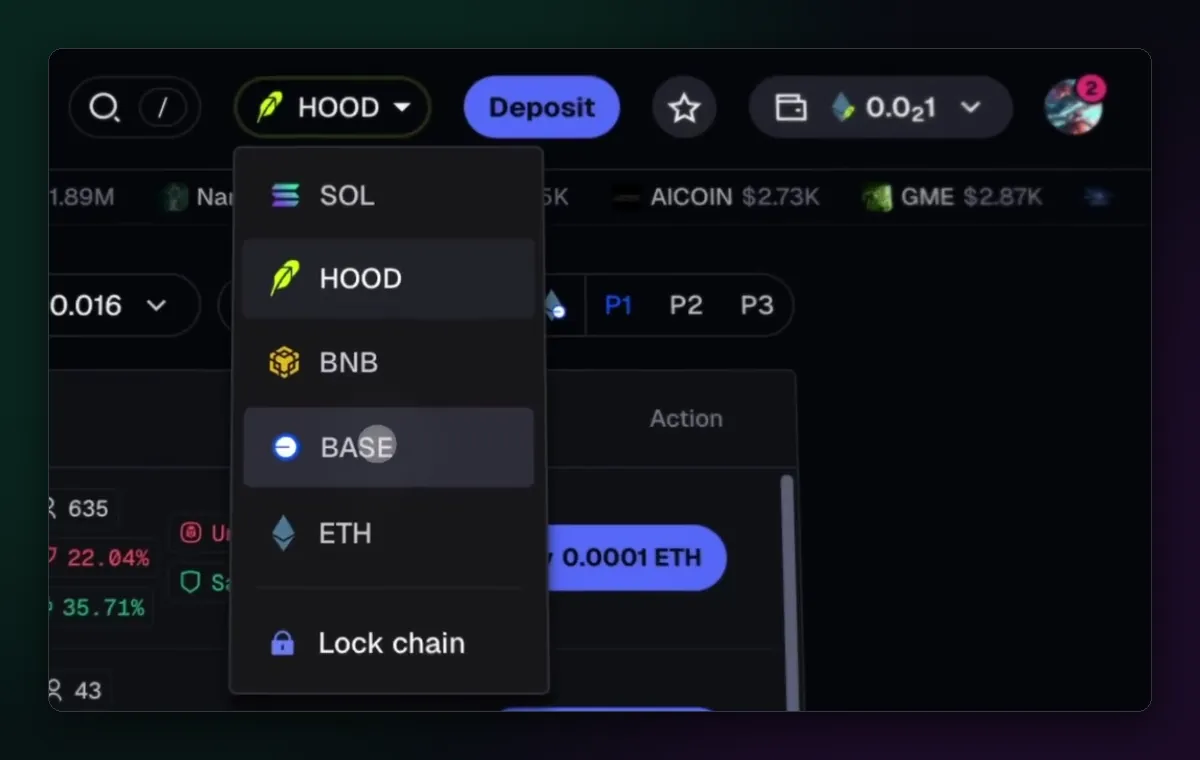
Axiom's Base launch clip, a week older than the Arc one, shows a simpler menu: one chain at a time, picked from a plain list, with a Lock chain switch at the bottom. If yours looks like that, picking a chain switches the whole terminal, and Lock chain, as the name says, keeps it there instead of following a token from another chain.
Guides for each chain
Every chain trades a little differently: who orders the block, what a priority fee buys, which launchpads feed Pulse. Each has its own page here: Solana, Robinhood Chain, BNB Chain, Base, Ethereum, Ink, Arc and HyperEVM.
Quick steps
- Open the selector next to the search bar and tick the chain, or All.
- Deposit on that chain, or Convert from a balance you already have.
- Check that the Buy buttons show the coin you expect.
- Trade as usual; your first trade works the same on every chain.

Written by Mohammad Shahpari · Web3 CMO, Crypto Growth & SEO Specialist · X · LinkedIn
Did this answer your question?