
How to Use Axiom Pulse
Pulse is Axiom's live launch feed: three columns that follow new tokens from the moment they are created, through the end of their bonding curve, to the pool they graduate into. Here is how to read it and set it up.
 Updated November 9, 2026
The three columns
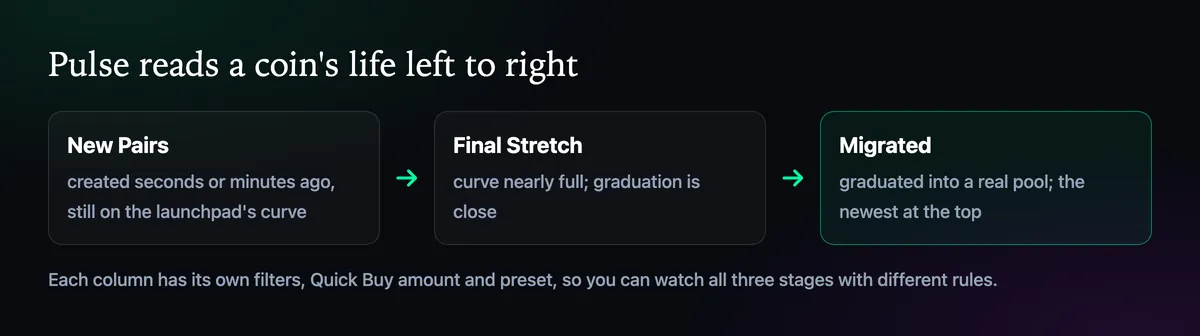
New Pairs shows coins seconds after creation, still trading on their launchpad's curve. Most will never leave this column. Final Stretch holds the ones whose curve is nearly full, which is where people look for coins about to graduate. Migrated lists coins that made it into a real pool, newest first. Axiom built Pulse so you don't need the launchpads' own sites, which slow down at exactly the moments that matter.
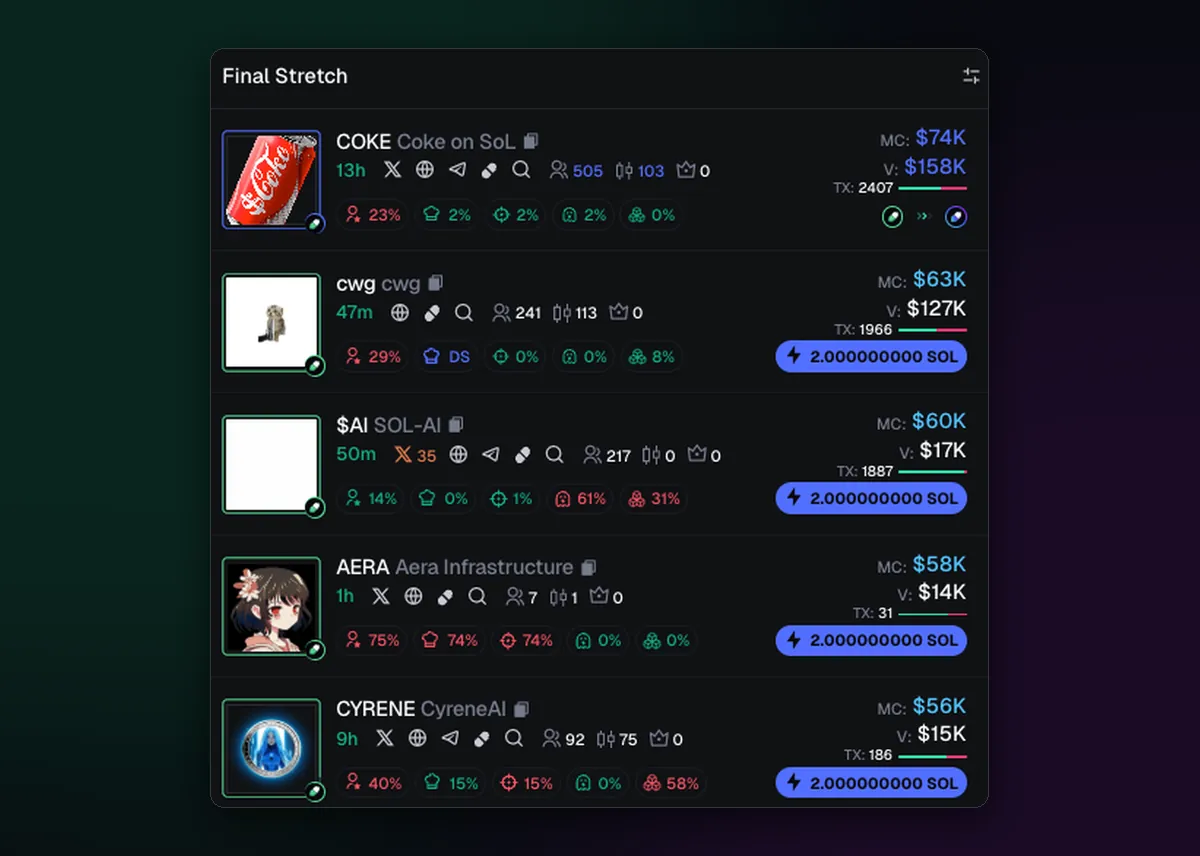
Reading a row
Each row packs a lot into one line. Under the name you get the coin's age and links to its X account, website and Telegram if it has them. Small icons count holders, pro traders and how many trades it has had. The coloured percentages are the risk numbers: top 10 holders, dev holding, snipers, insiders and bundles. Green is low, red is high. On the right sit market cap, volume and the Quick Buy button.
Hover a coin's picture for a larger preview, and the row's icons for a bubble map or the dev's funding. When a row looks interesting, open it rather than buying from the feed; How to Read Holder, Dev and Bundle Data explains what to check first.
Several chains in one feed
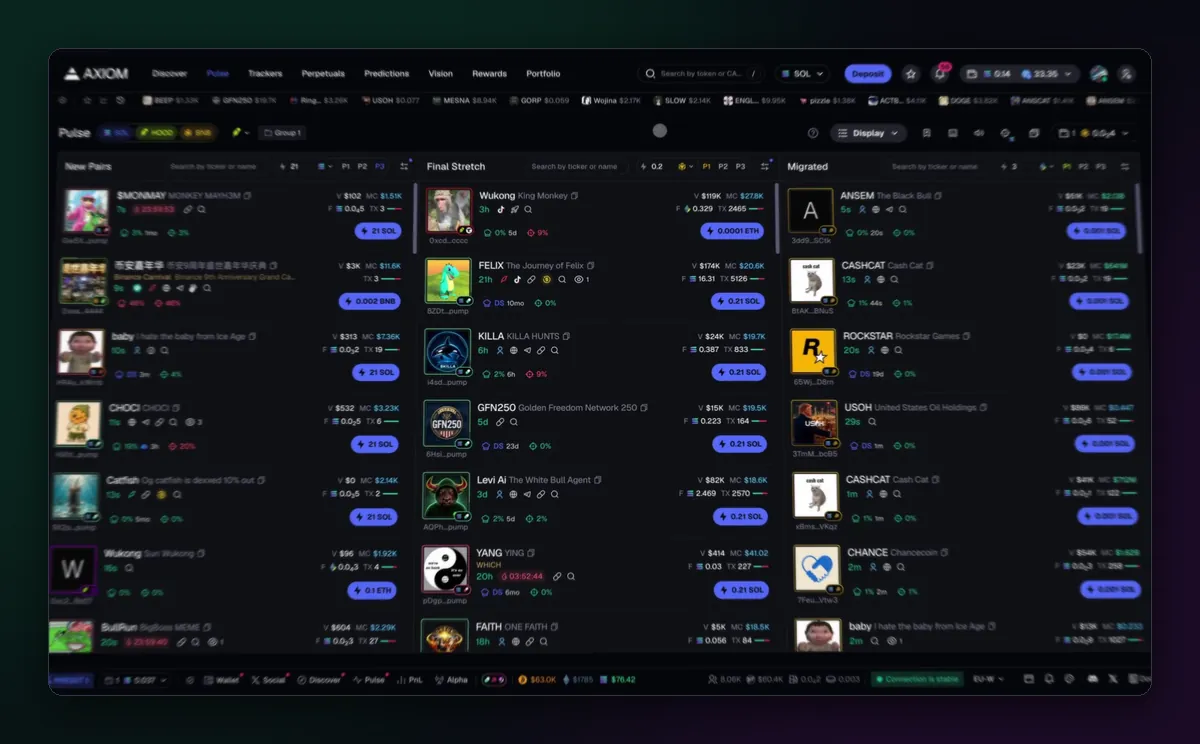
Since July 2026, Unified Pulse puts launches from several chains into the same three columns. The chain chips next to the Pulse title switch each one on or off, and every row's Quick Buy is priced in that chain's coin, SOL on one row and ETH or BNB on the next. If you only trade one chain, switch the others off; a mixed feed moves twice as fast.
Make it readable
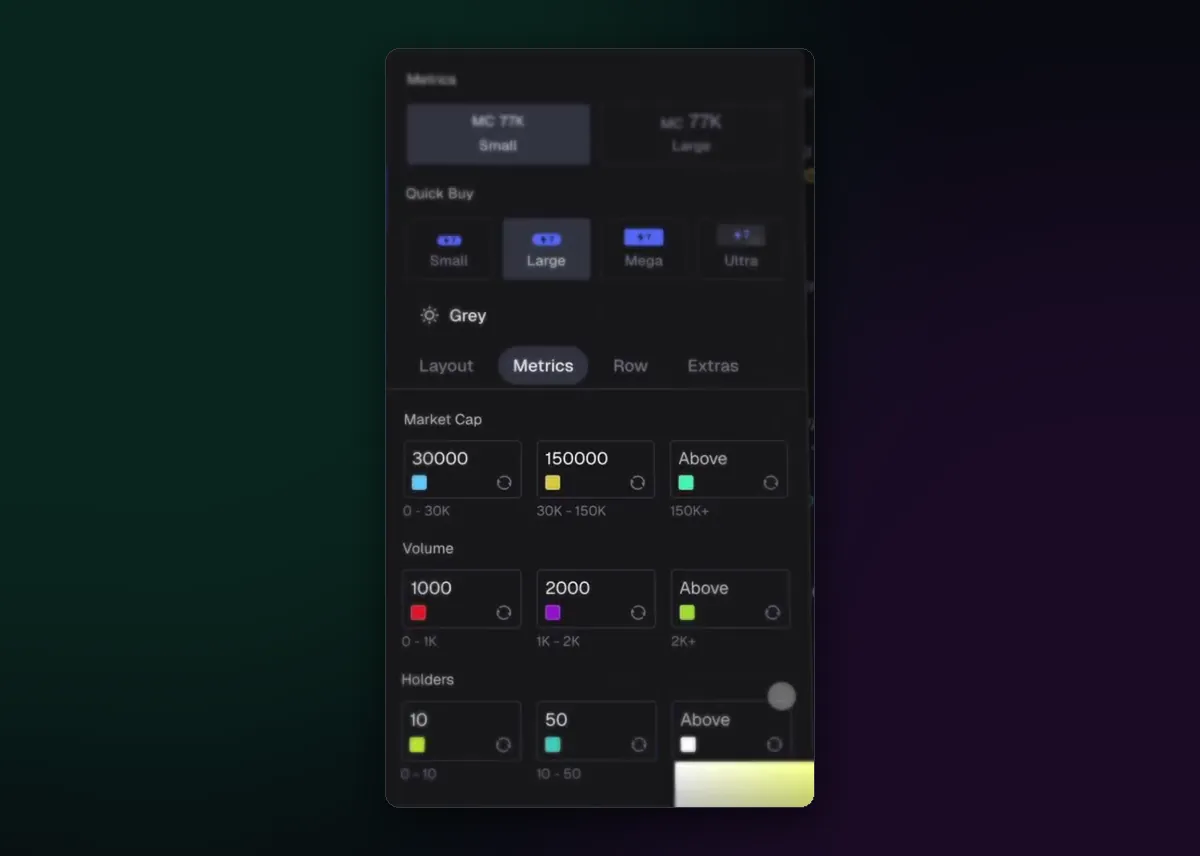
The Display menu at the top of Pulse controls how much each row shows. Under Metrics you set colour bands, for example market cap under 30,000 in one colour and over 150,000 in another, so the coins you care about stand out without reading numbers. Quick Buy buttons come in four sizes, and the Row and Layout tabs decide what appears on each line. A calm, readable feed beats a packed one you skim past.
Filter it down
Thousands of tokens launch on Solana every day, and an unfiltered New Pairs column is mostly noise. Each column has its own filters; How to Set Up Pulse Filters shows how to keep only the coins worth a look. Buying from Pulse is covered in How to Buy a Token on Axiom, and the Pump.fun page explains the curve most Solana coins in the feed start on.

Written by Mohammad Shahpari · Web3 CMO, Crypto Growth & SEO Specialist · X · LinkedIn
Did this answer your question?