
How to Set Up Trading Presets
Axiom has three trading presets, P1 to P3, and each one stores a full set of buy and sell settings. Set them up once for different market conditions and switching your whole setup takes a single click.
 Updated November 9, 2026
On this page
What a preset holds
A preset is a saved bundle of four numbers and a switch, separately for buys and for sells: slippage, priority fee, bribe, an optional custom RPC, and MEV protection. Whatever you buy or sell, from the order panel, Quick Buy or Instant Trade, uses the preset that is selected at that moment. Getting presets right is mostly about not having to think about these numbers while a chart is moving.
Open Trading Settings
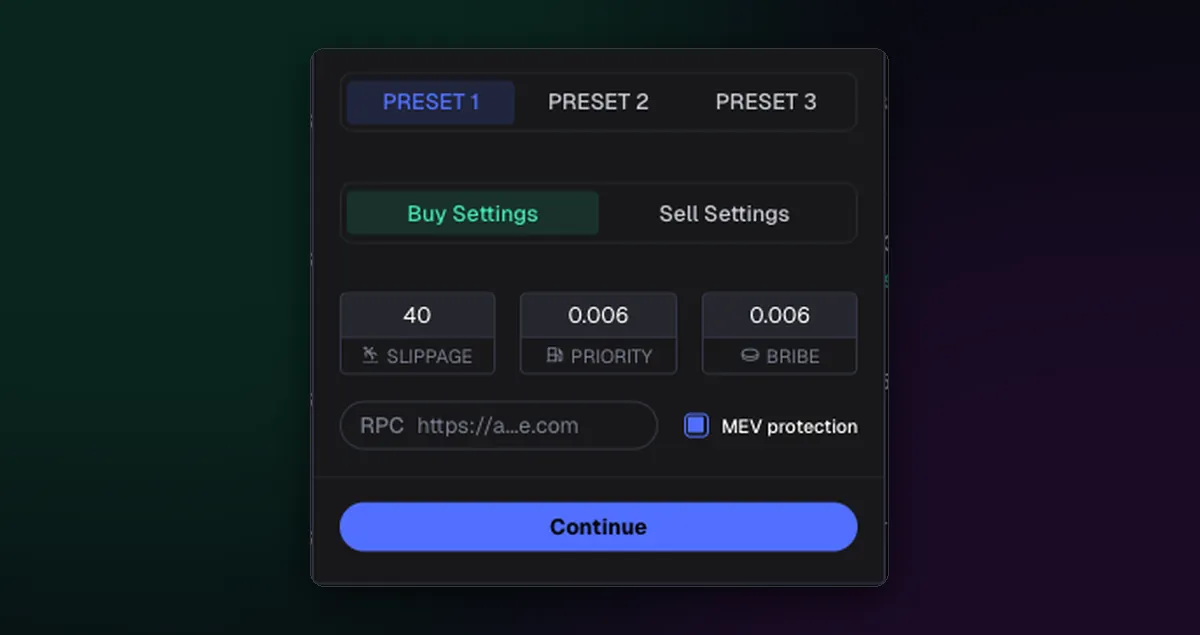
- Open Trading Settings from the settings line on the order panel.
- Choose Preset 1 at the top.
- On Buy Settings, enter slippage, priority fee and bribe, and tick MEV protection.
- Switch to Sell Settings and do the same; sells usually need less protection and more slippage.
- Repeat for Presets 2 and 3, then press Continue.
Give each preset a job
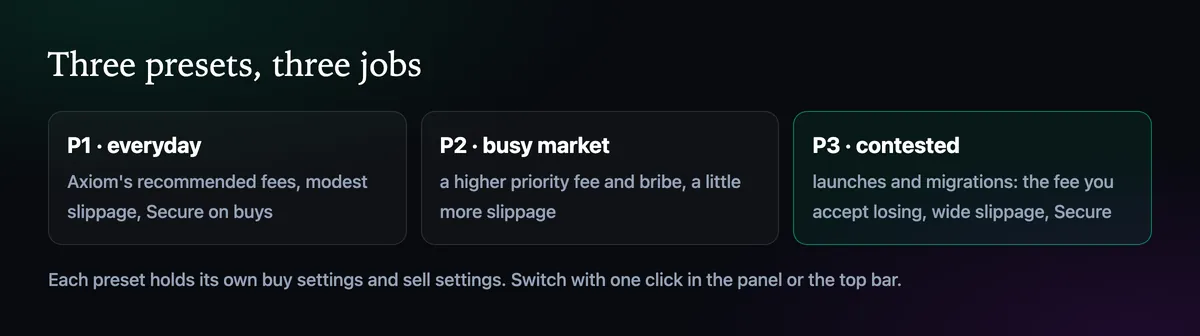
The split that works for most people is everyday, busy and contested. P1 keeps Axiom's recommended fees and modest slippage, so ordinary trades stay cheap. P2 pays a bit more for days when the network is crowded. P3 is the one for launches and migrations, where you accept a higher fee and wider slippage to land in the first block. For a sense of scale, Axiom's own snipe example uses 30% slippage with 0.02 SOL priority and 0.02 SOL bribe, twenty times the defaults.
The best Axiom settings page explains how to pick the numbers. The two articles on slippage and the priority fee and bribe take each setting on its own.
Switch presets in one click
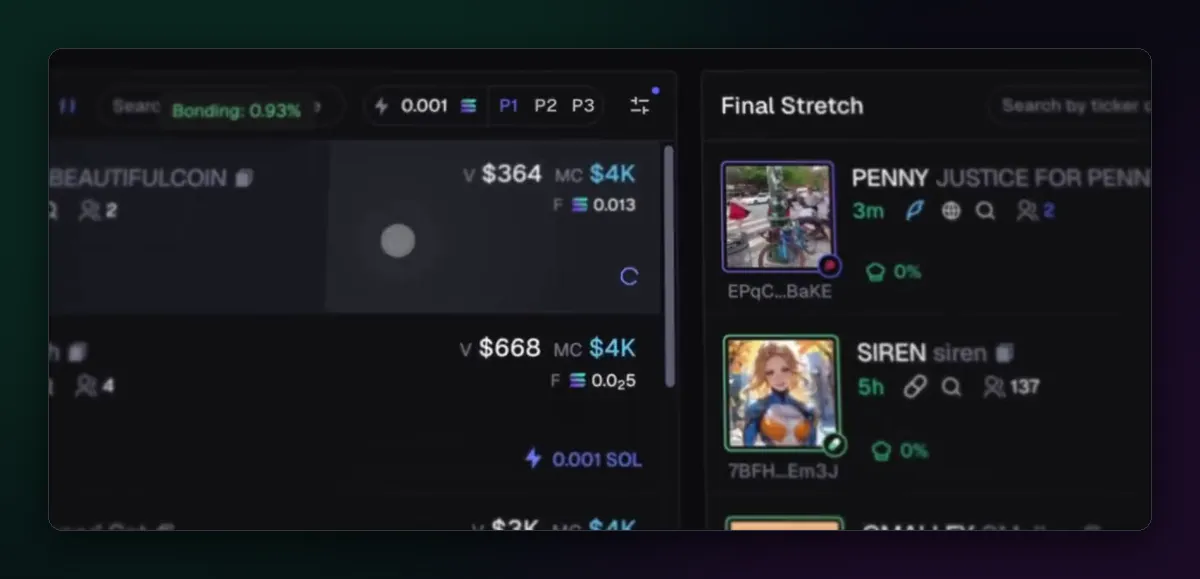
P1, P2 and P3 appear wherever you trade: in the order panel, in Instant Trade, and at the top of Pulse next to the Quick Buy amount. The highlighted one is live. Make a habit of glancing at it before a buy, because the most common preset mistake is the quiet one: P3's launch-sized bribe left switched on for a day of ordinary trades, paid on every single transaction.
Check them now and then
Network conditions change, and Axiom updates its recommended fees from live traffic. Once a week or so, look at what your fills actually cost and whether buys are failing. If P1 trades fail on calm days, its slippage is too tight; if nothing ever fails on P3, it may be paying more than it needs.

Written by Mohammad Shahpari · Web3 CMO, Crypto Growth & SEO Specialist · X · LinkedIn
Did this answer your question?