
How to Add and Manage Multiple Wallets
One Axiom login can run up to 25 wallets, each with its own label and balance. Here is how to create, import, fund and trade with several at once, and what the newer wallet marketplace adds.
 Updated November 8, 2026
On this page
Why traders use more than one wallet
Axiom's docs give two reasons, and they hold up. Spreading funds limits the damage if one address is compromised, and splitting activity makes your trading harder to follow on-chain, since trackers flag wallets that win and copy them. Many people also simply separate jobs: one wallet for sniping, one for longer holds, one that never touches a fresh launch.
Create or import a wallet
Manage Wallets, under Settings and then Account and Security, lists every wallet on the login. Create Wallet adds a new one, generated from your own recovery phrase. Import adds a wallet you already own, from its private key, and Show Archived brings back ones you put away. Name each wallet as you go; "Snipes" tells you more at 3 a.m. than "Wallet 7".
Back up imported wallets separately. A wallet you import keeps its own key, and your 12 words don't cover it. Keep that key somewhere as safe as the phrase.
Buy with several wallets at once
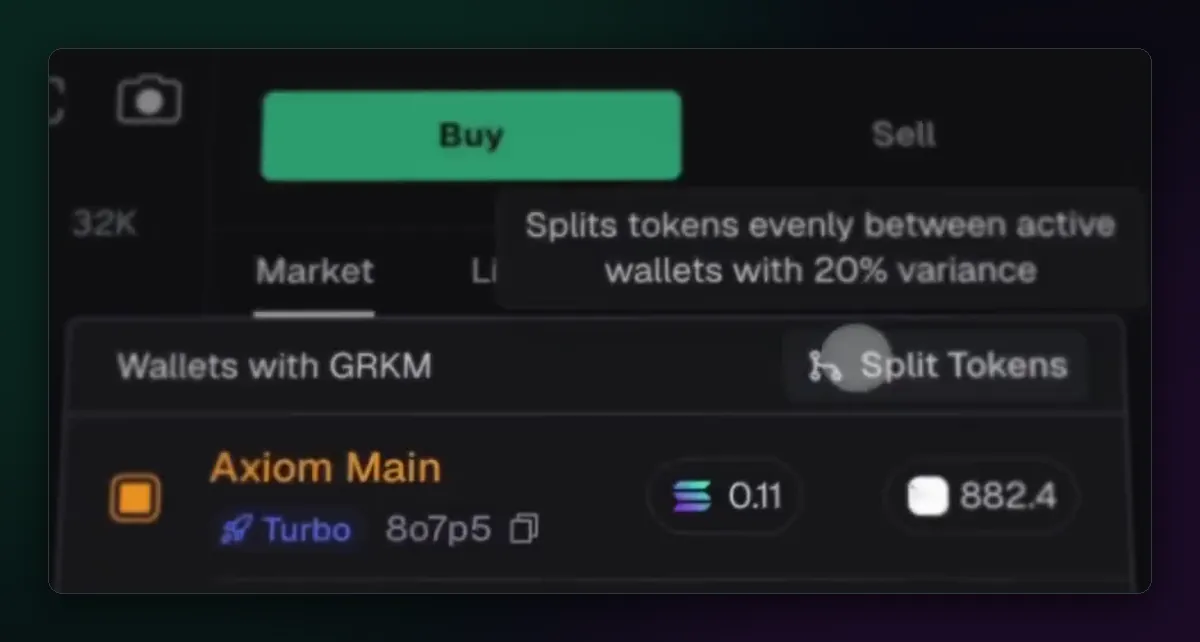
The buy panel lists your wallets, and ticking several makes them active together: a buy then goes out from each. Split Tokens, added in May 2025, divides what you already hold of a coin between the active wallets with 20% variance, so the amounts don't look machine-made. Your Portfolio adds the wallets up, so one screen still shows the total.
The wallet marketplace
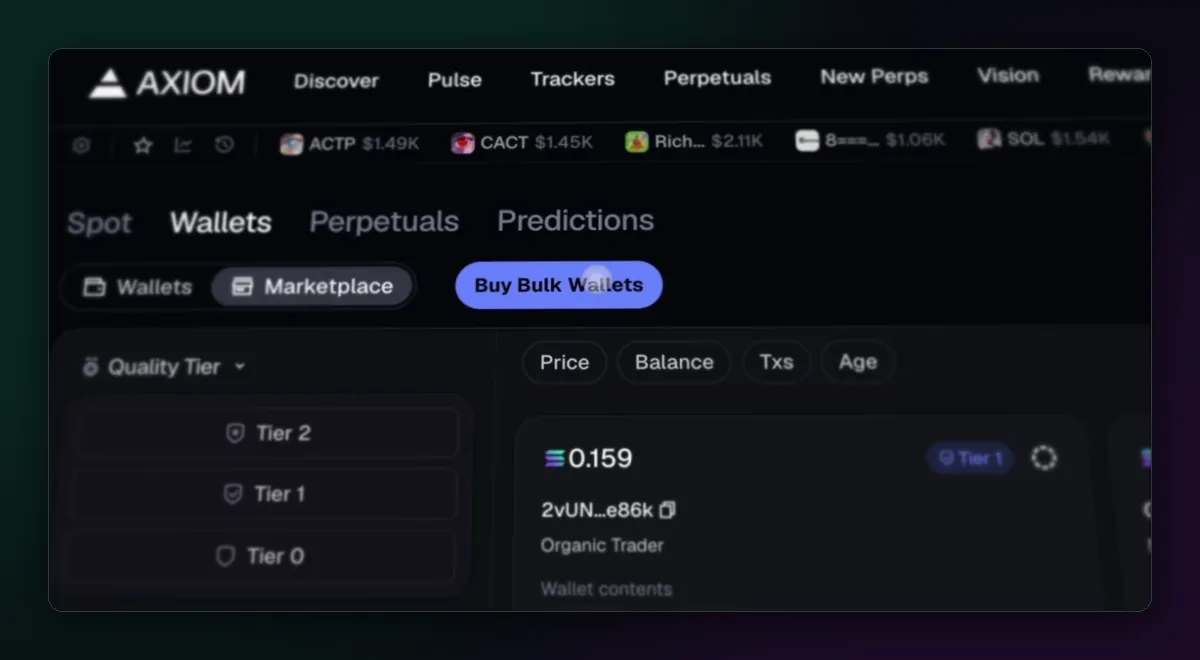
Since August 2026 the Wallets tab in Portfolio also has a Marketplace, built with Husher. It sells wallets that already have a history, sorted by quality tier and showing price, balance, transaction count and age. The idea is privacy: a fresh wallet that buys a launch in the first second stands out, and one with months of ordinary activity doesn't.
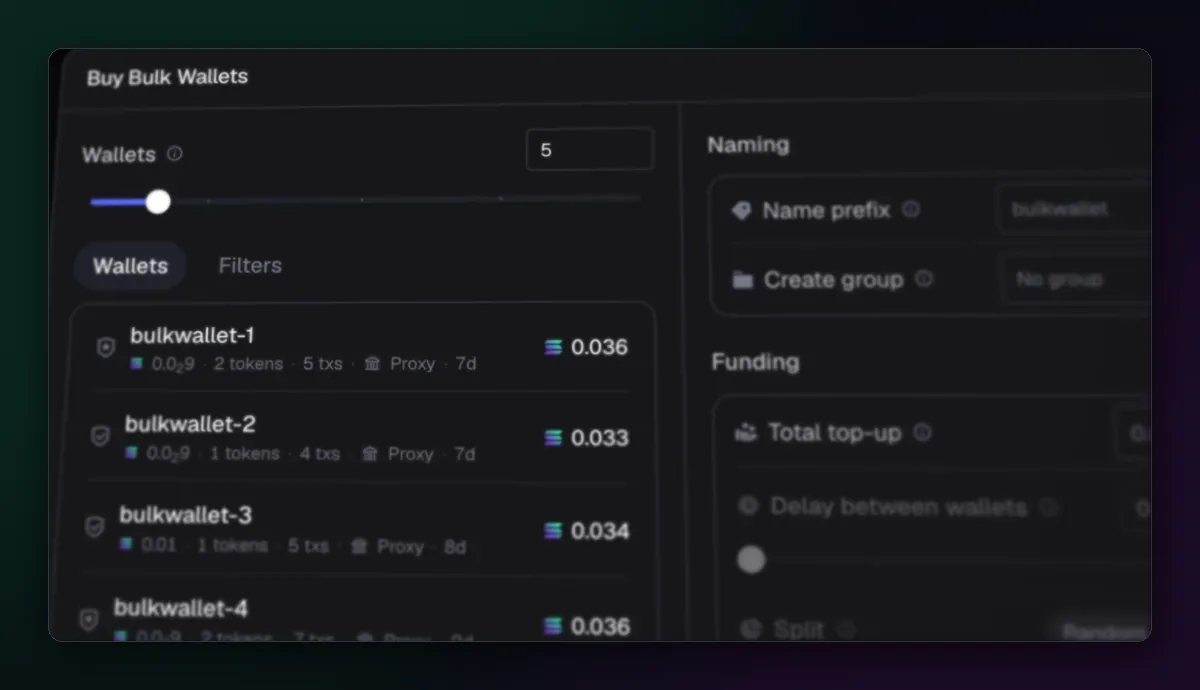
Buy Bulk Wallets picks a number of them in one go. You set a name prefix and a group, a total top-up to spread across them, a delay between funding each wallet, and a random or custom split, so the funding doesn't link them all together at once.
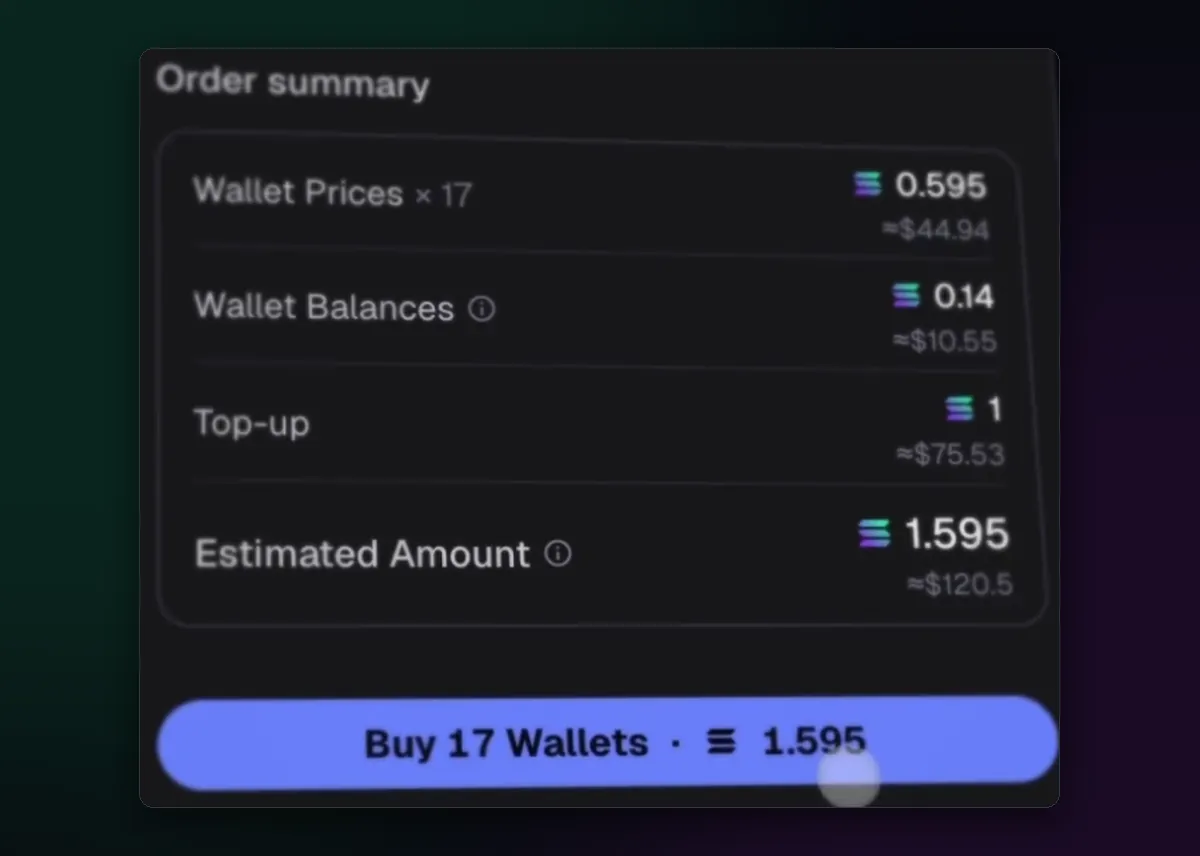
The order summary separates what you pay for the wallets themselves from the balances they come with and your top-up. It is optional and it costs real SOL; most people never need it. If you do buy wallets, export and back up their keys straight away, as in How to Export Your Axiom Private Key.
Habits that keep it manageable
- Keep labels honest and archive wallets you no longer use.
- Fund wallets with gaps of time between them if you care about privacy; a single transaction that funds ten wallets links them forever.
- Check which wallet is selected before you deposit or withdraw.
The Axiom wallet guide covers the wallet side in more depth, and the MEV protection guide goes further into why unlinked wallets matter.

Written by Mohammad Shahpari · Web3 CMO, Crypto Growth & SEO Specialist · X · LinkedIn
Did this answer your question?