
How to Convert Funds Between Chains on Axiom
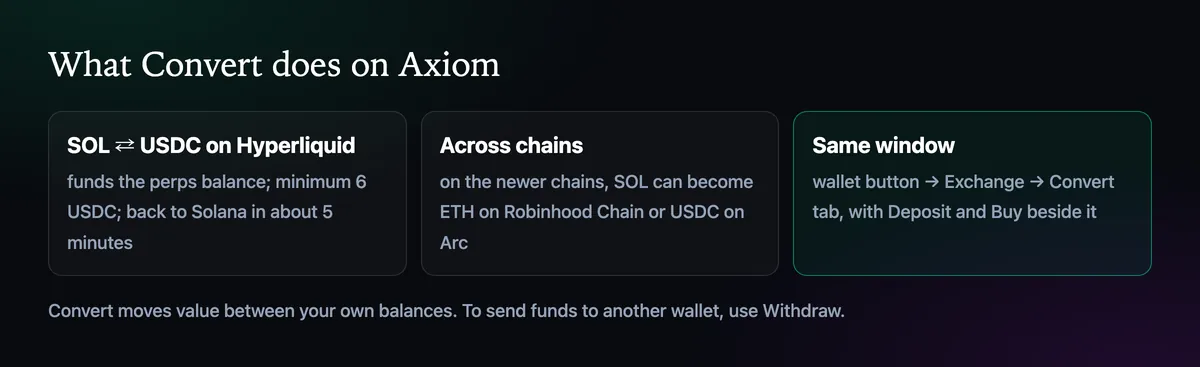
Convert is the tab in Axiom's Exchange window that moves value between your own balances: SOL into USDC on Hyperliquid for perps, USDC back to Solana, and on the newer chains, SOL into the coin that chain runs on.
 Updated November 8, 2026
On this page
What Convert is for
Each balance on Axiom lives somewhere specific. Spot trades on Solana use SOL in your Solana wallet, perpetual futures use USDC on Hyperliquid, and the EVM chains use their own coins. Convert is how you move between them without a bridge, a second app or a withdrawal. It never sends money to anyone else; for that you use Withdraw.
Open the Convert tab

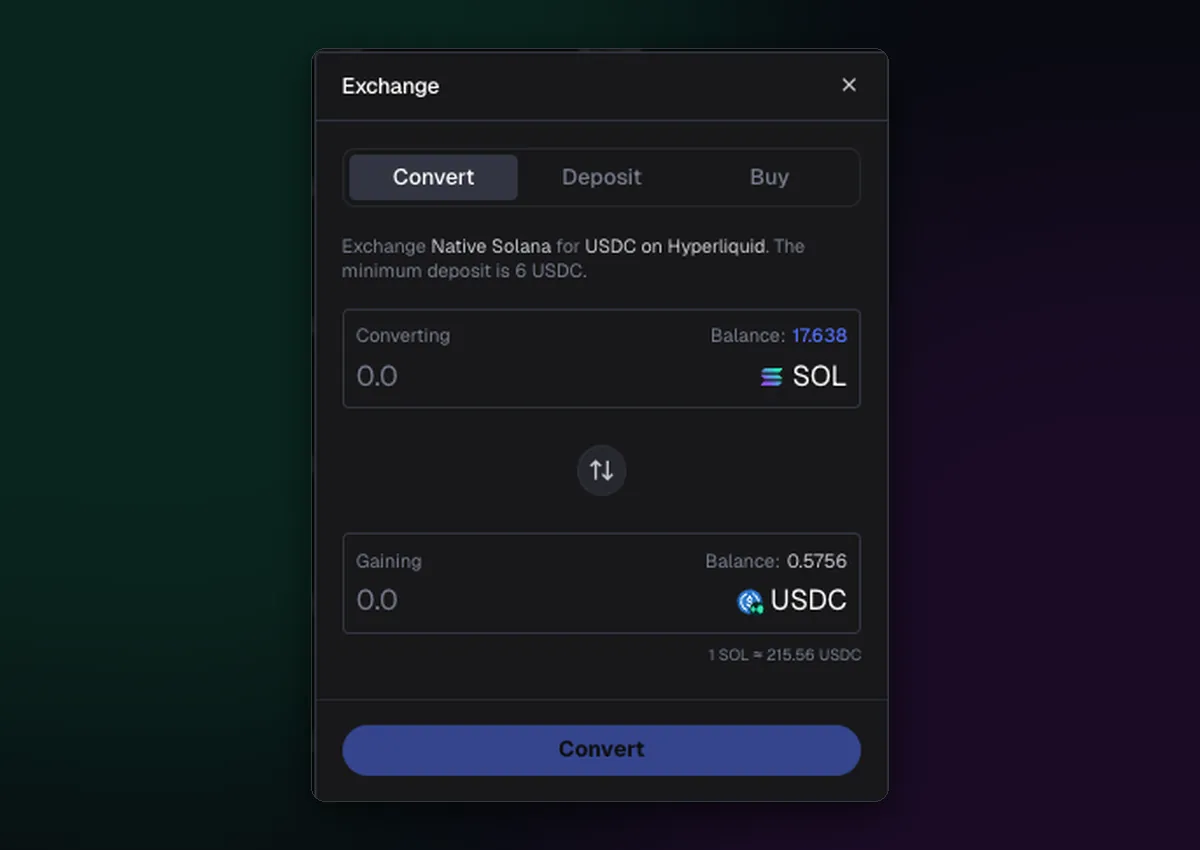
Click the wallet button at the top right, then the swap arrows between your SOL and USDC balances. The Exchange window opens on its first tab, Convert, with Deposit and Buy beside it.
SOL to USDC for perps
- Type how much SOL to convert in the Converting box.
- Check the Gaining box and the rate under it; the window shows what one SOL is worth in USDC right now.
- Press Convert. The USDC lands in your Perps balance on Hyperliquid.
The window states a minimum of 6 USDC, so converting a few dollars less than that won't go through. The Axiom perps guide covers what to do with the balance once it's there.
USDC back to Solana
The arrows in the middle of the window flip the direction. Converting USDC from Hyperliquid back to the Solana side takes about five minutes, so do it before you need the money rather than at the moment you want to withdraw.
Across chains
On the newer chains Convert also works sideways: SOL can become ETH on Robinhood Chain or USDC on Arc in the same window, which is the easiest way to fund a chain your exchange doesn't support. Switch the chain selector afterwards and the new balance appears; How to Switch Chains on Axiom explains the selector. For chain-specific details, see the Robinhood Chain and Arc pages.
What it costs
A conversion is a swap, so the rate already includes the cost of routing it, and on cross-chain moves a small amount goes to moving the funds. The window shows what you'll receive before you confirm. Compare it with the market price for big amounts, and split a large conversion in two if the quote looks off.

Written by Mohammad Shahpari · Web3 CMO, Crypto Growth & SEO Specialist · X · LinkedIn
Did this answer your question?