
How to Set Up the X (Twitter) Monitor
Axiom's X monitor streams tweets, profile changes and new follows from the accounts you choose, right inside the terminal. It is free once you have traded 5 SOL, and it replaces paid tweet trackers for most traders.
 Updated November 11, 2026
On this page
Why a tweet monitor matters
Many memecoins are born from a post: a famous account names a pet, changes a profile picture, follows a new account. The coins appear within seconds, and the first buyers are the ones who saw the post first. Axiom built the monitor so you don't need a separate tracking service, and it scans the accounts in real time.
Who can use it
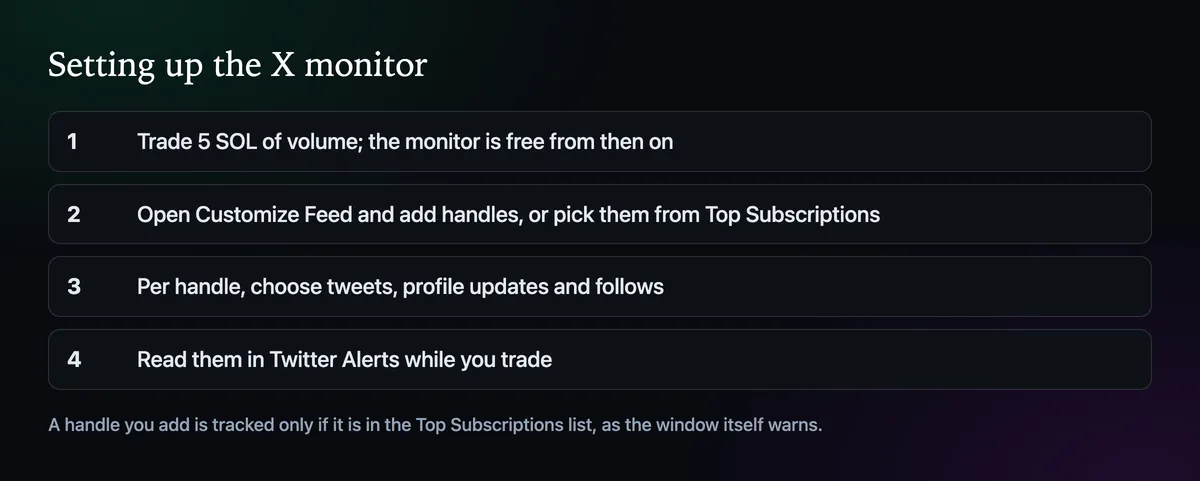
Every Axiom account gets the monitor for free once it has 5 SOL of trading volume. There is no subscription and nothing to install; the feed simply appears once you pass that line.
Choose the accounts
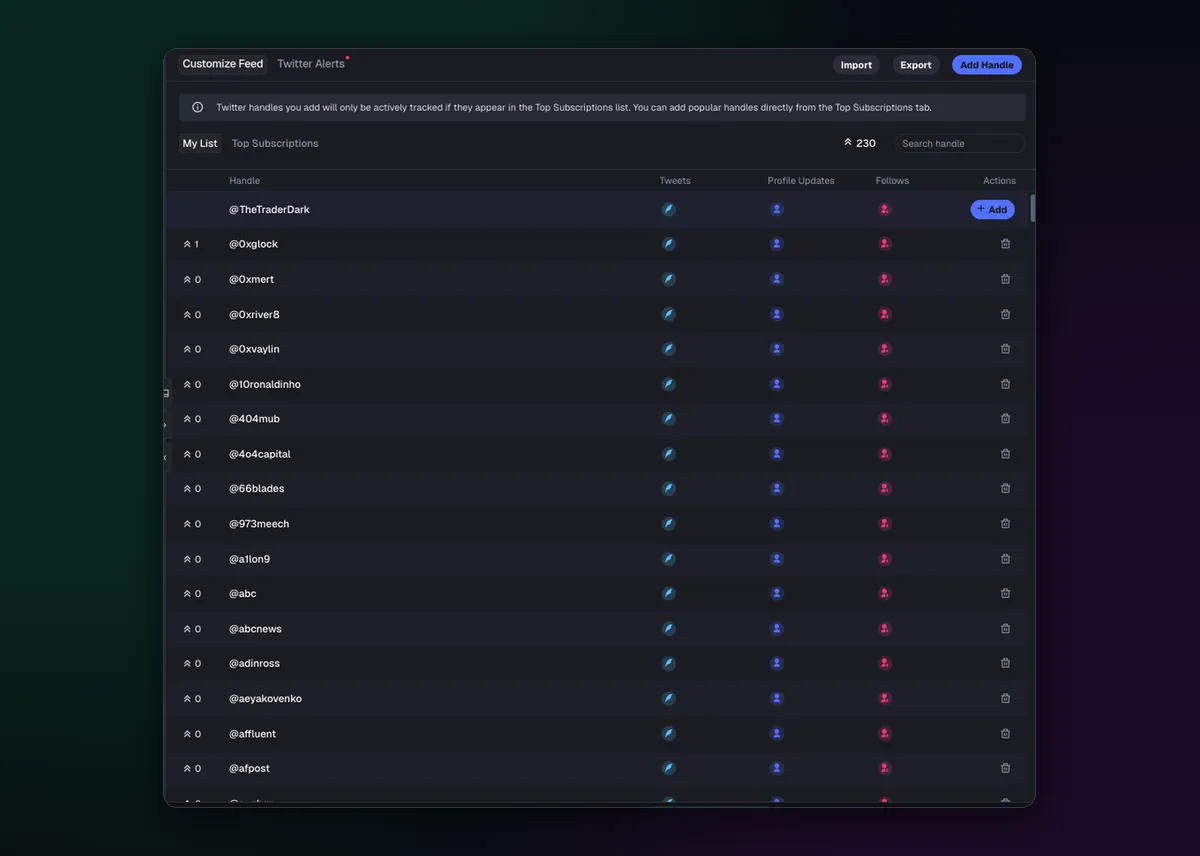
Open Customize Feed. My List holds the handles you follow; Top Subscriptions shows the accounts Axiom tracks for everyone, with how many users subscribe to each. Add Handle puts a new account on your list, and Import and Export move a list in or out.
Read the note at the top of that window. A handle you add is only tracked actively if it appears in the Top Subscriptions list. Adding popular accounts from that tab is the reliable way to get their posts.
Pick what to be told about

Each handle has three switches. Tweets is the obvious one. Profile Updates catches a changed name, bio or picture, which has launched more coins than you'd think. Follows shows who the account just followed, often the first public sign of a new project. Switch on only what you'll act on for each account.
Read the alerts
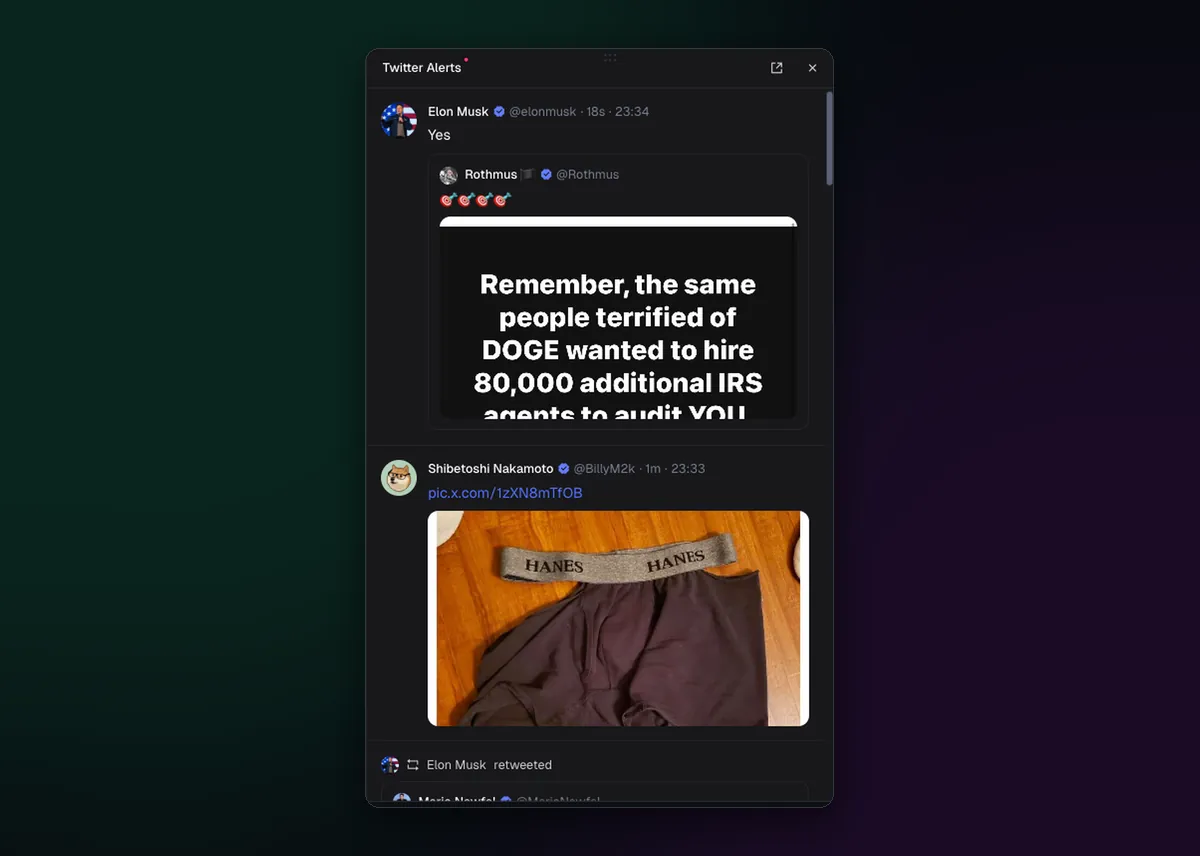
The Twitter Alerts tab is the live feed: posts with their images, replies and reposts, newest at the top. Keep it open in a panel beside Pulse. When a post sparks a coin, search the name, and check it is not one of the copies launched in the same minute; How to Find Similar Tokens shows how. The Twitter tracker page covers building a good account list.

Written by Mohammad Shahpari · Web3 CMO, Crypto Growth & SEO Specialist · X · LinkedIn
Did this answer your question?