
How to Open a Support Ticket on Discord
Axiom support works through one channel: private tickets on its official Discord. Nobody from Axiom will message you first. Here is how to open a ticket, what to put in it, and how to stay safe while you wait.
 Updated November 14, 2026
Join the right server
The official server is discord.gg/axiomtrade, the address Axiom gives in its docs and at the end of its videos. Copies of the server exist too, so use that link rather than one from a reply or a DM. Join, then react to the message in the verification channel. Axiom asks everyone to verify so bots can't flood the server, and the rest of the channels open once you do.
Turn off DMs from the server
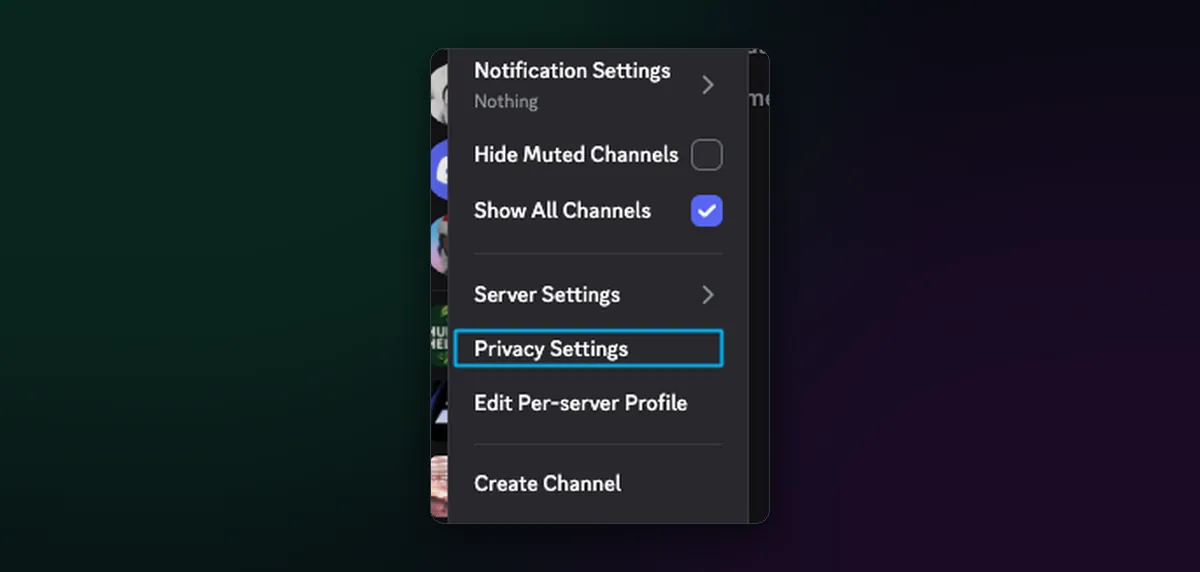
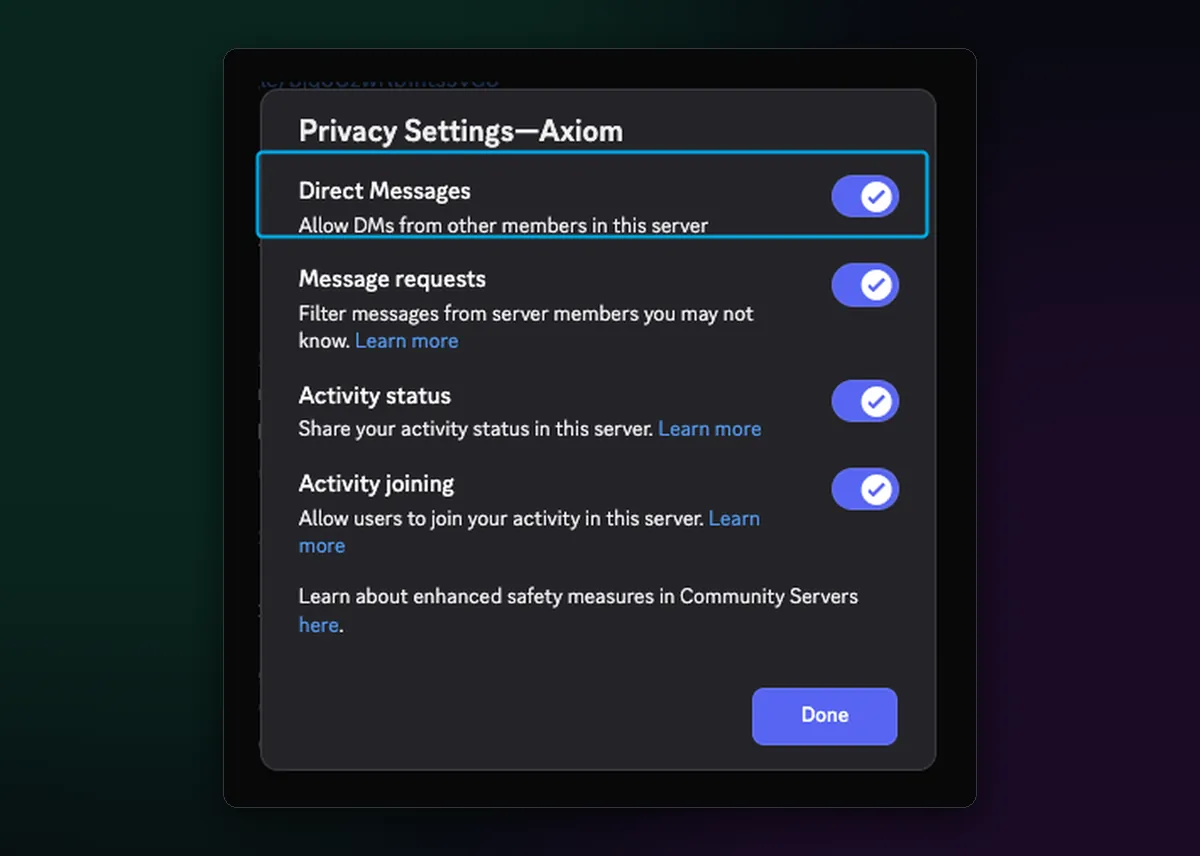
Axiom's docs recommend this step, and it is the most useful one. Right-click the Axiom server icon, choose Privacy Settings, and switch off Direct Messages from members of the server. Scammers watch help channels for people with problems, and this stops them reaching you.
Open the ticket
- Scroll to the top of the channel list and open the channel called tickets.
- Follow the instructions there to create a ticket.
- A new private channel appears in your sidebar. Open it; that is your ticket.
- Describe the problem in full, as below, and wait for staff to reply there.
What to put in it
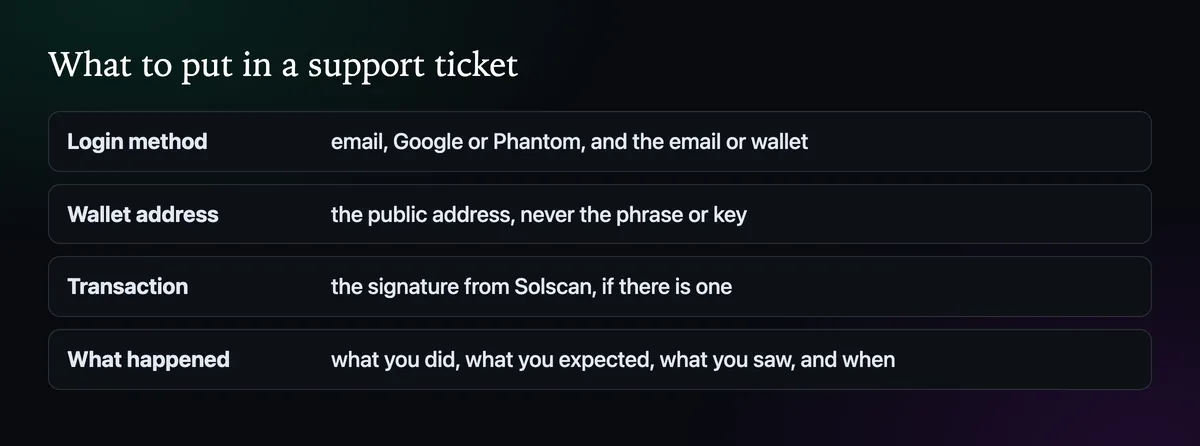
The docs are plain about it: the more detail, the faster staff can help. Give the login method and the email or wallet you signed in with, the public wallet address, the transaction signature from Solscan if there is one, and what you did, what you expected and what happened instead. Then be patient; the team works through tickets in turn.
Never share your recovery phrase or a private key, not even in a real ticket. No genuine staff member needs them, and anyone who asks is not staff.
For login trouble specifically, Can't Log In to Axiom? What to Check may solve it before a ticket is needed.

Written by Mohammad Shahpari · Web3 CMO, Crypto Growth & SEO Specialist · X · LinkedIn
Did this answer your question?