
How to Choose an MEV Mode
The MEV mode sets how much protection a trade gets from bots that slip their own transactions around yours. Axiom has three settings, Off, Reduced and Secure, stored in each preset and separately for buys and sells. This shows where the switch is and how to pick, then two related tools: Katana Mode and the Robinhood Express Lander.
 Updated November 22, 2026
On this page
Where the mode is set
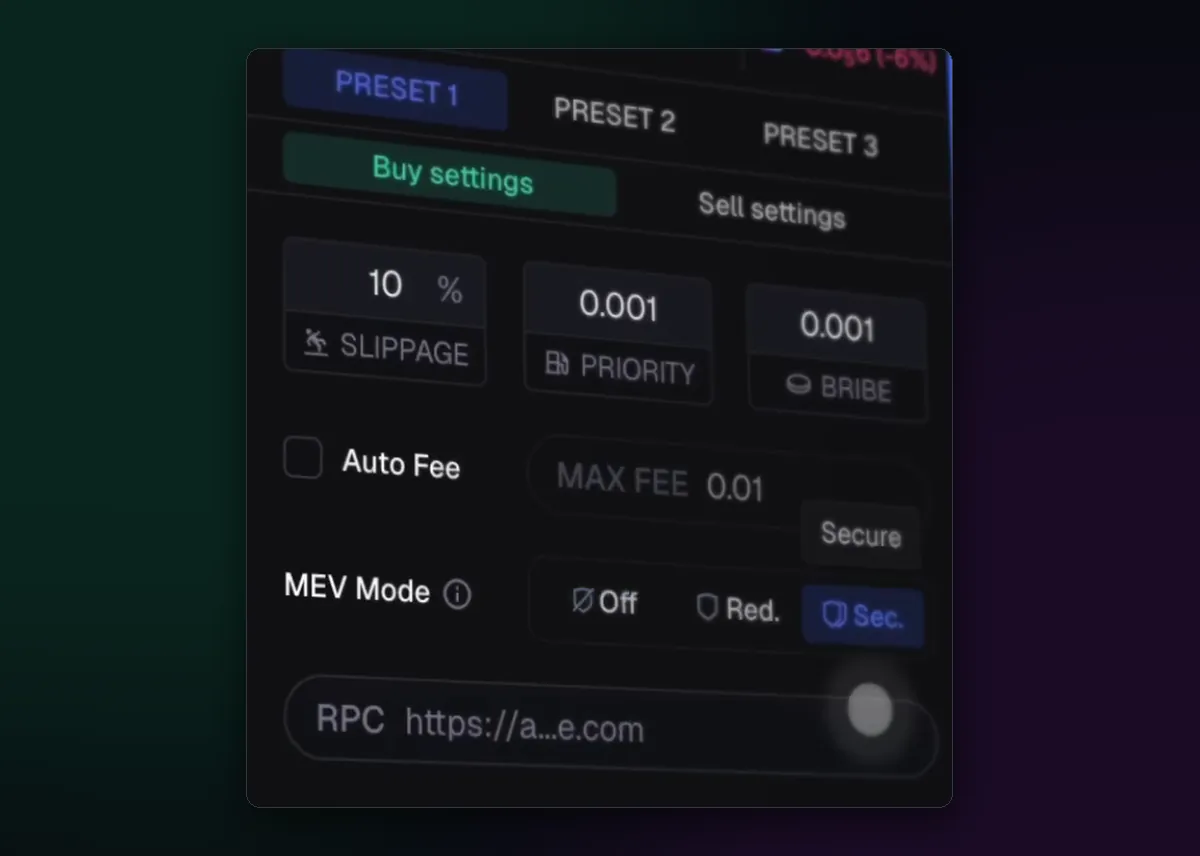
On a token page, the preset panel below the buy button has a row named MEV Mode with three buttons: Off, Red. and Sec. The row belongs to the preset and the tab you have open, so set it under Buy settings, then again under Sell settings, for each of the three presets.
Pick a mode for the trade in front of you
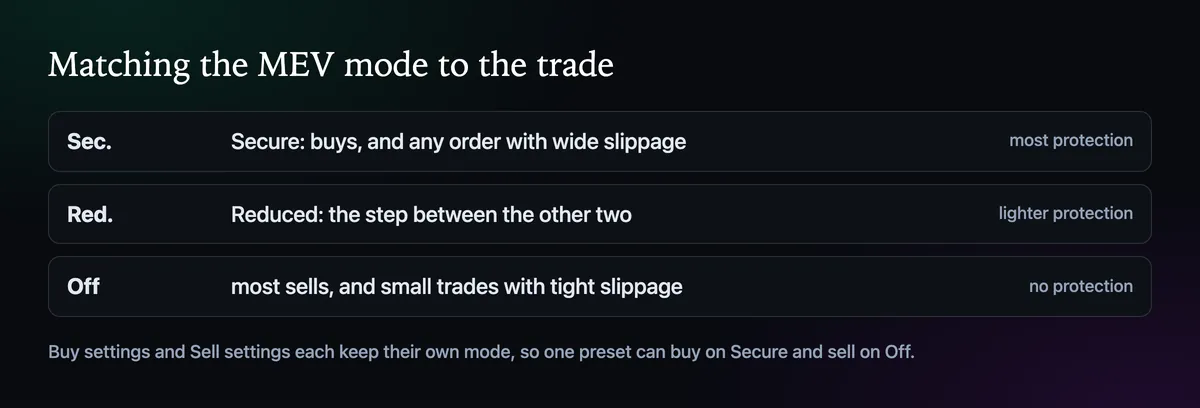
Secure is the mode for buys and for any order with wide slippage, because a loose limit is what a sandwich bot feeds on. Off is fine for most sells and for small trades with a tight limit, where there is little to take. Reduced is the step between them. How each mode routes a transaction is laid out in How to Set the Priority Fee and Bribe, and the MEV protection page goes deeper into the attack itself.
Check it before you click
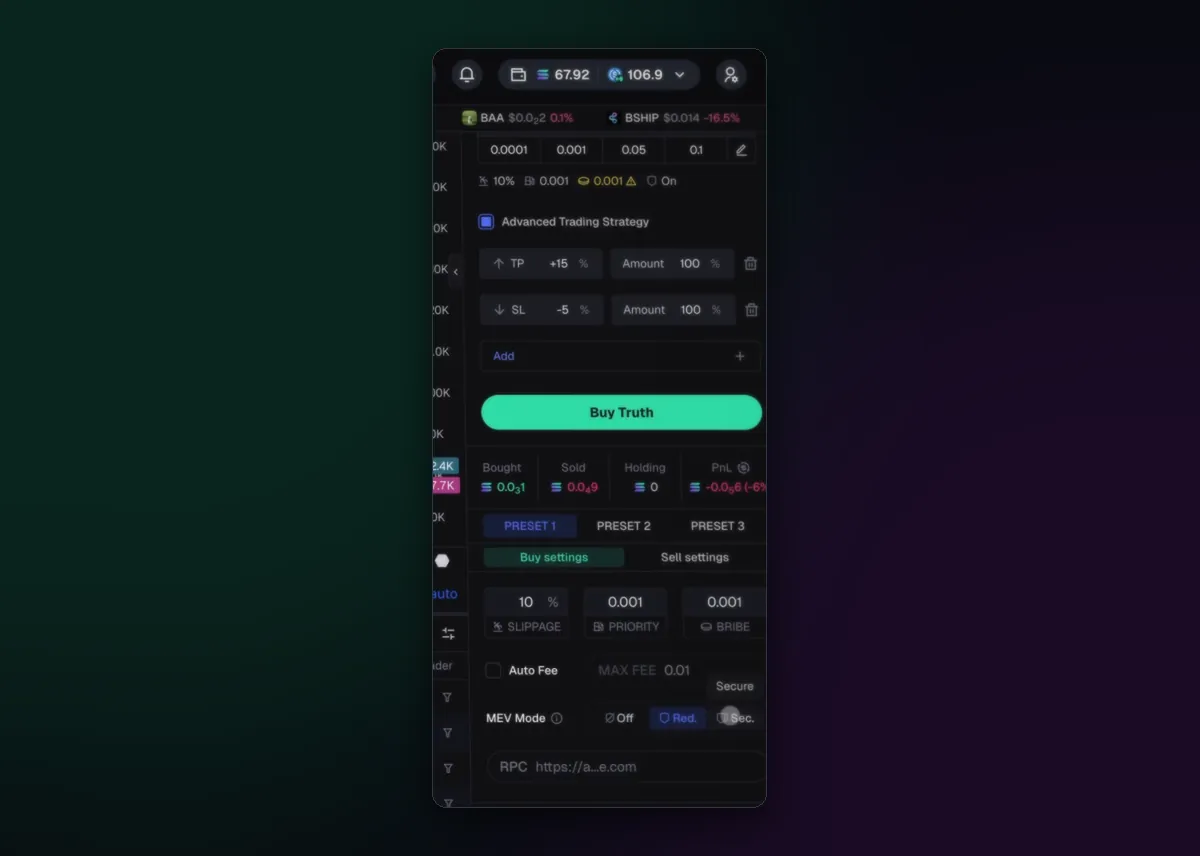
The settings line under the amount buttons ends in a shield that reads On or Off, after slippage, priority fee and bribe. Wide slippage next to Off is the pairing to avoid, for reasons How to Set Slippage on Axiom spells out.
Katana Mode: a fee that follows the block
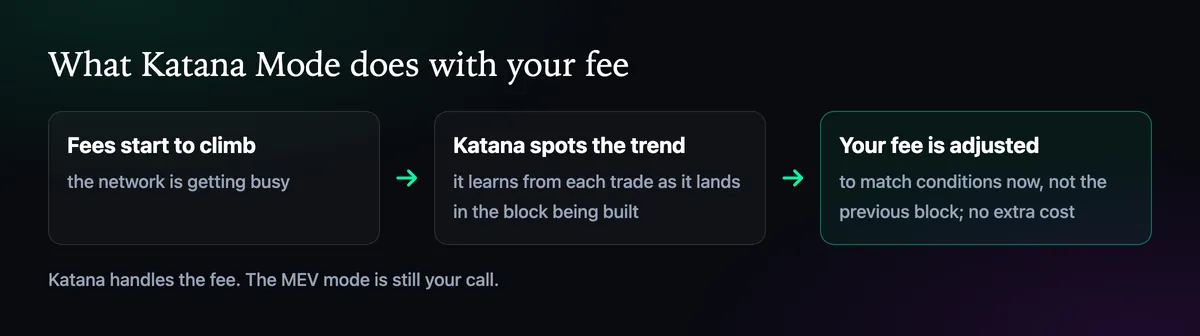
The MEV mode is about exposure. Katana Mode is about the fee. It predicts when network fees are about to rise and moves ahead of them, so your trade still lands early when a launch sends fees spiking. It learns from each trade as it lands in the block being built, then adjusts your fee to match conditions now, not those of the previous block. Katana adds no charge of its own. Axiom's fills also run on extra nodes and processors, with nothing to set.
Robinhood Chain: the Express Lander
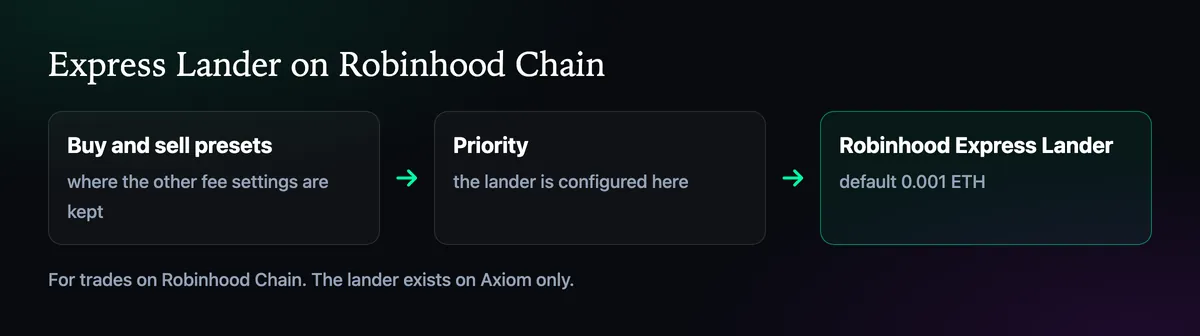
On Robinhood Chain, the Robinhood Express Lander routes trades for quicker execution, and it exists on Axiom only. You configure it under Priority in the buy and sell presets, where it starts at 0.001 ETH. Raise that figure for a launch everyone is chasing and leave it alone the rest of the week. The Robinhood Chain page covers trading there.

Written by Mohammad Shahpari · Web3 CMO, Crypto Growth & SEO Specialist · X · LinkedIn
Did this answer your question?