
How to Close a Perp Position
Closing a perp on Axiom means trading the position back to zero: all of it at once, part of it, or at a price you choose. Here is each way, and where your margin and your profit or loss show up afterwards.
 Updated November 17, 2026
Start from the Positions tab
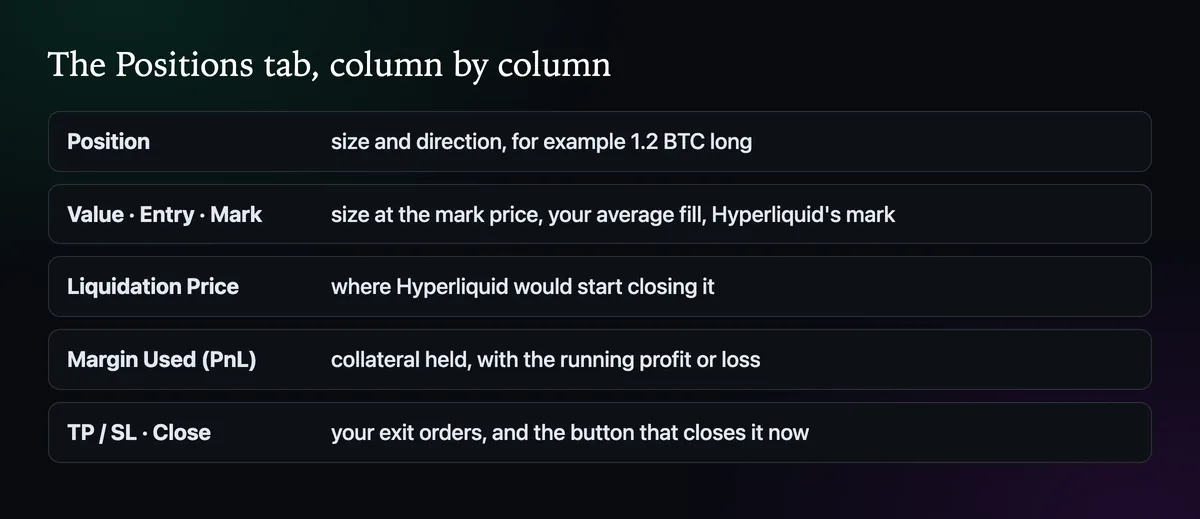
Under the perps chart, the Positions tab gives each open trade one row: how big it is and which way, what it is worth, where you got in, where Hyperliquid marks it, the level that would liquidate it, the collateral it holds with the running result, and any TP/SL attached. The last column is Close. Use it when you want out now; it sends a closing order for the position to Hyperliquid's order book.
Close part of it
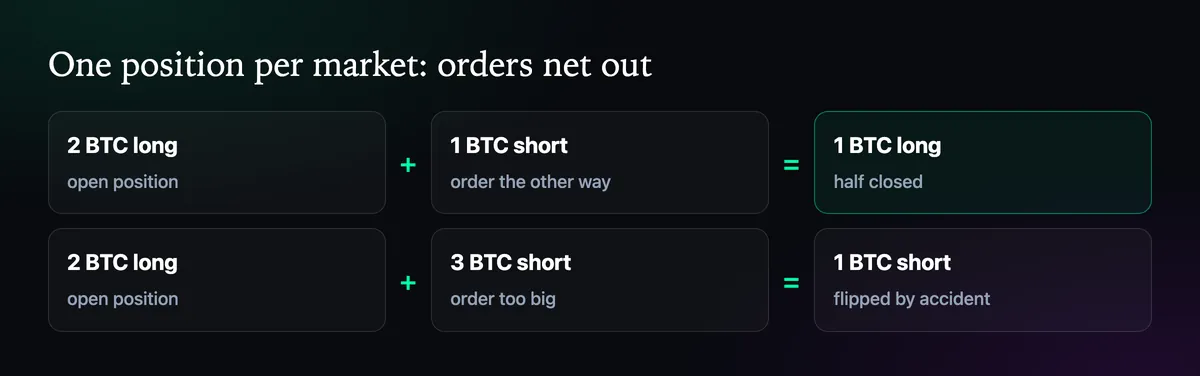
Hyperliquid keeps one position per market, so an order the other way shrinks it. To bank half of a 2 BTC long, place a 1 BTC short of the same pair; the long becomes 1 BTC. Be exact with the size. A short larger than the long closes the long and opens a short with the difference, which is easy to do by accident with a percentage slider.
Close at a price you choose
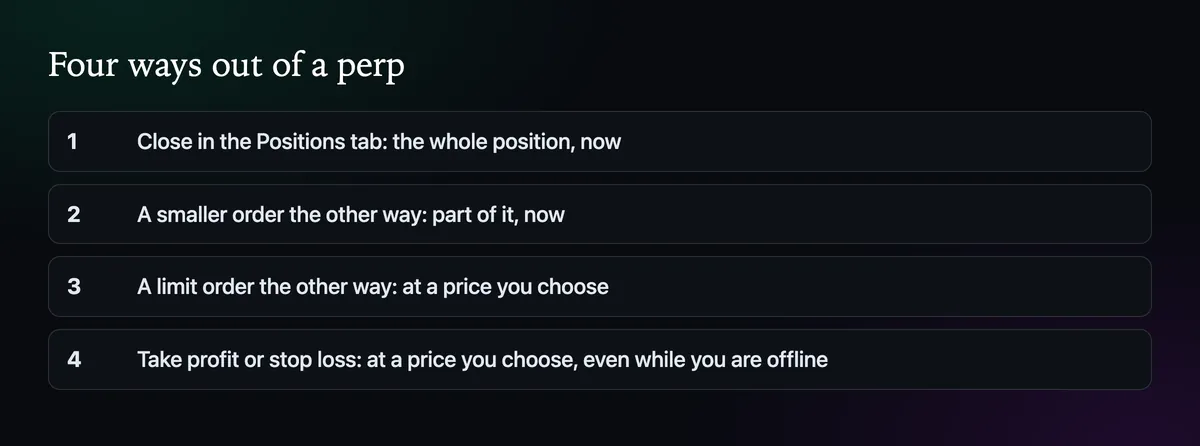
For a planned exit, use the Limit tab with the opposite direction and the size you want to close, or set a take profit so the exit waits for you even if you are offline. The second is usually the better habit, and How to Set Take Profit and Stop Loss on a Perp shows how.
After the close
The margin the position used goes back to your perps account value straight away, with the profit added or the loss taken off. The trade appears under Trades below the chart and under Trade History in Portfolio, Perpetuals. The balance stays on Hyperliquid until you move it; How to Withdraw from Axiom Perps takes it from there.

Written by Mohammad Shahpari · Web3 CMO, Crypto Growth & SEO Specialist · X · LinkedIn
Did this answer your question?