
How to Set Take Profit and Stop Loss on a Perp
Take profit and stop loss on Axiom perps are two standing orders that close a position for you: one when the gain you wanted arrives, one before a loss grows. They run on Hyperliquid, and its rules decide when they trigger and at what price they fill.
 Updated November 16, 2026
On this page
Where to set them
There are two places. Before you open a trade, tick TP/SL in the order panel, under the size slider and next to the estimated liquidation price, and enter both levels with the order. After it is open, the Positions tab under the chart shows them in its own TP/SL column, which also makes a position without one easy to spot. The perps basics are in How to Open a Long or Short on Axiom.
Which way round they go
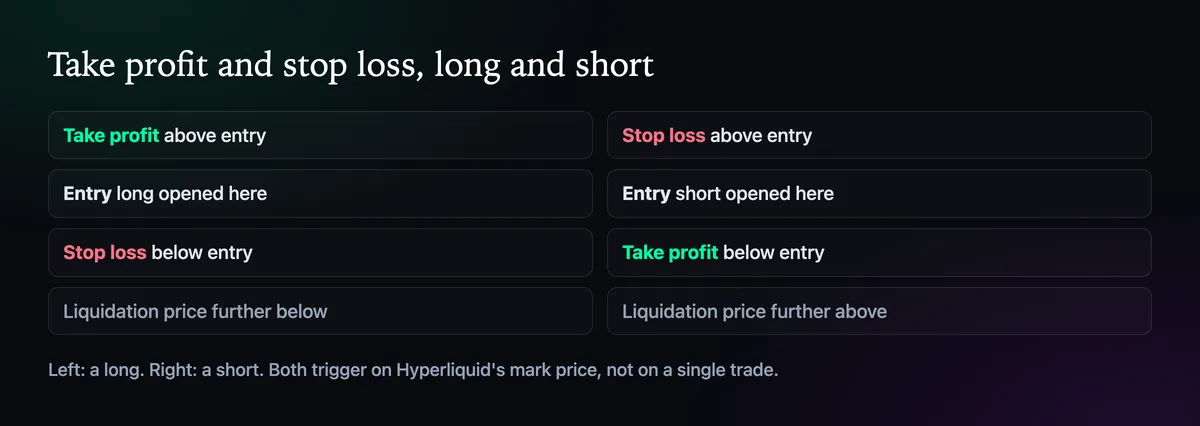
On a long, the take profit goes above your entry and the stop loss below it. On a short it is the other way round. Both trigger on Hyperliquid's mark price, which blends prices from large exchanges with its own order book, so a single odd trade on the book does not set them off.
Market or limit, once triggered
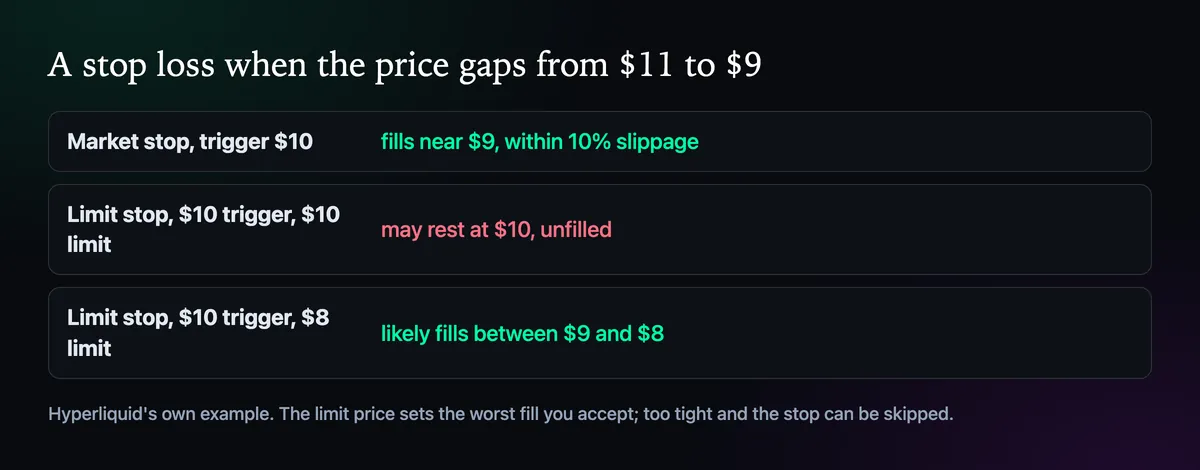
A triggered TP/SL can go to the book as a market order or a limit order. Market is the safer choice for stops: Hyperliquid allows it up to 10% slippage, so it almost always fills. A limit TP/SL caps the price you accept, but if the price jumps past it, the order can sit unfilled while the position keeps losing. Hyperliquid's own example is a stop with a $10 trigger: with a $10 limit it may miss a drop from $11 to $9, with an $8 limit it fills somewhere between $9 and $8.
Attached to the position or to the order
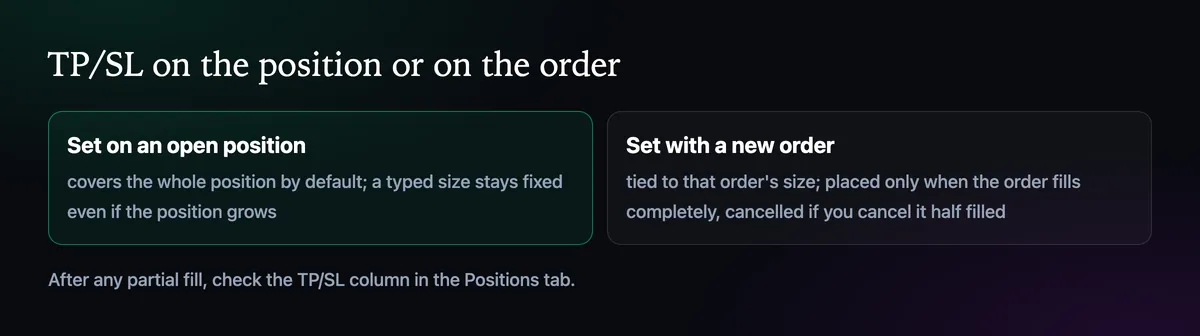
A TP/SL set on an open position covers the whole position by default. If you type a size instead, it stays that size even when the position grows. A TP/SL entered with a new order is tied to that order and is only placed once the order fills completely. Cancel a half-filled limit order and its TP/SL is cancelled with it, so check the Positions tab after any partial fill.
Keep the stop above the liquidation price
A stop loss earns its place by closing the trade while you still have margin left. If the liquidation price is reached first, you lose more than the stop would have cost you, as How Leverage and Liquidation Price Work on Axiom explains. On a long, the stop belongs clearly above the estimated liquidation price shown in the panel; on a short, clearly below it.

Written by Mohammad Shahpari · Web3 CMO, Crypto Growth & SEO Specialist · X · LinkedIn
Did this answer your question?