
How to Look Up a Past Trade on Solscan
Every Solana trade you make on Axiom is a public transaction, and Solscan shows it in full: when it landed, whether it worked, what it cost and which tokens moved. Here is how to get from a trade in your Axiom portfolio to its Solscan page, and what to check once you are there.
 Updated November 19, 2026
On this page
Start from the Activity list
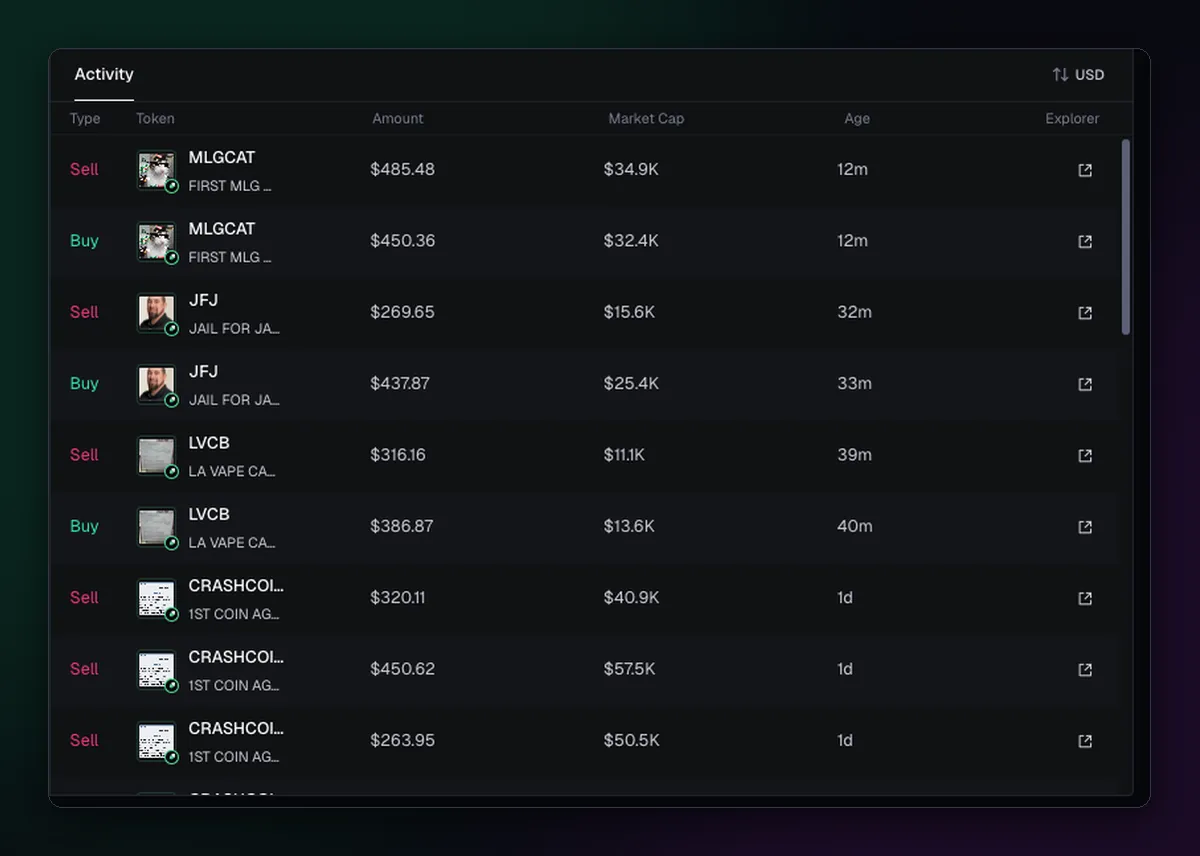
Open Portfolio and look at Activity, on the right of the spot page. Each row is one buy or sell, with the token, the amount, the market cap at the time and how long ago it happened. The small icon at the end of the row opens the transaction on Solscan in a new tab. Finding the right row is quicker if you narrow the period with 7d or 30d first.
What the Solscan page tells you
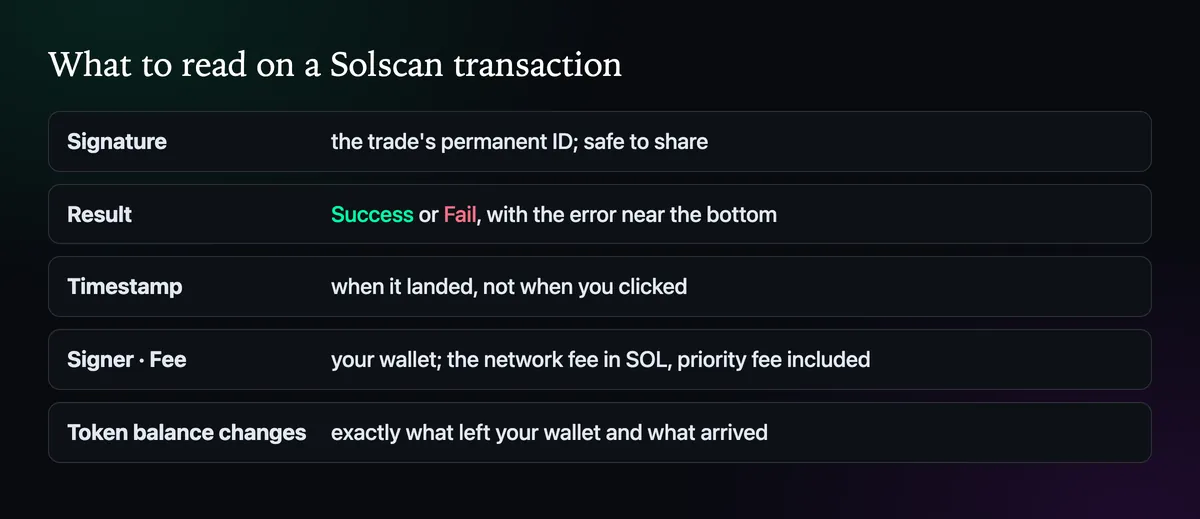
The signature at the top is the trade's permanent ID. Result says Success or Fail. The timestamp is when it landed, which can be a second or two after you clicked. Signer is your wallet address. Fee is the network fee in SOL, priority fee included. Further down, the token balance changes show exactly what left and what arrived, which settles most arguments about what a fill was really worth.
Checking a failed trade
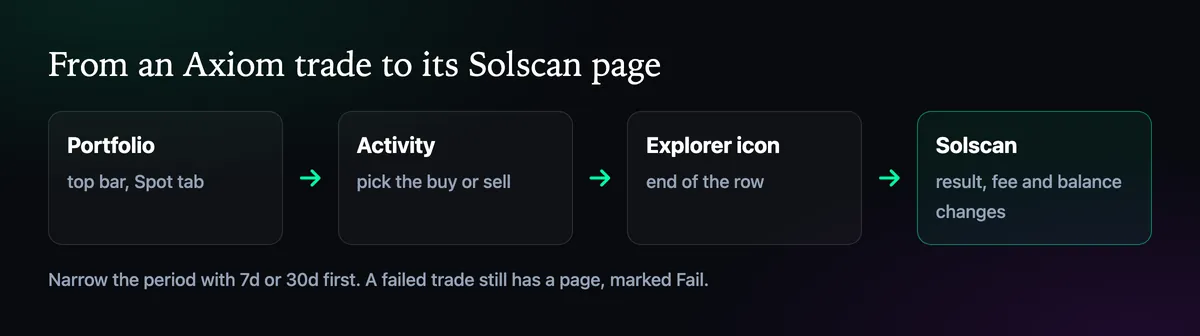
A failed transaction still has a page, marked Fail, and usually an error near the bottom, such as slippage being exceeded. The network fee is charged even when the trade fails, which is why it shows. What each error usually means is in Why Did My Axiom Transaction Fail?.
Share the signature, never the key
When you ask for help in an Axiom support ticket, the signature or the Solscan link is all anyone needs to see the trade. Nobody genuine will ask for your recovery phrase or private key to look at it. How to Open a Support Ticket on Discord shows what else to include. Trades on an EVM chain work the same way with that chain's explorer, such as Etherscan, Basescan or BscScan.

Written by Mohammad Shahpari · Web3 CMO, Crypto Growth & SEO Specialist · X · LinkedIn
Did this answer your question?