
How to Pop Out a Token Window
A pop-out is a compact token window with a chart, trades and a trade panel of its own, so you can watch or trade a second coin without leaving the page you are on. This covers opening and arranging pop-outs, the chart-only version, and two hover charts for when a full window is more than you need.
 Updated November 22, 2026
On this page
Open a pop-out
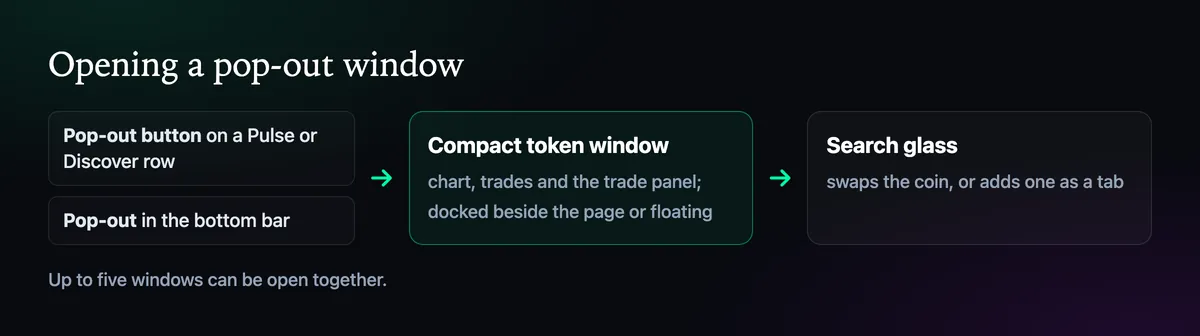
Rows in Pulse and Discover have a pop-out button, and the bottom bar has a Pop-out entry. Either one opens a small window holding the token's chart, its trades and a trade panel. Up to five can be open together. That is more than enough: past three, nobody is really reading the charts.
Dock it, float it, change the coin
A pop-out either docks beside the page or floats over it. Docked suits a coin you will follow for a while; floating suits a quick look. The search glass in the window's header swaps the window to a different coin, or adds a coin as a tab inside the same window.
Make pop-outs chart-only
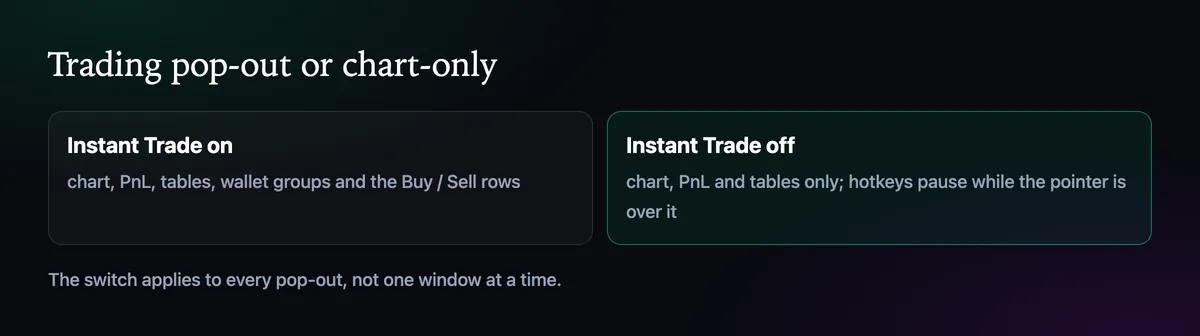
Pop-outs have an Instant Trade switch, and it applies to all of them. Turn it off and each window drops its wallet groups and its Buy and Sell rows, keeping the chart, PnL and tables. Hotkeys also pause while the pointer is over a chart-only window, so a stray key there does not trade the token on the page behind. That pause matters if you use How to Use Axiom Hotkeys. The trading rows are explained in How to Use Instant Trade.
Hover a ticker to see its chart
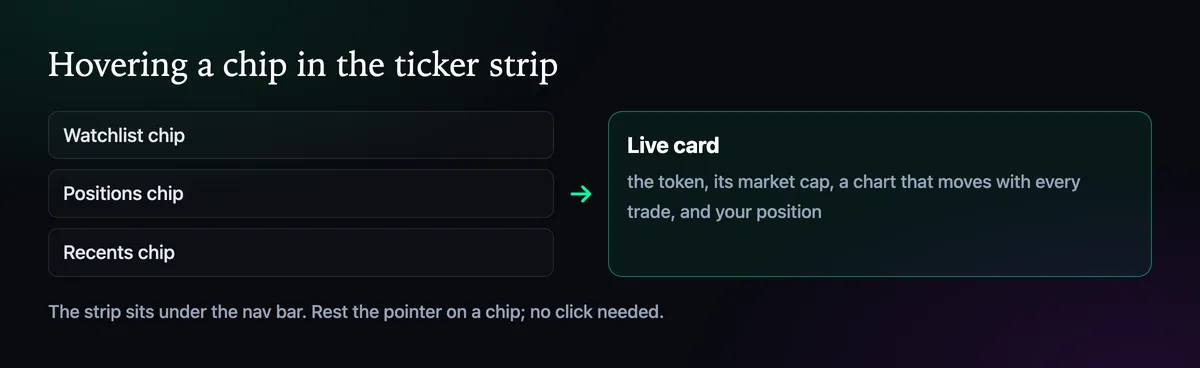
The strip under the nav bar holds chips for your watchlist, your positions and your recent tokens. Rest the pointer on one and a live card opens: the token, its market cap, a chart that moves with every trade, and your position. How to Use the Watchlist explains how coins get onto the strip.
Hover a price in the status bar
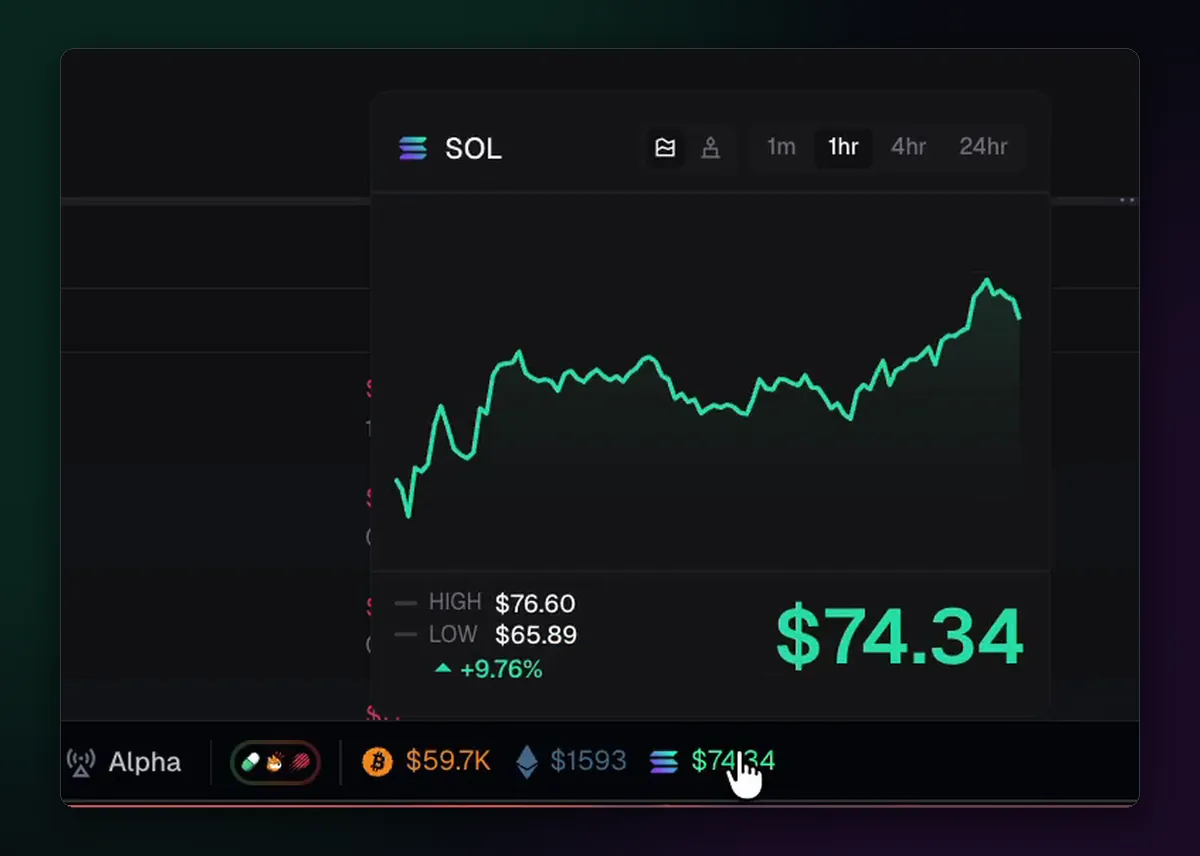
The status bar along the bottom lists the prices of BTC, ETH, SOL and BNB. Hover any of them and a chart card opens with the current price, the high and low, and the percentage change. Four buttons set the timeframe: 1m, 1hr, 4hr and 24hr. Two small icons next to them switch between a line and candles. It is the quickest way to tell whether a dip on your memecoin belongs to that coin or to the whole market.

Written by Mohammad Shahpari · Web3 CMO, Crypto Growth & SEO Specialist · X · LinkedIn
Did this answer your question?