
How to Blacklist Wallets, Developers and X Accounts
Axiom's blacklist keeps tokens out of Pulse by who deployed them, who paid for the launch or which X account they carry. Every entry lives in one window, with one-click shortcuts on Pulse rows and token pages. Here is each kind of block and when to use it.
 Updated November 27, 2026
On this page
Open the blacklist window
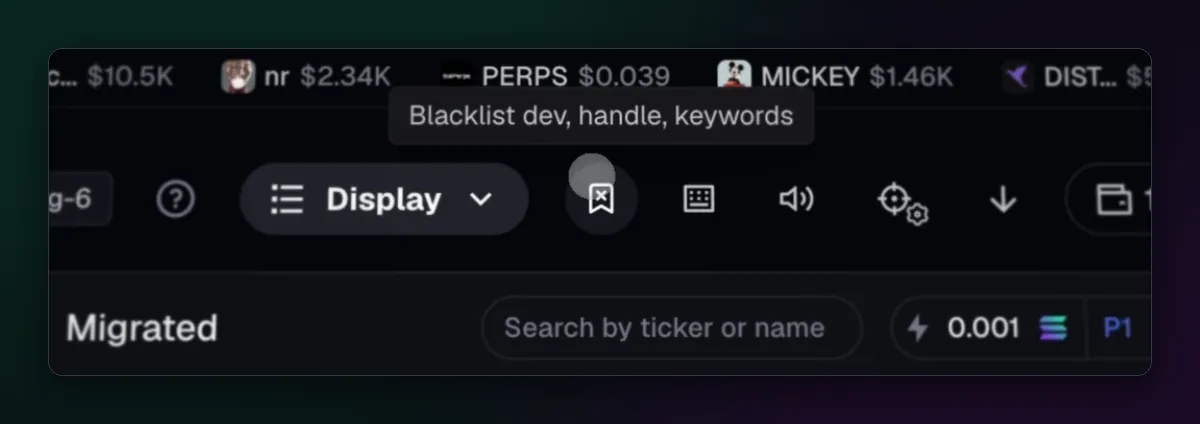
In the Pulse toolbar, the button beside Display has a tooltip that reads "Blacklist dev, handle, keywords". It opens the Blacklist window: one input, tabs that sort your entries by type, and a red bin on every row. The footer counts your entries against the allowance and has Import and Export, so a long list can be copied out and kept.
Tell it what you are blocking
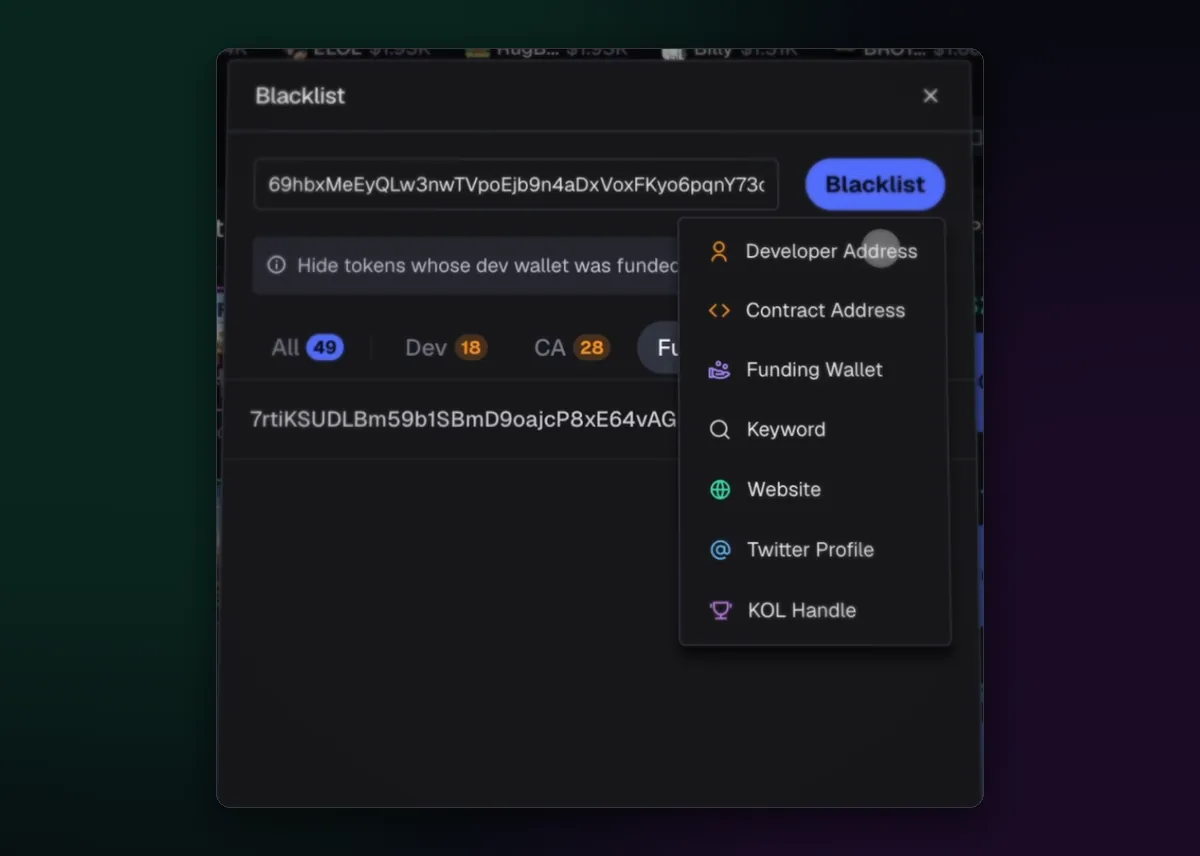
Paste an address, a handle, a domain or a word, then press Blacklist. A menu asks what it is: Developer Address, Contract Address, Funding Wallet, Keyword, Website, Twitter Profile or KOL Handle. The choice changes the reach. One address filed as a contract hides a single coin. Filed as a developer, it hides whatever that wallet launches next.
Block a developer from the token page
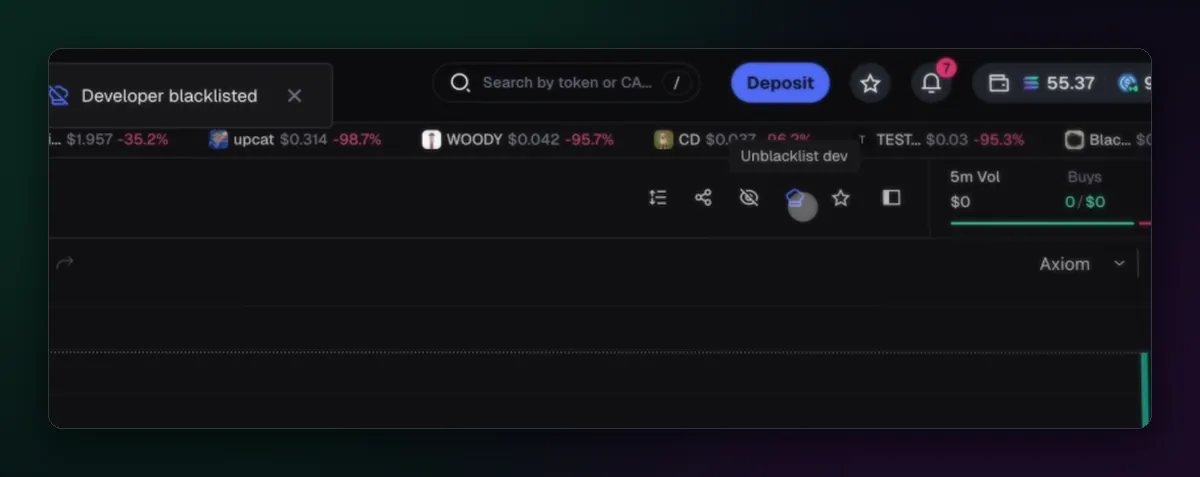
You usually decide a developer is a problem while looking at their coin, not while tidying a list. In the row of icons above the chart, one carries the tooltip "Blacklist dev". Click it and a notice says "Developer blacklisted"; hover again and it has become "Unblacklist dev", which is your undo. Pulse rows have a matching shortcut on the token picture, shown in How to Set Up Pulse Filters.
Block an X account
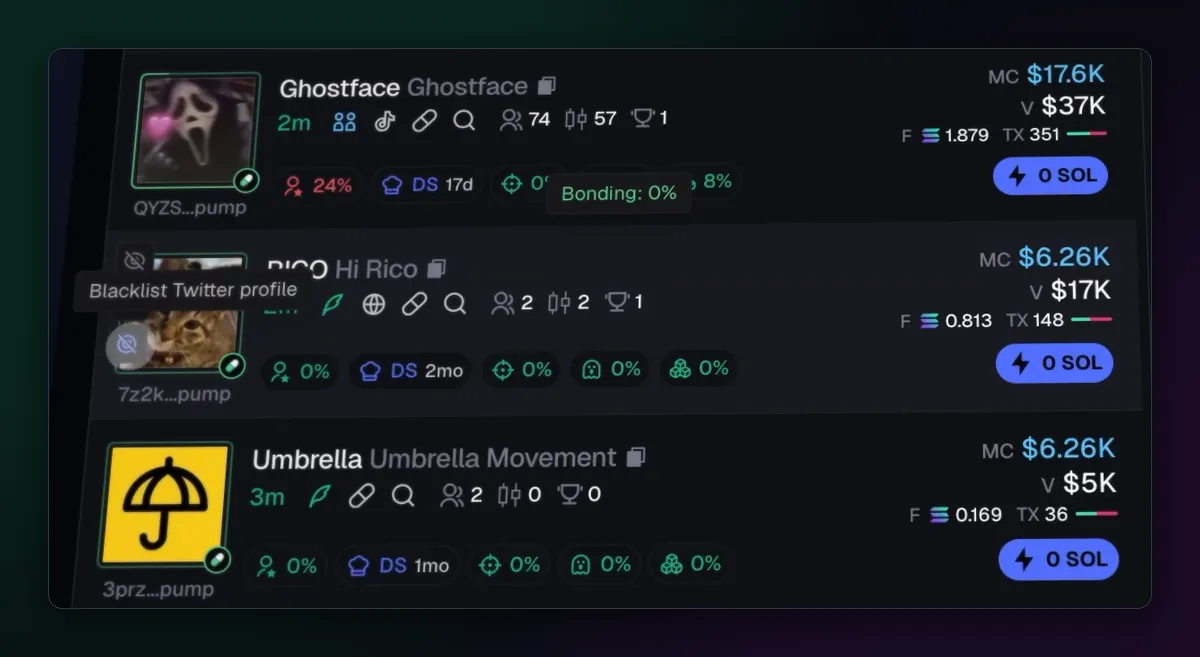
Hover a token's picture in Pulse and small icons appear down its left side. One reads "Blacklist Twitter profile". Click it, the notice says "Handle blacklisted from Pulse", and the row drops out of the column. A handle that has fronted five dead coins will front a sixth, and you do not need to see it.
Block the wallet that pays for the launches
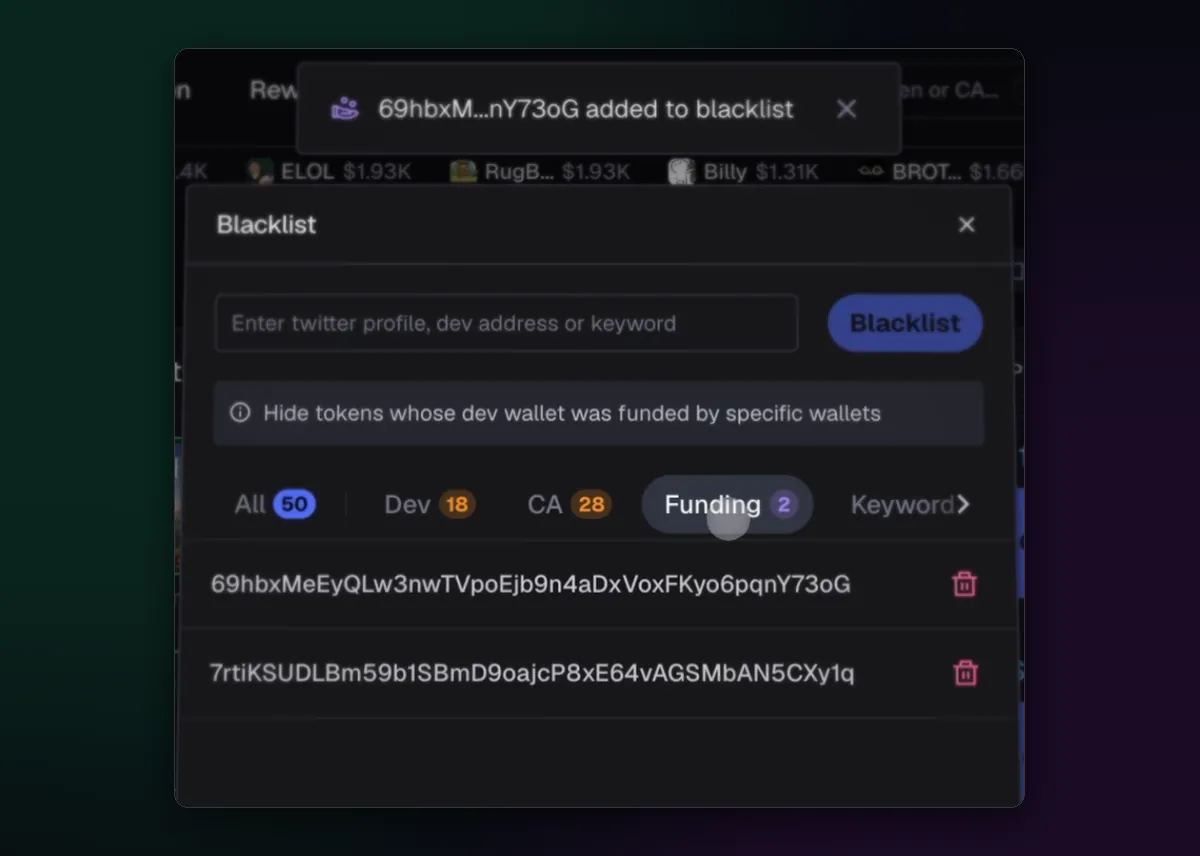
Serial launchers use a fresh wallet for every coin, so blocking the developer address only works once. The money behind those wallets often arrives out of one source, though. File that source as a Funding Wallet and Pulse hides tokens whose developer wallet was funded by it. The funding source shows when you hover a developer in Pulse, as How to Track a Developer's Wallets and Launches explains. One warning: never file an exchange wallet here. Plenty of honest launches are paid for straight off an exchange, and you would hide all of them too.

Written by Mohammad Shahpari · Web3 CMO, Crypto Growth & SEO Specialist · X · LinkedIn
Did this answer your question?