
How to Track a Developer's Wallets and Launches
A token's developer is the wallet that launched it, and that wallet has a history. Axiom shows what else it has launched, where its money came from, and lets you put a name on it so Pulse flags its next coin. Here is how to check a developer and how to follow one.
 Updated November 27, 2026
On this page
Check what the developer launched before
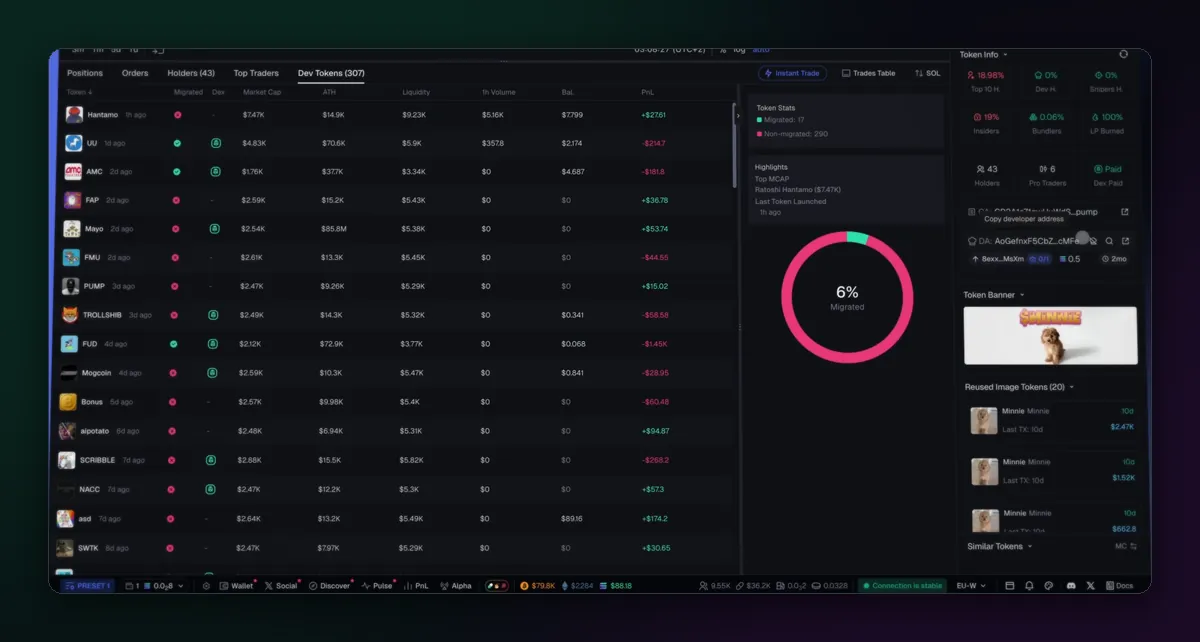
On a token page, the tabs under the chart include Dev Tokens, with the number of coins that wallet has deployed. Open it for the full list: market cap, all-time high, liquidity, recent volume, and the developer's balance and PnL on each. Token Stats counts the launches that migrated against those that did not, and the ring beside it turns that into one percentage. A wallet with hundreds of launches and a migrated share in single digits is a factory.
Look at where the wallet was funded
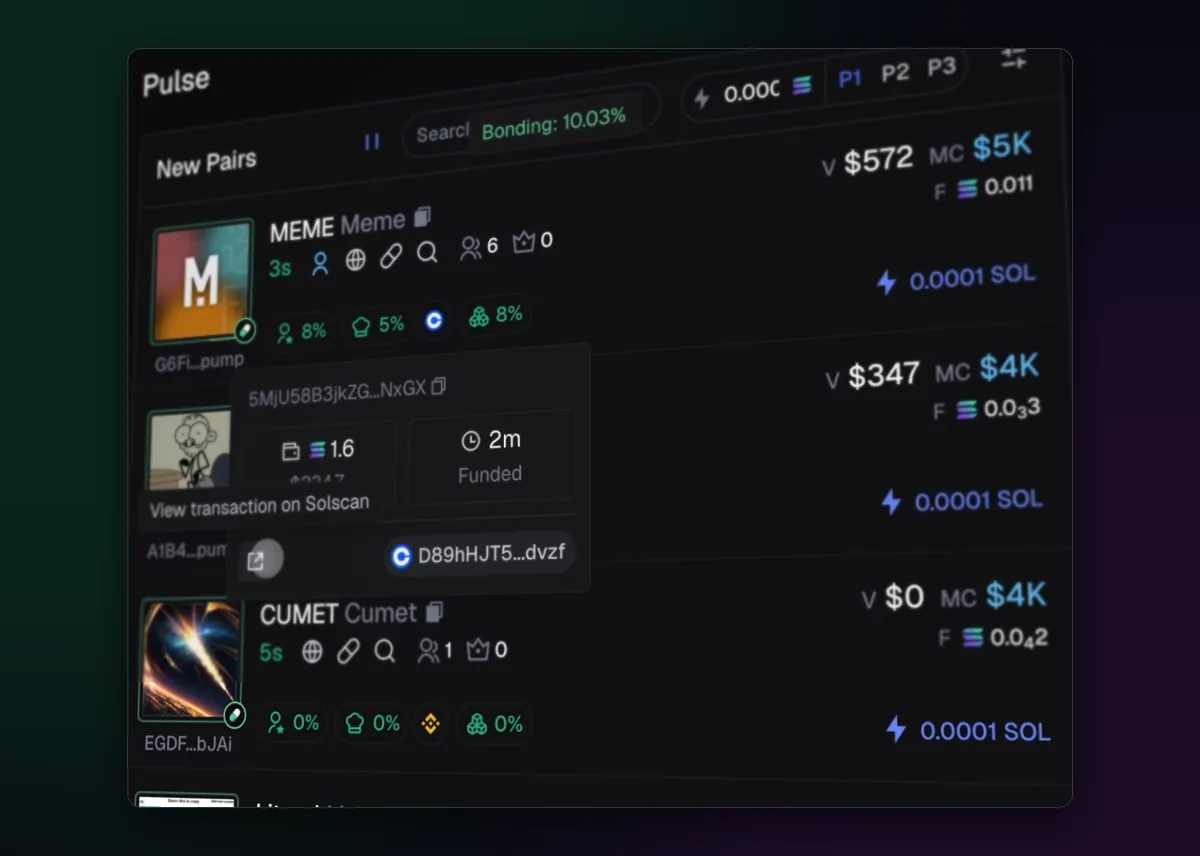
In Pulse, hover the developer marker on a row. The card shows the wallet's balance, how long ago it was funded and the wallet or exchange that funded it, with a link to the transaction on Solscan. A wallet funded two minutes before the launch, from an exchange, was made for this one coin. That is not proof of anything, but it tells you nobody is putting a reputation behind it.
Put a name on a developer
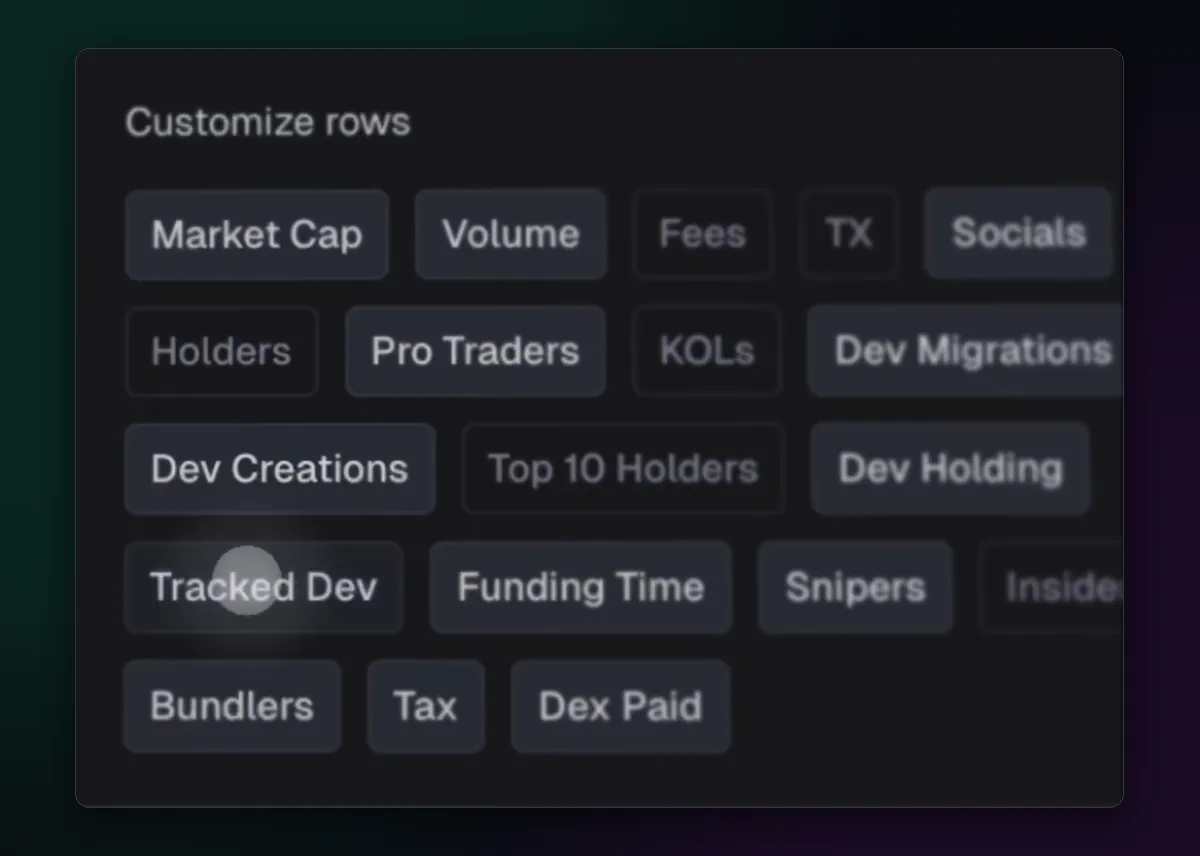
Copy the developer address from Token Info, where it is marked DA, and add it to your tracker under a name you will recognise; How to Add a Wallet to the Wallet Tracker has the steps. Then open Customize rows in Pulse and switch on Tracked Dev. The same panel has Dev Migrations, Dev Creations, Dev Holding and Funding Time if you want those numbers on every row.
What you see on the next launch
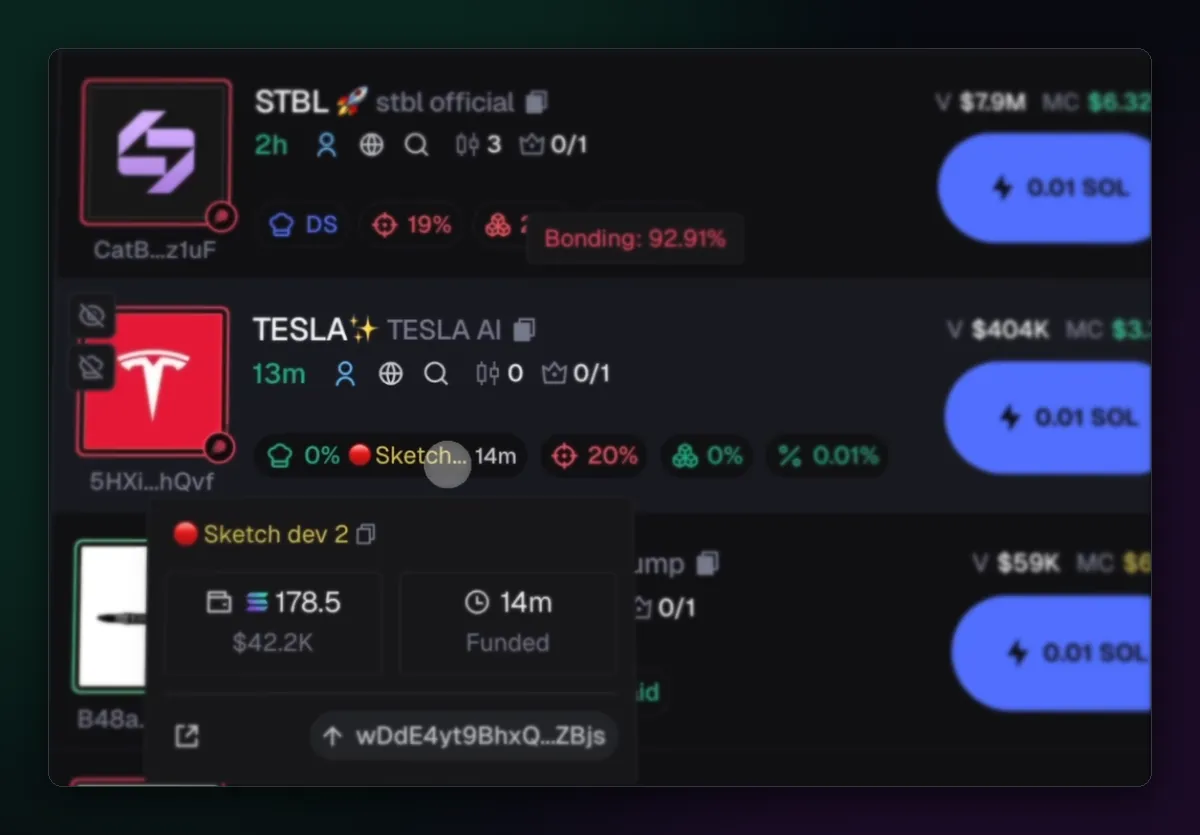
When a tracked developer deploys again, the row in Pulse carries your label, so you see who is behind the coin before you open it. Use it both ways: follow the few developers whose coins ran, and name the serial ruggers so you can skip them on sight. To hide a developer's launches from the feed altogether, use the blacklist in How to Set Up Pulse Filters.
Search the developer outside Axiom
Next to the developer address there is a search icon that looks the address up on X, which sometimes turns up the person behind it or a warning from someone already burned. The rest of the holder and bundle data on the page is covered in How to Read Holder, Dev and Bundle Data.

Written by Mohammad Shahpari · Web3 CMO, Crypto Growth & SEO Specialist · X · LinkedIn
Did this answer your question?