How to Check a Token's Lock Status
A token lock keeps part of the supply out of reach until its timer runs out. Axiom reads locks made on Streamflow and puts them on the token page: how much is locked, what it is worth and how long is left.
 Updated November 26, 2026
On this page
Find the padlock in the header
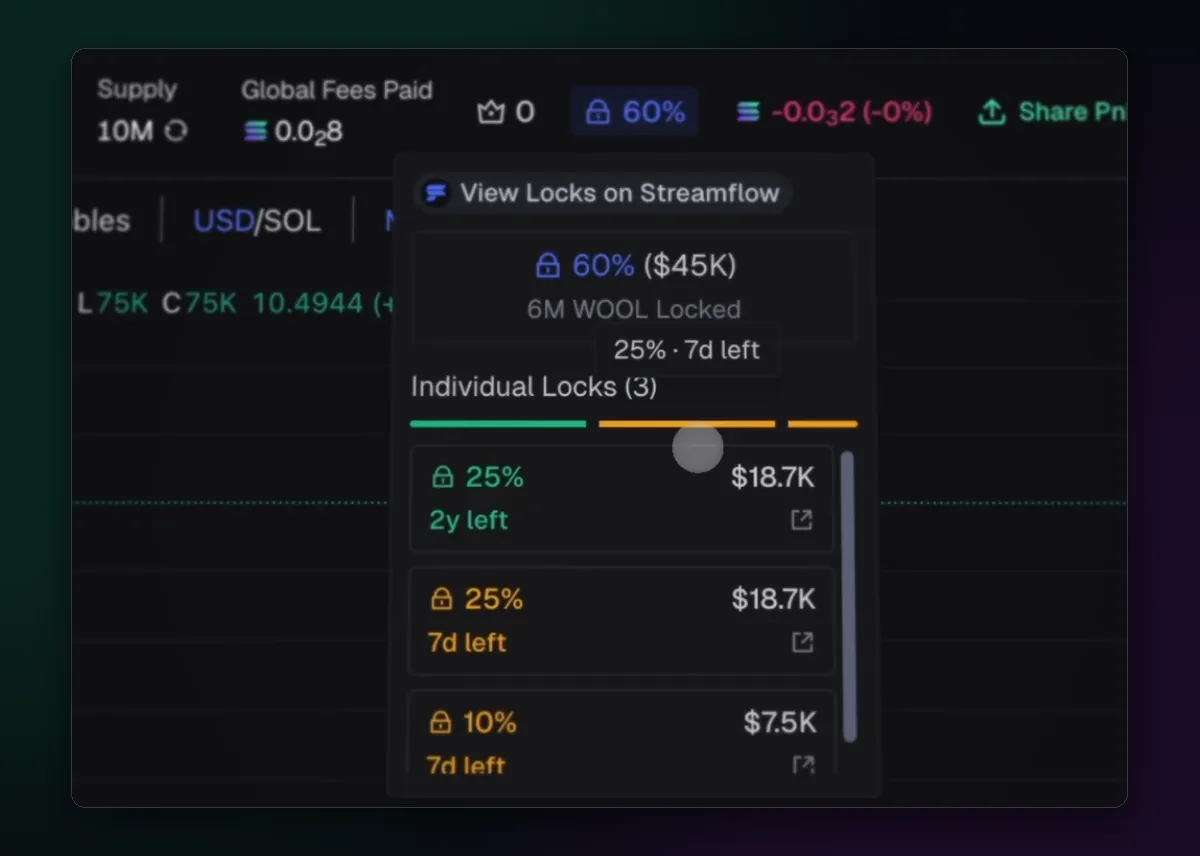
When a token has locks, a padlock with a percentage sits in the header of its page, in the same strip as liquidity, supply and fees. The percentage is the locked share of supply. Hover it for the card: that share with its dollar value, the number of tokens locked, and under Individual Locks one line per lock with its own share, value and time left. The bar across the card is cut into the same pieces.
Read the time left before the total
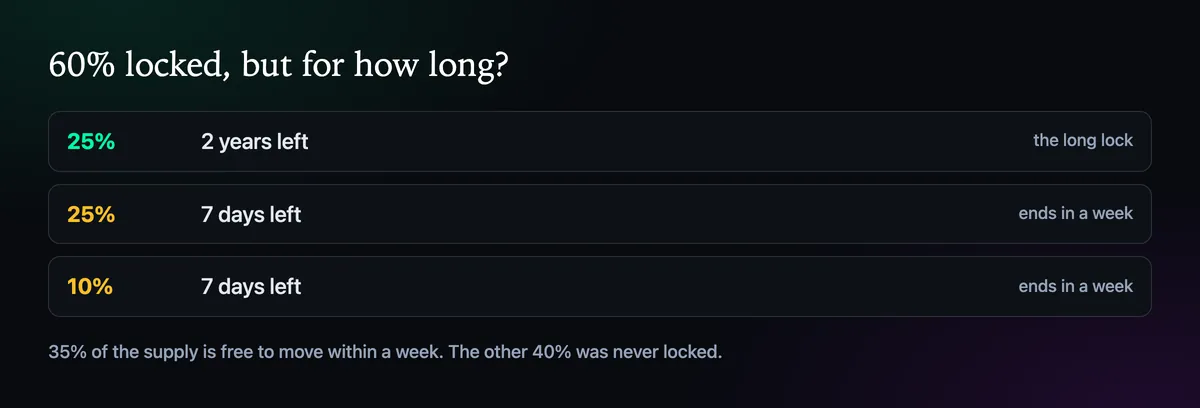
The headline number flatters. In the card above, 60% of supply is locked, which sounds safe. Only 25% is locked for two years. Another 25% and a further 10% both end in seven days, and the card draws those two in orange and the long one in green. So 35% of the supply is free to move within a week. Treat a lock that ends next week as a date in your calendar.
See which holdings are locked
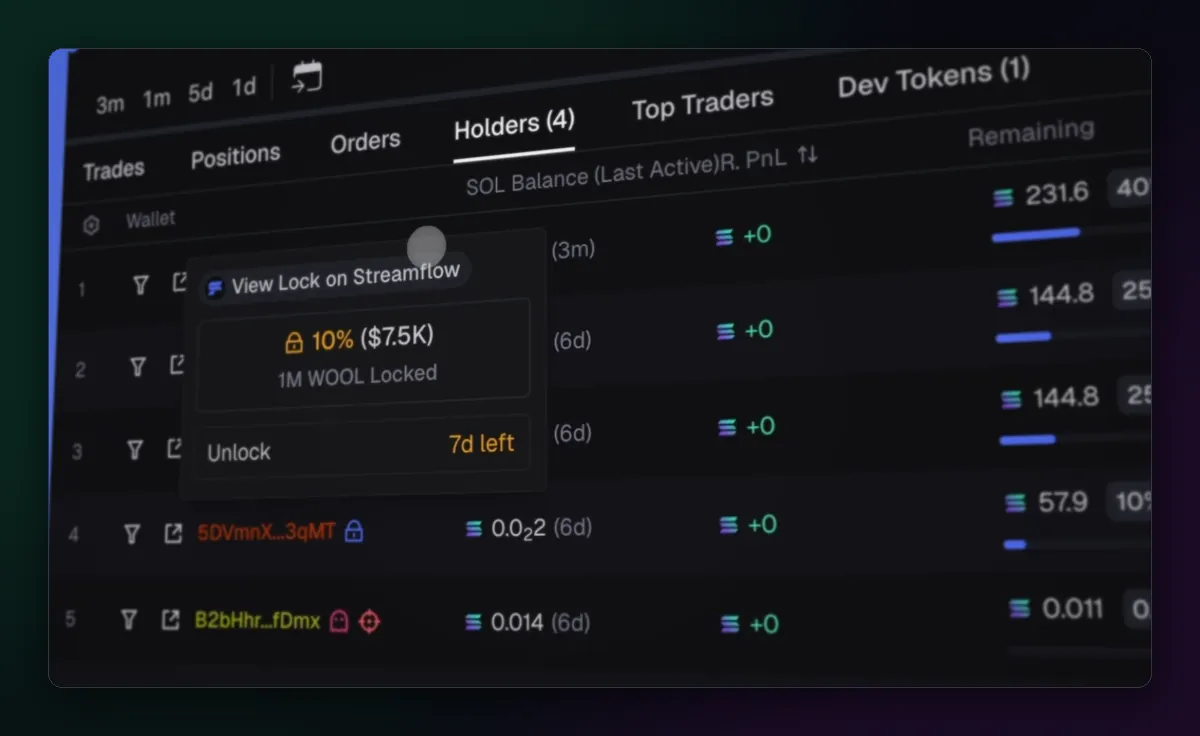
In the Holders tab, a padlock beside an address marks a holding that is locked. Hover it for that one lock: share of supply, dollar value, token count and time left. This is the quickest way to see what the big rows in the table can do. A 25% holder with a padlock and two years on it is a different risk from a 25% holder with nothing.
Open the lock on Streamflow
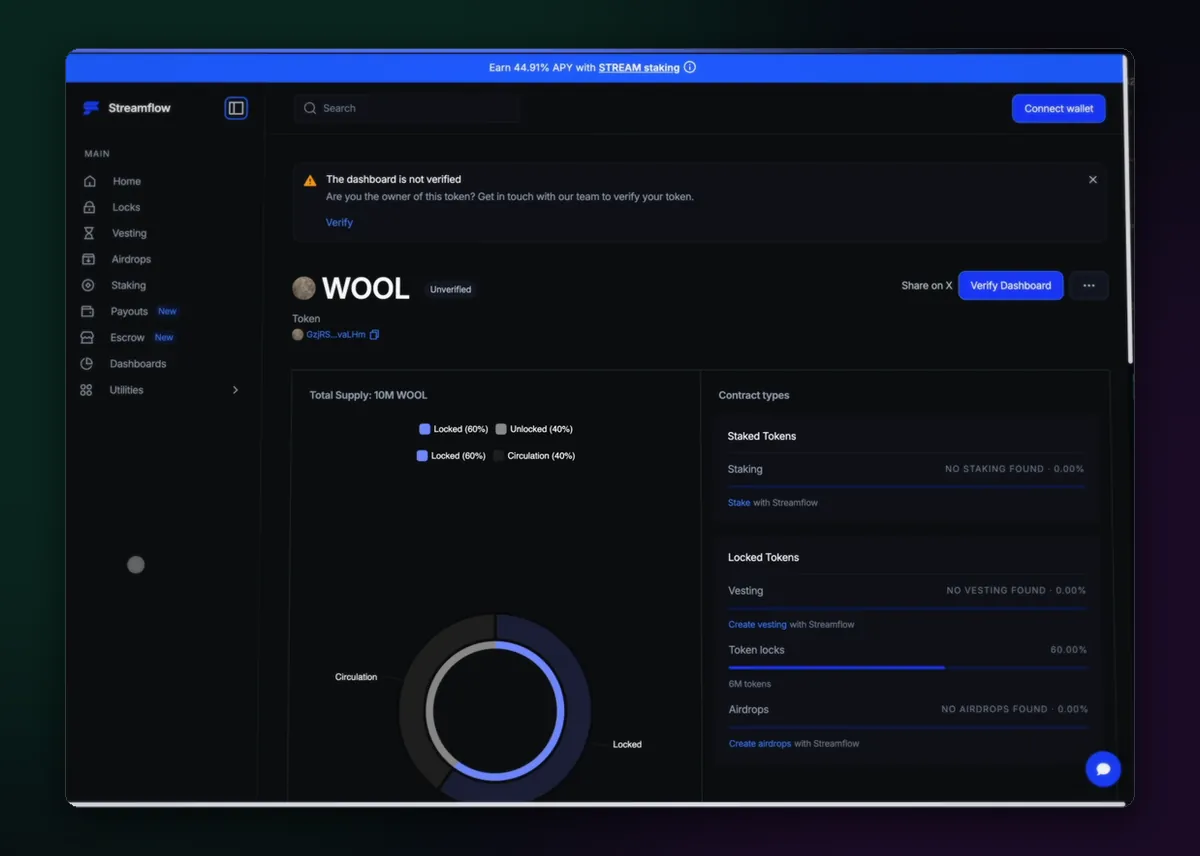
Both cards start with a link to Streamflow. It opens Streamflow's dashboard for the token in a window over the terminal. There you see total supply, the split between locked and circulating tokens, the number of lock contracts and a chart of when the locked tokens come free. Confirm the dates there before you size a position around them.
What a lock does not cover
A lock only restrains the tokens inside it. In the example, 40% of supply was never locked and trades freely. It is also separate from LP Burned in Token Info, which is about whether liquidity can be pulled; How to Read Holder, Dev and Bundle Data covers that cell. The token scanner page puts these checks side by side.

Written by Mohammad Shahpari · Web3 CMO, Crypto Growth & SEO Specialist · X · LinkedIn
Did this answer your question?