
How to Use Vision to Find Top Traders and KOL Wallets
Vision is Axiom's trader leaderboard. It ranks KOLs, every wallet on the chain, your own wallets and the ones you track by profit, win rate and volume, over anything from a day to a month. Here is how to read the board and turn a name on it into a wallet you follow.
 Updated November 27, 2026
On this page
Open Vision
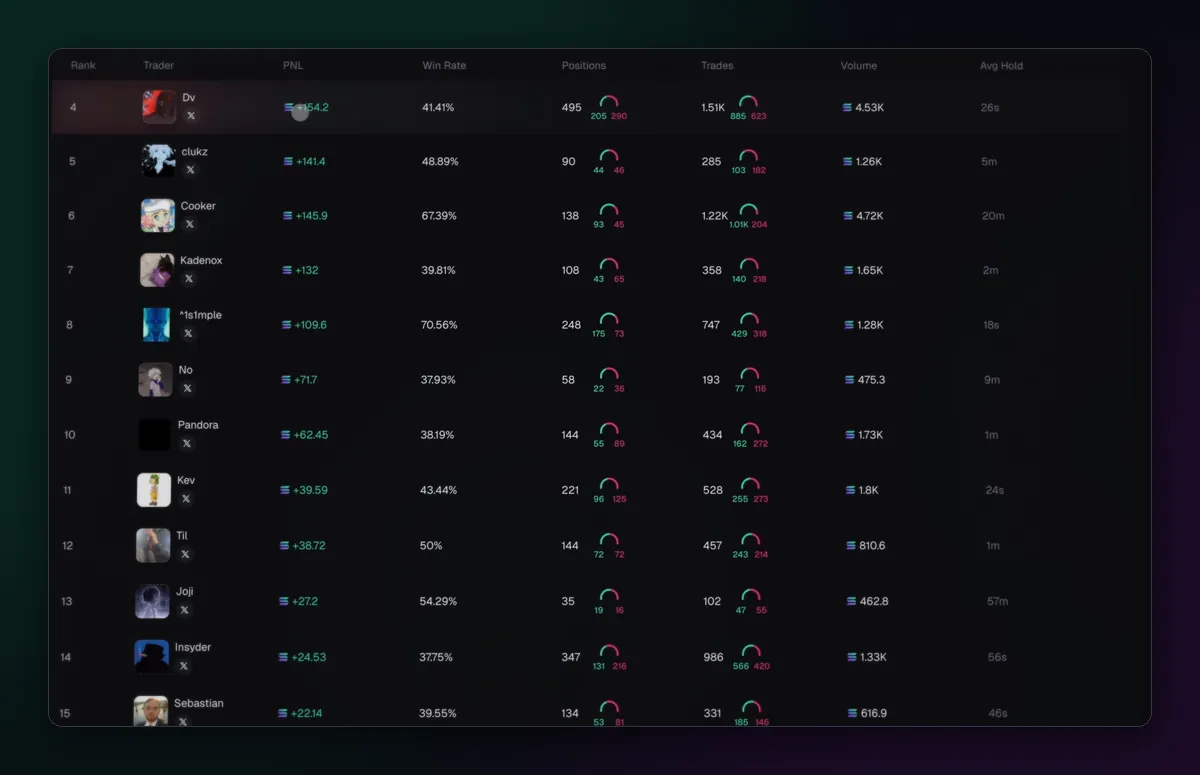
Vision has its own tab in the top bar, between Yield and Portfolio. The page has four boards: KOL for known traders, Global for every wallet, Your Wallets for your own, and Tracked for the wallets in your tracker. A search box on the right finds a single trader by name or address.
What the columns mean
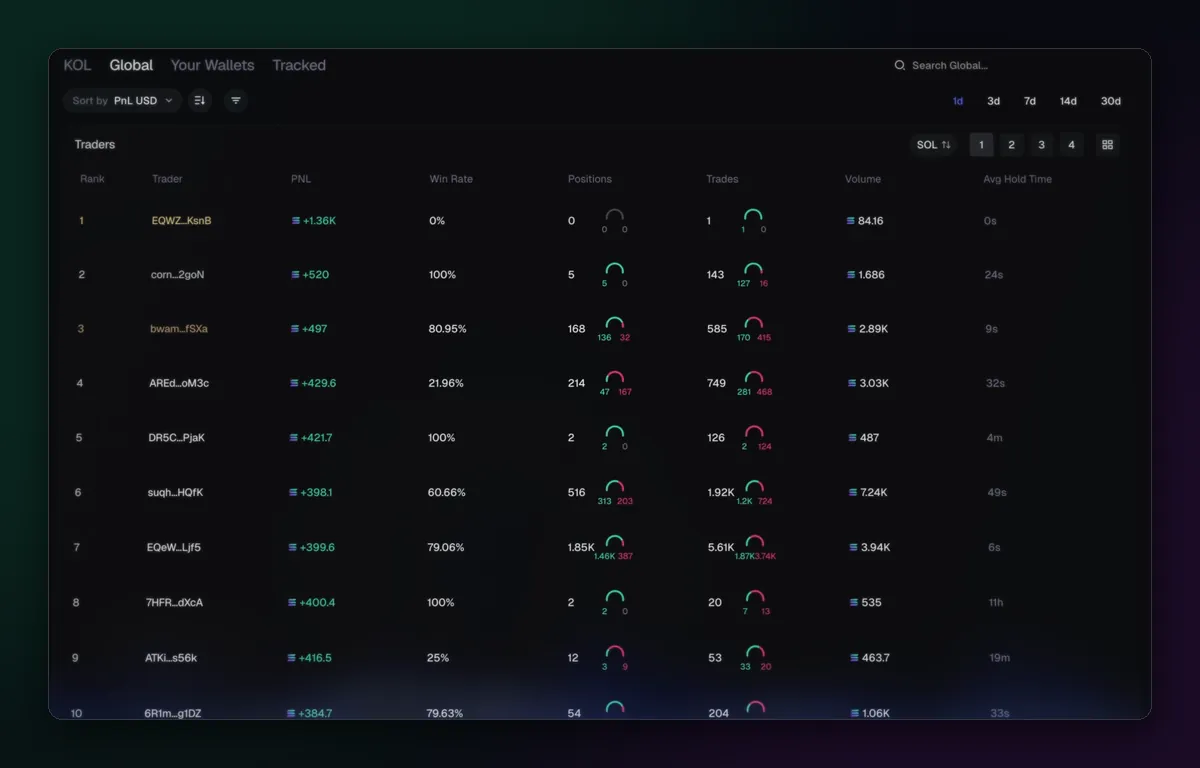
Each row gives the trader's PnL, win rate, number of positions, number of trades, volume and average hold time. Under Positions and Trades, the small green and red figures split the count into winners and losers, or buys and sells. Sort by PnL in USD or flip the order, and set the period with 1d, 3d, 7d, 14d or 30d. A trader who leads the 1d board and is nowhere on the 30d one had a good day, which is not the same as being good.
Read it with suspicion
The top of the Global board is full of traps. A 100% win rate over two positions is luck. A wallet with a large profit and no closed positions has not sold yet. An average hold of six seconds is a bot, and you cannot copy a bot by hand. The rows worth a second look have dozens of positions, a win rate that is good without being perfect, and a hold time a person could match.
See where you stand
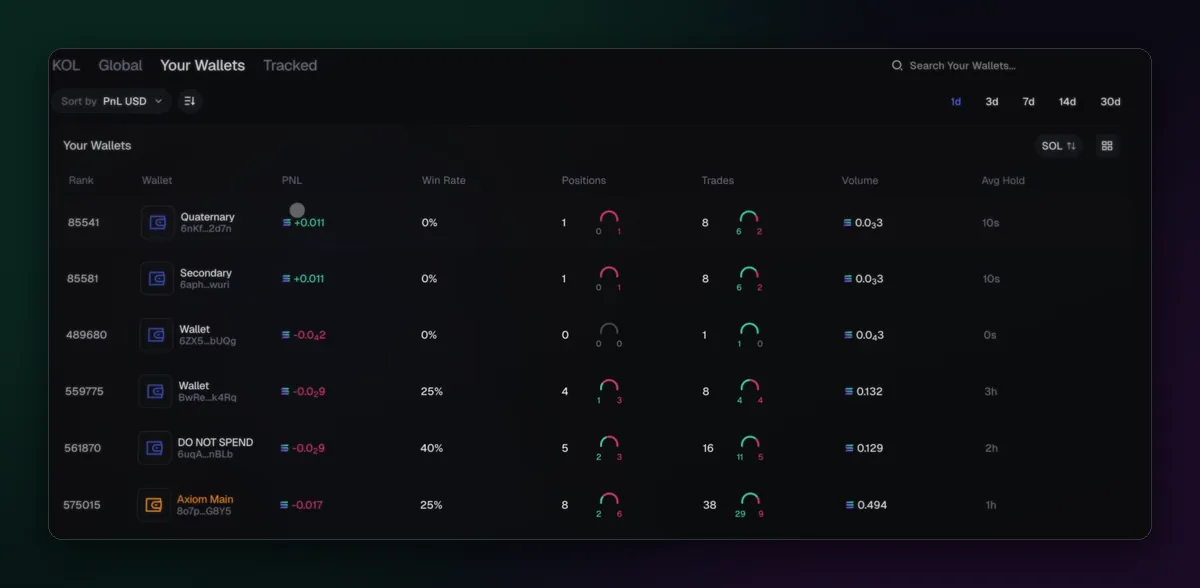
Your Wallets ranks every wallet on your login with the same columns and shows its place among all traders. It is a blunt way to compare your main wallet with your side ones, and it pairs well with How to Read Your Axiom Portfolio.
Follow the ones you pick
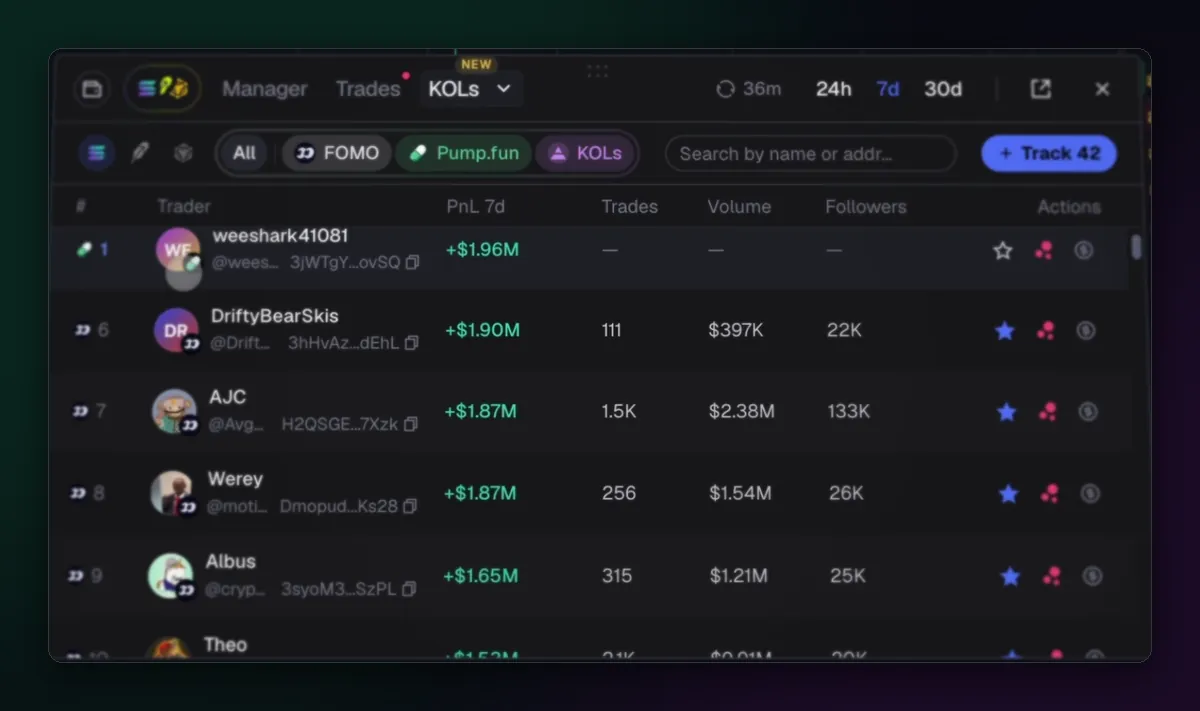
The tracker has a KOLs tab built on the same data. Narrow it by source, pick 24h, 7d or 30d, and press the star on a row to start tracking that wallet; the Track button at the top adds the whole filtered list at once. From there the wallet behaves like any other you follow, as How to Add a Wallet to the Wallet Tracker explains. For what to do once you are following someone, see the copy trading page.

Written by Mohammad Shahpari · Web3 CMO, Crypto Growth & SEO Specialist · X · LinkedIn
Did this answer your question?